

Technical Q&A
Can You Cut a COB LED Strip? Cut Points, Tools and Sealing
Yes, COB LED strip can be cut at marked points. Learn where to cut, how to reconnect by solder or connector, and how to reseal IP65 strips after cutting.
2026-11-28
EXW, FOB or DDP: Trade Terms for COB LED Strip Orders
EXW, FOB and DDP compared for COB LED strip orders: real cost, risk transfer, customs duties and paperwork, with a decision table from a factory.
2026-11-27
COB LED Strip Density: How Many Chips per Meter Do You Need?
Compare COB LED strip densities from 296D to 600D: dot-free distance, wattage, cost and application fit, with a selection table from a 16-year factory.
2026-11-26
COB LED Strip Beam Angle: What 120 Degrees Means for Layouts
Understand the COB LED strip beam angle: how the 120-degree fan maps to cove depth, shelf size and wall distance, with spacing rules from a factory.
2026-11-25
How to Compare COB LED Strip Quotes From Different Suppliers
Compare COB LED strip quotes line by line: photometry units, binning, PCB copper, Incoterms, warranty and sample policy — avoid the false-cheap quote.
2026-11-24
COB vs SMD LED Strip: Which One Fits Your Project?
COB vs SMD LED strip compared: light quality, efficiency, cost, durability and best applications, from a 16-year COB LED strip factory.
2026-11-23
How to Size a Power Supply for COB LED Strip Projects
Learn how to size a COB LED strip power supply: wattage math, 20-30% headroom, voltage check, driver placement and injection, from a 16-year factory.
2026-11-21
COB LED Strip: Factory Direct vs Online Marketplaces
Factory direct or online marketplace for COB LED strip? Compare MOQ, customization, QC access, pricing and after-sales support before your next order.
2026-11-20
5V vs 12V vs 24V COB LED Strip: Choosing the Right Voltage
5V, 12V or 24V COB LED strip? Compare run length, current, voltage drop, dimming and USB power options to pick the right voltage system per application.
2026-11-19
COB LED Strip for Hotel Projects: A Buyer’s Checklist
Specifying COB LED strip for hotel projects? The buyer checklist: guest rooms, bathrooms, corridors, consistency across floors, spare stock and lead times.
2026-11-17
COB LED Strip for Mirrors and Bathrooms: Zones and IP
Bathroom mirror lighting with COB LED strip: bathroom zones, IP44 vs IP65 choices, CCT for mirrors, anti-fog mounting and wiring rules explained.
2026-11-16
COB LED Strip Inspection: AQL Standards Explained for Buyers
AQL standards for COB LED strip orders explained: 1.0 vs 2.5 vs 4.0, what defects count, how sampling works and which level importers should specify.
2026-11-14
CRI 90 vs CRI 80 COB LED Strip: When the Upgrade Pays
CRI 90 or CRI 80 COB LED strip? Compare color rendering, R9, efficacy, price and applications — and when the upgrade genuinely pays for itself.
2026-11-13
COB LED Strip for Retail Shelving and Display Lighting
Retail shelving and display lighting with COB LED strip: lm/m by shelf type, CCT and CRI for merchandise, mounting options and energy-saving controls.
2026-11-11
COB LED Strip vs LED Panel Lights: Office Lighting Compared
COB LED strip or LED panel lights for office ceilings? Compare uniformity, glare, design freedom, renovation flexibility and cost for ambient office lighting.
2026-11-10
Under-Cabinet Kitchen Lighting with COB LED Strip: A Guide
Under-cabinet kitchen lighting with COB LED strip: task brightness, CCT choices, mounting position, power placement and the details that avoid glare.
2026-11-09
COB LED Strip Lead Time: What Affects It and How to Plan
What affects COB LED strip lead time? Stock vs custom builds, component sourcing, holidays, QC and shipping — and how to plan orders that stay on schedule.
2026-11-08
COB LED Strip Backlighting for TVs and Monitors: A Guide
Bias lighting behind TVs and monitors: why COB LED strip works, how to size and mount it, USB power options and the specs that matter for clean glow.
2026-11-07
How to Store COB LED Strips: Shelf Life, FIFO and Repacking
How to store COB LED strips in your warehouse: shelf life of sealed reels, humidity and temperature limits, FIFO discipline and repacking opened stock.
2026-11-06
How to Choose an Aluminum Channel for COB LED Strip
Which aluminum channel fits your COB LED strip? Surface, recessed and corner profiles, opal vs clear diffusers, heat sinking and width matching explained.
2026-11-05
220V vs 24V COB LED Strip: Where Each One Fits
220V high-voltage or 24V low-voltage COB LED strip? Compare run length, safety class, drivers, installation and cost to pick the right system per project.
2026-11-04
How RGB COB LED Strips Mix Color: A Practical Guide
How do RGB COB LED strips mix millions of colors? R, G and B dies under one phosphor line, controllers, white point and the specs that decide smoothness.
2026-11-03
How Much COB LED Strip Do You Need? A Planning Guide
Estimating COB LED strip for a project? Plan run lengths per cove, shelf and mirror, add service stock, and size drivers and cable before ordering.
2026-11-02
COB LED Strip vs T5 Fluorescent: The Cove Retrofit Guide
Replacing T5 fluorescents with COB LED strip? Compare light quality, dimming, energy use and installation — and what to check before retrofitting coves.
2026-10-31
COB LED Strip for Cove Lighting: Spacing and Output Tips
Designing cove lighting with COB LED strip? Typical lm/m by ceiling height, mounting and feed rules, CCT choices — and the mistakes to avoid.
2026-10-30
How to Read a COB LED Strip Datasheet: 8 Specs That Matter
A COB LED strip datasheet hides the truth in plain sight. The 8 specifications that matter — lm/m, SDCM, CRI, cut pitch and more — explained for buyers.
2026-10-28
COB LED Strip vs Track Lighting: When Lines Beat Spots
Track lighting or continuous COB LED strip? Compare aiming, light quality, glare, installation and cost for retail, gallery and display projects.
2026-10-27
COB LED Strip Color Temperature: How to Choose CCT
2700K, 3000K, 4000K or 5000K? Learn how COB LED strip color temperature changes a space and how to choose CCT per application and brand standard.
2026-10-26
COB LED Strip Packaging and Shipping: A Buyer’s Guide
How COB LED strips should be packed and shipped: reel winding, anti-static and moisture protection, carton standards and freight tips for importers.
2026-10-24
COB LED Strip vs Rigid LED Bar: Which Fits Your Project?
COB LED strip or rigid LED linear bar? Compare flexibility, installation, durability, customization and cost to choose the right linear lighting format.
2026-10-23
COB LED Strip Manufacturing: From LED Chip to Finished Reel
How is a COB LED strip made? Walk the manufacturing steps — binning, die bonding, phosphor coating, testing, aging — and what each means for quality.
2026-10-22
COB LED Strip Warranty: What to Check Before You Sign
What should a COB LED strip warranty cover? Length, lumen and color-shift clauses, common exclusions, the claims process — and the questions to ask.
2026-10-21
Narrow COB LED Strip vs Standard Width: Which Fits Where?
Narrow or standard width COB LED strip? Compare 3mm, 5mm, 8mm and wider boards across channels, bends, brightness and cost to fit your project.
2026-10-20
COB LED Strip Brightness: Lumens per Meter Explained
How bright is a COB LED strip? Why lumens per meter — not watts — measure brightness, typical output ranges and how to specify per application.
2026-10-19
How to Vet a COB LED Strip Manufacturer Before Ordering
Choosing a COB LED strip manufacturer? Use this vetting checklist — capability, QC, certifications, samples and references — before the first PO.
2026-10-17
High Density COB LED Strip vs Standard: Which to Specify?
High density or standard COB LED strip? Compare the dotless effect, price, power draw and applications to pick the right LED density per project.
2026-10-16
COB LED Strip Color Consistency: Why Some Runs Don’t Match
Why do two reels of the same LED strip look different? How chip binning and SDCM ratings drive COB LED strip color consistency before you order.
2026-10-15
COB LED Strip Certifications: What to Check Before Import
Which certificates does a COB LED strip need for your market? CE, UKCA, RoHS and UL explained, plus how buyers verify documents before ordering.
2026-10-14
Tunable White or Single-Color COB LED Strip: How to Choose
Tunable white or fixed CCT COB LED strip? Compare flexibility, controls, cost and typical applications to specify the right approach for your project.
2026-10-12
COB LED Strip Power Consumption: Watts and Running Costs
How much power does a COB LED strip use? Typical watts per meter, the 12V/24V current math, PSU sizing headroom and what 100 meters cost to run.
2026-10-12
Custom COB LED Strip: MOQ, Lead Time and OEM Options
Planning custom COB LED strips? Understand typical MOQs, OEM options, lead times and the specs you can customize before requesting a quotation.
2026-10-10
COB vs SMD LED Strip: 6 Differences Buyers Should Know
COB or SMD LED strip? Compare construction, light quality, efficiency, durability and price so you can choose the right technology per project.
2026-10-09
COB LED Strip Lifespan: How Long Do They Really Last?
How long do COB LED strips last? What the L70 rating means, which heat and driver factors shorten service life, and how buyers protect it.
2026-10-08
COB LED Strip Price: What Drives Cost and How to Compare
What drives COB LED strip price? See the cost factors behind every quote and how wholesale buyers should compare offers before placing an order.
2026-10-07
12V COB LED Strip vs 24V: How to Choose the Right Voltage
Compare 12V and 24V COB LED strip options: voltage drop, run length, cut precision, drivers and cost, so you can specify the right voltage.
2026-10-06
High CRI COB LED Strip: Why Color Accuracy Matters
Learn what a high CRI COB LED strip is, why CRI 90+ matters in retail and hospitality lighting, and how B2B buyers can specify color-accurate strips.
2026-10-05
COB LED Strip Sample Testing: 7 Checks Before a Bulk Order
Sample testing is the cheapest insurance in LED strip procurement — and the most commonly skipped step. Suppliers send free
2026-09-30
COB LED Strip Lights vs LED Neon Flex: A Buyer’s Comparison
Compare COB LED strip lights and LED neon flex for commercial decoration — light quality, installation, cost, maintenance and when to choose each.
2026-09-29
Flexible COB LED Strip: How to Bend, Cut and Install It Right
Learn how to bend, cut and install flexible COB LED strip correctly — bending radius, soldering, channels and the mistakes that void warranties.
2026-09-28
Specifying COB LED Strip for Architectural Lighting Projects
Specify COB LED strip for architectural lighting with confidence — lumens, IP ratings, controls, sampling and tender documentation checklist.
2026-09-24
24V LED Strip Lights: Stable, High-Brightness Lighting for Long Runs
When upgrading your home or commercial lighting, voltage stability is key to smooth, flicker-free illumination. While 12V LED strips work for short-distance decoration, 24V LED strip lights are the premium choice for longer lighting runs, brighter output, and more stable performance. Ideal for large room renovations, cabinet lighting, outdoor decor, and commercial displays, they deliver consistent lighting quality that standard low-voltage strips cannot match.
2026-09-07
Why LED Strip Lights Won't Turn On: Troubleshooting
There can be many possible reasons why LED strip lights won't turn on. Here are some common ones: ESD damage: LED is an electrostatic-sensitive component. If static protection is inadequate during production, the LED chip may be burned out by static electricity. Strengthening ESD protection—such as requiring staff to wear anti-static gloves and wrist straps as regulated, and ensuring tools and instruments are properly grounded—can prevent this problem. High-temperature damage: LEDs do not tolerate high temperatures well. If the soldering temperature and
2024-02-13
What Is an LED?
LED is the abbreviation of Light Emitting Diode. It is a solid-state lighting technology that emits light when electrons and holes recombine and release energy. LEDs are widely used in modern society, such as in lighting, flat-panel displays, and medical devices. The core of an LED is essentially a PN junction. When a forward voltage is applied, electrons diffuse from the N region to the P region, and holes move from the P region to the N region, where they recombine with the
2024-02-13
Downloads
Follow Us
Official Account: Douyin:
2026-04-06
Why LED Strip Lights Won't Turn On: Troubleshooting
There can be many possible reasons why LED strip lights won't turn on. Here are some common ones:
ESD damage: LED is an electrostatic-sensitive component. If static protection is inadequate during production, the LED chip may be burned out by static electricity. Strengthening ESD protection—such as requiring staff to wear anti-static gloves and wrist straps as regulated, and ensuring tools and instruments are properly grounded—can prevent this problem.
High-temperature damage: LEDs do not tolerate high temperatures well. If the soldering temperature and time are not properly controlled during production and repair, the LED chip may be damaged by excessive or sustained high temperature. Proper temperature control for reflow and soldering irons, using temperature-controlled irons, can effectively prevent the iron's high heat from burning out the LED chip.
Moisture explosion under high temperature: If an LED package is exposed to air for a long time, it absorbs moisture. Without a dehumidification process before use, during reflow soldering the moisture inside the package expands from the high temperature and long cycle, causing the LED package to crack and indirectly leading to overheating and damage of the LED chip.
Inadequate packaging protection: If the LED strip's packaging protection is insufficient, the beads may be damaged by impact during transport.
Welding quality issues: Cold solder joints on the LED strip can cause the solder to fall off during transport vibration, leaving the strip dark. In addition, insufficient solder volume, poor solder quality, brittle or detached joints can also cause the strip not to light up.
Installation problems: Bending the LED strip at too sharp an angle during installation can separate the solder joints from the copper foil and cause failure to light. Over-compressing the product during installation can damage the chip or cause joint deformation and detachment. The LED strip must not be twisted during installation, otherwise the solder joints may detach and the strip won't light.
Voltage or current issues: Long-term operation causing overheating, or voltage problems burning out the LEDs; excessive current or voltage puncturing the resistor and severely damaging it, so the entire strip goes dark.
Identifying the specific fault cause and repairing it may require professionals using specialized tools and equipment for testing. If you encounter an LED strip that won't light up, we recommend contacting a professional technician for inspection and repair.
What Is an LED?
LED is the abbreviation of Light Emitting Diode. It is a solid-state lighting technology that emits light when electrons and holes recombine and release energy. LEDs are widely used in modern society, such as in lighting, flat-panel displays, and medical devices. The core of an LED is essentially a PN junction. When a forward voltage is applied, electrons diffuse from the N region to the P region, and holes move from the P region to the N region. Within a few microns near the PN junction, electrons recombine with the holes in the N region and the electrons in the P region, producing spontaneously radiated fluorescence. The energy states of electrons and holes differ across semiconductor materials. The amount of energy released when they recombine varies—more energy released yields a shorter wavelength (bluer light), while less energy yields a longer wavelength (redder light). The color of light emitted by an LED (i.e., its wavelength) is determined by the material of the chip.
In the LED display industry, "LED" specifically refers to LEDs that emit visible light. The smallest light-emitting pixel of an LED display has the same meaning as the "pixel" in an ordinary computer monitor. An LED display is composed of several display pixels; the structurally independent minimum unit that forms an LED display is the LED display module. With its unique advantages, LED displays are widely used in various settings such as billboards, stadiums, stage backdrops, and traffic signals.
Compared with traditional lighting technology, LEDs offer many advantages: high efficiency and energy saving, environmental friendliness, long lifespan, and small size. Therefore, LED applications in lighting are expanding—not only for general illumination but also for special lighting fields such as plant growth lights, automotive lighting, and landscape lighting. With continuous technological progress and falling costs, the prospects for LED applications will be even broader.
Follow Us
Official Account:
Douyin:


24V LED Strip Lights: Stable, High-Brightness Lighting for Long Runs
When upgrading your home or commercial lighting, voltage stability is key to smooth, flicker-free illumination. While 12V LED strips work for short-distance decoration, 24V LED strip lights are the premium choice for longer lighting runs, brighter output, and more stable performance. Ideal for large room renovations, cabinet lighting, outdoor decor, and commercial displays, they deliver consistent lighting quality that standard low-voltage strips cannot match.
The most significant advantage of 24V LED strip lights is their superior voltage stability. Longer LED strips often suffer from voltage drop, causing dimmer lights and uneven color at the tail end. Thanks to higher operating voltage, 24V strips effectively reduce voltage loss over long distances. Even when installed in full-length layouts for ceilings, corridors, and large cabinets, they maintain uniform brightness from start to finish, with no dark segments or inconsistent glow.
Built for higher brightness and better load capacity, 24V LED strips offer stronger and more concentrated illumination. They provide brighter, clearer light while remaining flicker-free and eye-friendly, perfect for functional task lighting as well as aesthetic ambient lighting. Whether you need bright under-cabinet lighting for food preparation, soft continuous glow for bedroom ambiance, or vivid accent lighting for store displays, these strips perform steadily and reliably.
Safety and durability make 24V strips a cost-effective long-term investment. As safe low-voltage lighting, they produce extremely low heat after long hours of operation, avoiding overheating risks. The stable circuit structure greatly reduces light decay, burnout, and short-circuit issues. With a longer service life and consistent performance, they require minimal maintenance, helping you save frequent replacement costs.
Flexible and user-friendly installation fits both residential and commercial scenarios. Ultra-thin and highly bendable, 24V LED strips can adapt to curved surfaces, corners, and narrow gaps. The self-adhesive backing allows quick, drill-free installation on walls, ceilings, cabinets, and staircases. You can freely cut the strips at designated marks to customize lengths for your exact space needs, making them perfect for DIY lighting projects.
Versatile in application, 24V LED strip lights suit nearly all indoor and mild outdoor lighting needs. They are widely used for living room ceiling contour lighting, kitchen under-cabinet lighting, bedroom background lighting, long corridor decoration, shop window displays, and studio ambient lighting. Many models support RGB color changing, dimmable brightness, and smart control, allowing you to switch modes freely for daily use, festivals, and parties.
If you are looking for stable, long-lasting, and high-brightness LED strips for large or long-distance lighting layouts, our 24V LED strip lights are the ideal solution. Enjoy uniform illumination, reliable safety, and flexible DIY design to upgrade your space with professional-quality lighting.
Can You Cut a COB LED Strip? Cut Points, Tools and Sealing
Yes, you can cut a COB LED strip — at the marked points
Cutting to length is part of almost every COB LED strip installation, and it raises the question we hear from every new buyer: can the strip actually be cut? The answer is yes — every quality strip carries marked cut points at regular intervals, and cutting there is safe, supported and reversible. What damages strips is cutting in the wrong place, using the wrong reconnection method, or leaving an IP65 coating open at the cut. This guide walks through all three so a field cut looks as clean as a factory reel.
Where the cut points are and why they matter
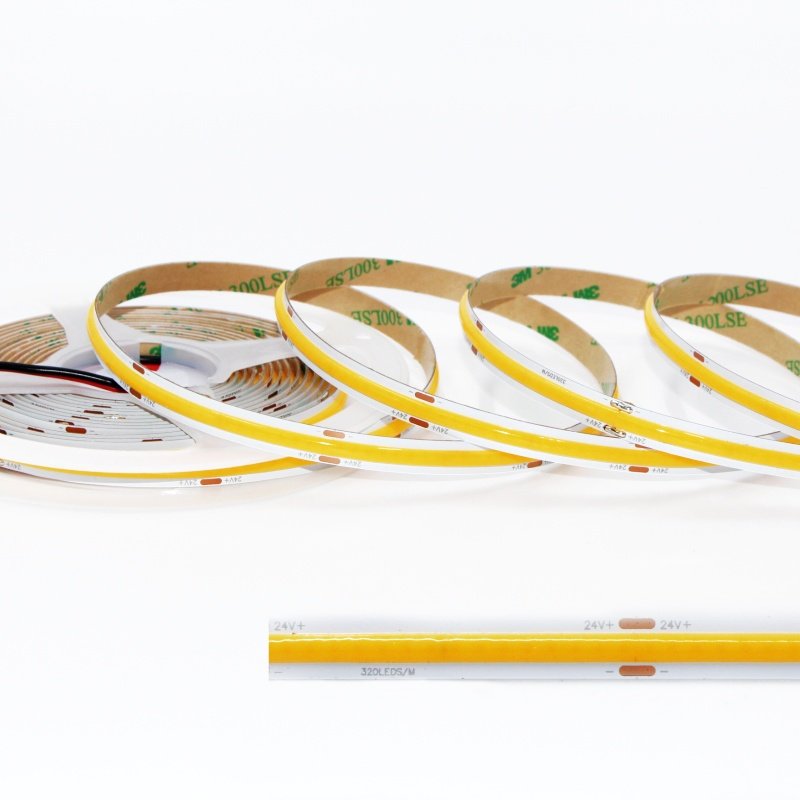
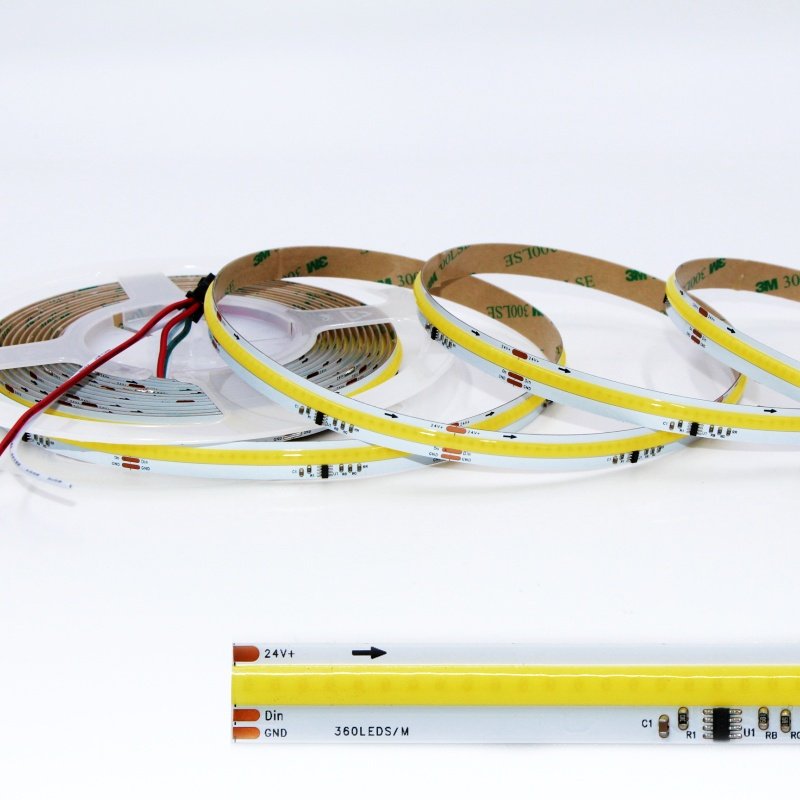
Look closely at the board and you will see a scissor icon or a bare copper pad pair every 50mm or so, printed between the chips. That mark is the only place where the circuit can be separated without damage: the copper pads at the cut point are the connection between repeating circuit segments, and the component-free zone around them exists precisely for the blade. Cut anywhere else and you sever the segment mid-circuit — that piece will never light again. The polarity is printed next to each pad (24V+ and 24V- on our 24V boards), which is exactly the information you need when you attach wires or a connector later. Our board printing also states the density, for example 320LEDS/M, so crews can verify the model on site before cutting.
Tools and the clean cut
A sharp pair of scissors or a craft knife is all the hardware required. Cut square across the board at the marked point — a diagonal cut leaves copper stubs that cause later shorts under the coating. On IP20 indoor strips, nothing else is needed: the bare end simply terminates the run. On coated strips, first push the silicone sleeve back a few millimeters from the cut line with a fingernail, cut the board, then trim the opened coating flush so the pads sit fully exposed for the next step.
Reconnecting: soldering versus connectors
Two reconnection methods are standard. Soldering to the exposed pads is the most reliable: tin the pads, solder the wire or the next segment, and keep the iron under 300°C with a short dwell so the phosphor film is not discolored. Snap-on COB connectors are the faster field method — the strip end slides into the connector and metal pins pierce or clamp onto the pads. Quality matters here: a misaligned connector is the most common cause of a segment that flickers or dies weeks after install, so seat the strip fully to the connector stop and test before final mounting. Whichever method you choose, keep every run inside the length limits on the datasheet, since longer chains need power injection rather than better joints — our aluminum channel guide covers how mounting and heat interact on longer runs.
Sealing the cut on coated strips
An unsealed cut on a wet-rated strip is an open door for water, so the last step is restoring the ingress protection that matched the original rating. The work takes minutes:
| Strip type | After cutting | Resealing method |
|---|---|---|
| IP20 indoor | Bare board edge | Nothing needed; terminate or join as normal |
| IP65 coated | Open silicone at the cut | End cap plus silicone glue, or adhesive-lined heat shrink over the joint |
| IP67/IP68 tube | Tube open at the cut | Insert cap and re-pot with epoxy, or return the length for factory resealing |
For details on what each rating withstands before you choose, our waterproof COB LED strip guide compares IP20, IP65, IP67 and IP68 construction side by side.
FAQ
Does cutting a COB LED strip void the warranty?
No. Cutting at the marked points is the intended use of the product and does not affect warranty coverage of the strip itself. What is not covered is damage from cutting between points, wrong-polarity connection or water entry at an unsealed cut on coated models.
How short can I cut a COB LED strip?
Down to one segment — the distance between two cut points, typically 50mm on 24V boards. Shorter pieces cannot be produced because each segment needs its full circuit to light. For runs shorter than one segment, order custom lengths from the factory instead.
Why does my strip flicker at the cut after reconnecting?
Flicker at a joint almost always means partial contact: a cold solder joint, a connector pin that missed the pad, or pad residue under the clamp. Re-seat the connection, clean the pads with isopropyl alcohol, and retest before sealing the joint back up.
Order cut-to-length or cut it yourself
Tell us your segment lengths and we can ship reels, or factory-cut and pre-sealed lengths with connectors attached — ready to mount with zero field work. Browse the COB LED strip range or review the 8mm 480-LED 24V datasheet for cut-point spacing per model.
EXW, FOB or DDP: Trade Terms for COB LED Strip Orders
The same reel, three different prices
Ask for a COB LED strip quotation and the first number you receive depends on a line many buyers skim past: the trade term. One supplier quotes EXW from the factory gate, another quotes FOB from a Chinese port, a third quotes DDP delivered to your warehouse with duties paid. The strips are identical; the obligations, costs and risks are not. Choosing the right term — and comparing quotes on the same basis — routinely changes landed cost by 10-30% and decides who stands next to the cargo when something goes wrong.
What each term actually covers
All three terms come from Incoterms 2020, the shared language of international trade. Under EXW (Ex Works) we make the goods available packed at our factory; from that point onward every cost and every risk is yours — trucking, export clearance, freight, insurance, import clearance and duties. Under FOB (Free On Board) we deliver the cargo loaded onto the vessel at the named Chinese port and clear export customs; risk passes to you once the goods are on board. Under DDP (Delivered Duty Paid) we carry the order all the way to your address, having paid freight, insurance where agreed, import duties and taxes. The table below is the version we send with every quotation:
| Term | Export clearance | Main freight | Import customs and duty | Risk transfers at | Typical buyer |
|---|---|---|---|---|---|
| EXW | Buyer | Buyer | Buyer | Factory gate | Importers whose forwarder consolidates in China |
| FOB | Seller | Buyer | Buyer | On board vessel, named port | Regular importers with a customs broker |
| DDP | Seller | Seller | Seller | Buyer address | New importers, e-commerce and FBA shipments |
The real cost hiding in each quote
EXW looks cheapest and often costs the most. The headline excludes domestic trucking, export declaration fees, terminal handling and documentation — line items a Chinese forwarder bills you at local rates you cannot audit easily. FOB folds export-side costs into our price and leaves you the freight and import leg, which is why it is the fairest basis for comparing COB LED strip suppliers; our guide to comparing COB LED strip quotes recommends converting every quotation to one term before ranking. DDP shows the highest number but the most complete one: it includes freight, duties and import VAT — which in the EU alone adds roughly 20% of the cargo value on top of duty.
Choosing by your import setup, not by habit
Match the term to your logistics capability. Choose EXW when your forwarder already consolidates cargo in China and can collect from our factory within a day — the term gives your agent full control of the export leg. Choose FOB when you import regularly and hold a customs broker in your country: it is the trade default, it keeps the freight contract in your hands, and it still leaves export paperwork with us. Choose DDP when you are importing for the first time, shipping into marketplaces or fulfillment centers, or when your team has no import registration — you pay more per reel and you never touch a customs form.
Clauses to agree in writing before the order
Whichever term you pick, three lines of text prevent most disputes. First, cite the term with the Incoterms year and the named place — FOB Ningbo, Incoterms 2020 — never a bare FOB. Second, name the booking party and the cut-off: under FOB you book the vessel and we deliver to it, so demurrage rules and the freight cut-off date must be written down. Third, list the document set you will receive — commercial invoice, packing list, bill of lading and certificate of origin, plus the CE and RoHS declarations your customs broker will ask for; our COB LED strip certifications guide lists the paperwork per market.
FAQ
Is DDP always the most expensive option?
It usually shows the highest invoice and the lowest hassle. For small express shipments the total can even be lower than self-clearing, because we consolidate freight with neighboring orders. For full pallets to developed markets, DDP typically costs 5-15% more than FOB plus your own clearance — the premium is the price of zero paperwork.
Can we change the trade term after the order starts?
Yes, before the goods leave the factory. Switching from EXW to FOB or DDP mid-order is common when import registrations arrive late; we reissue the invoice on the new basis. After export clearance the term is fixed for that shipment.
What documents do I receive under FOB?
The standard set: commercial invoice, packing list, bill of lading and certificate of origin, together with test reports and declarations for the destination market. Send the set to your broker before the vessel sails and clearance rarely takes more than a day or two.
Get one order quoted on all three terms
Send us your destination port or address and the reel list — we will return the same COB LED strip order quoted on EXW, FOB and DDP side by side, with a freight estimate and the full document set named in advance. Browse the COB LED strip range or review the 10mm 480-LED 24V datasheet while you wait.
COB LED Strip Density: How Many Chips per Meter Do You Need?
Density decides how close your strip can be seen
Among all the numbers on a COB LED strip datasheet, density — the chips per meter figure, written as 296D, 400D, 480D and so on — is the one that decides how the light looks to the eye. Higher density means the emitting line reads as one smooth strip of light from a shorter distance; lower density is cheaper and easier to drive, but the individual chips start to separate when viewed up close. Choosing density is therefore not about picking the biggest number: it is about matching the dot-free distance to where people will actually stand. This comparison walks through the four density classes we produce and where each earns its cost.
What the density number actually measures
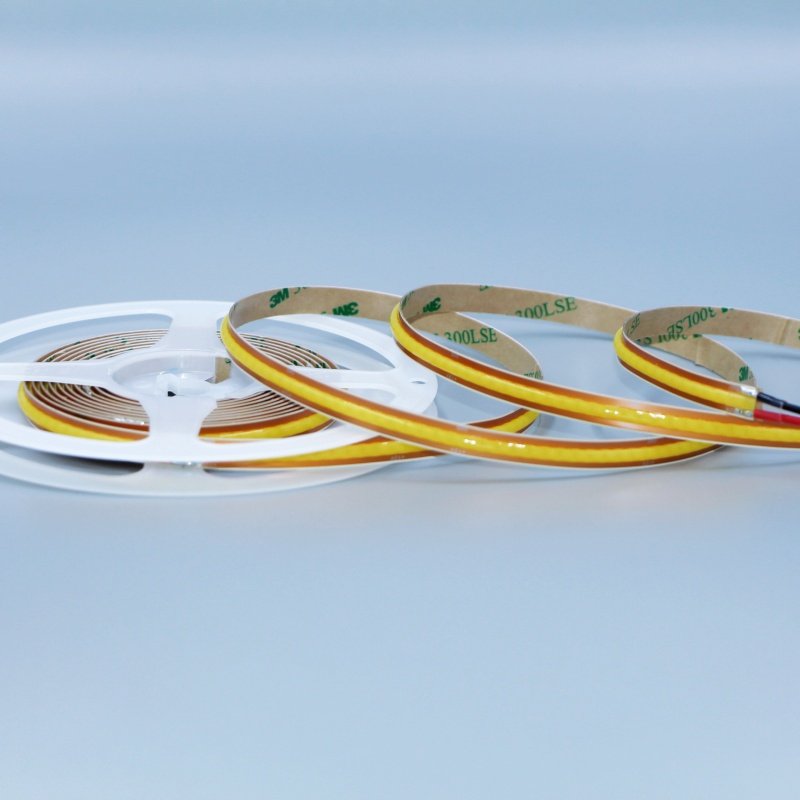
A COB LED strip carries bare flip-chips soldered directly to the board and covered by one continuous phosphor film. The chips themselves are invisible — what shows is the light distribution. Where chip spacing is wide, each chip contributes a bright center with a dimmer gap between neighbors, and at close range the eye resolves that rhythm as faint dots. As density rises, the light from neighboring chips overlaps earlier and the line stays uniform at shorter viewing distances. Density also shapes the electrical profile: the same wattage spread across more chips drives each one gentler, which runs cooler per chip and degrades more slowly.
The four density classes compared
| Class | Chips per meter | Typical power | Dot-free from about | Best fit |
|---|---|---|---|---|
| Entry | 296-320D | 7-10W/m | 60-80cm | High ceiling coves, indirect washes above the eye line |
| Mid | 360-400D | 8-12W/m | 40-50cm | Under-cabinet runs, wall washing, sign trays |
| High | 480-528D | 10-14.5W/m | 25-30cm | Retail shelving, mirrors, close cove work |
| Ultra | 576-608D+ | 13-20W/m | under 20cm | Jewelry cases, direct-view lines, premium detail work |
The dot-free column is the working rule: it states how far the viewer must be before the line reads as continuous on a bare strip. Behind a frosted diffuser the distances shorten, because the cover blends neighboring chips — a mid-density strip behind opal glass reads smooth from under one meter.
Density, wattage and heat belong together
Two projects can share the same brightness with different densities: a 400D strip at 12W/m and a 528D strip at 12W/m deliver similar lumens, but the 528D spreads that load over 30% more chips. For installs that run many hours daily — retail, hotels, offices — the gentler per-chip drive is worth the small price premium, and our guide to COB LED strip power consumption shows how wattage and density interact on the same board. For the extremes of the range, our high-density COB LED strip overview covers when the top classes justify themselves. Note that brightness itself is a wattage question, not a density question — our brightness guide explains how to budget lumens per meter independently of this choice.
Matching density to the project without overpaying
The most common sourcing mistake is over-specifying: a 608D strip hidden three meters up in a plaster cove delivers no visible benefit over 320D, yet costs 15-30% more per meter. Work from the viewer instead. If the nearest eye is more than a meter away and the strip is indirect, entry or mid density is enough. If customers lean over a jewelry case or the line reflects in a mirror at close range, high or ultra density pays for itself in the perceived quality of the whole interior. For mixed projects, run different classes in different zones and keep color temperature and binning identical across them so the light character stays one family.
FAQ
Does higher density mean a brighter COB LED strip?
No. Brightness comes from watts per meter and LED efficiency, not from chip count. Density distributes the same brightness more evenly along the line; a 400D strip at 14W can outshine a 608D strip at 8W. Compare lm/m on the datasheet for brightness and use density only for the dot-free distance.
Is a higher density strip automatically better quality?
No. Quality is decided by chip grade, phosphor consistency, copper weight and binning discipline — a well-made 320D strip outlasts a poor 608D strip. Density is a comfort feature for close viewing, not a quality certificate.
Which density should I use behind a diffuser?
For viewing distances of one meter or more, mid density 360-400D behind a frosted cover reads as fully continuous. Only specify high density behind diffusers when the cover sits closer than 50cm to the eye, such as glass shelf edges or display risers.
Send your viewing distances, get a density plan
Tell us where each run sits and how close people get — our engineers will return a density recommendation per zone with lumen budgets, plus free samples from two neighboring classes so you can compare on site. Browse the COB LED strip range or review the 10mm 480-LED 24V datasheet as the high-density reference.
COB LED Strip Beam Angle: What 120 Degrees Means for Layouts
Why the beam angle belongs in every layout plan
Every COB LED strip datasheet quotes one optical number that buyers often skip: the beam angle, typically 120 degrees. It decides how far the light reaches across a ceiling, a shelf or a wall — which means it decides how many meters of strip a project really needs and where each run should sit. This guide explains what the rating measures and how to turn it into mounting distances for the four most common installations.
What the 120-degree rating actually describes
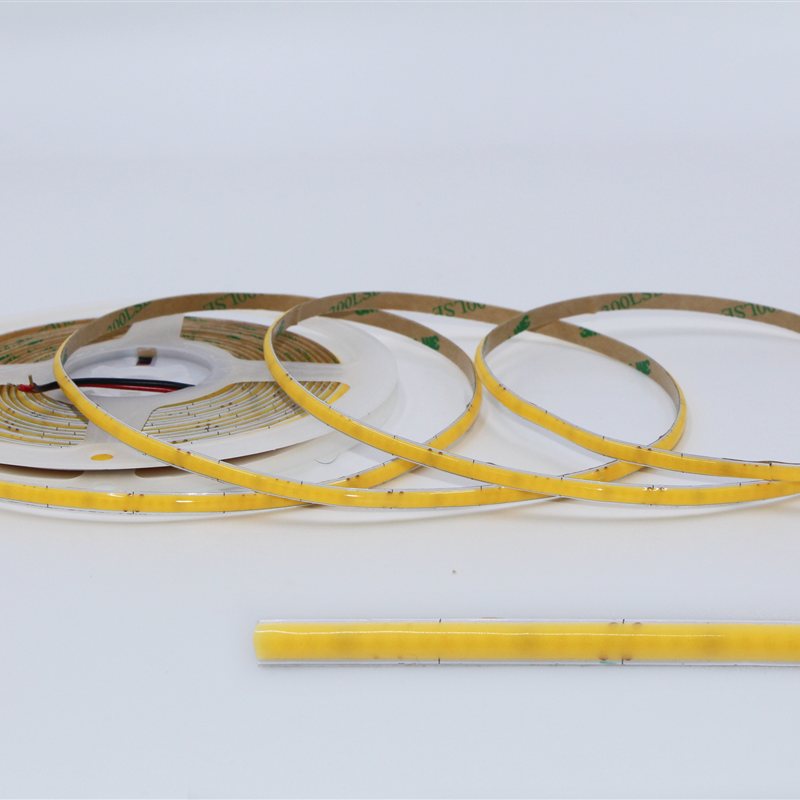
A COB LED strip emits through a continuous phosphor film over the chip line, without lenses or reflectors, so the light spreads in a wide fan across the full width of the board: 120 degrees from one edge to the other, or 60 degrees to each side of the strip axis. The convention behind the number matters. The rating marks the full width at which intensity falls to half of the center peak — the brightness at the outer edges of that fan is already reduced, not equal to the center. A bare COB line is therefore a wide, soft, center-weighted source, and every layout rule below follows from that shape.
From beam angle to mounting distance
The practical shortcut for a 120-degree strip: the light spreads roughly as wide as the distance from the strip to the surface it lights. A run mounted 300mm from a wall covers roughly a 300mm band of usable brightness. This gives a first-pass layout rule for the most common cases:
| Application | Typical distance | Layout guidance |
|---|---|---|
| Ceiling cove | 80-150mm slot depth | Set the strip about one third from the back wall so the fan throws onto the ceiling plane, not the slot lip |
| Shelf or cabinet | 250-300mm | Rear-top mounting covers a 300mm shelf fully; deeper shelves need a second run |
| Wall washing | 300-500mm off the wall | Closer mounting concentrates light low; wider offsets wash taller walls smoothly |
| Sign channels | 50-100mm depth | Wide fan fills shallow trays evenly without hot spots over the face |
Where two runs must meet, plan overlap rather than edge-to-edge spacing: two fans overlapping by half produce a far more even line than two fans just touching. Our guide to COB LED strip brightness explains how to budget lumens per meter once the geometry is fixed.
Why COB spread behaves better in tight spaces
A wide beam angle only works if the source itself stays clean at grazing angles, and this is where the COB construction earns its place. Because the emitting surface is continuous, light leaves the strip at every angle within the fan without the dot-by-dot shadows that discrete packages cast when mounted close to a wall or behind a shallow diffuser. The effect is most visible on reflective and textured surfaces: mirrors, glass fronts and coarse plaster all stay smooth under a COB fan. Our mirror and bathroom guide and aluminum channel guide both rely on this property. Narrow 3mm to 8mm boards keep the full 120-degree spread — thin profile changes the mounting position, not the optics, which is why slim formats suit coves and display edges where distance is short.
FAQ
Does an aluminum channel change the beam angle?
The channel geometry does. A clear cover preserves the full 120-degree fan; a frosted or opal cover widens the apparent spread slightly and smooths the edges, while a deep channel with side walls can narrow the effective output that escapes. Treat the channel as part of the optic and mock up one meter before finalizing spacing.
Is brightness uniform across the whole 120 degrees?
No. Intensity peaks on the strip axis and falls toward the edges, reaching half of peak at the 120-degree boundary. Layouts that need visible uniformity — retail shelves, gallery walls — should rely on the central brighter cone and overlap adjacent runs rather than counting the outer edge of the fan.
Can I get a narrower beam from a COB LED strip?
Not optically from the strip itself. Narrow the beam with the installation: mount closer to the surface, use channel side walls as baffles, or choose linear lens profiles when a controlled beam is essential. Spot-style effects call for luminaires with reflectors, not strip light.
Send your layout, get a spacing plan
Tell us the slot depths, shelf sizes and wall heights in your drawing — our engineers will return a strip-by-strip spacing plan with lumen budgets for each run, free with your quotation. Browse the COB LED strip range or review the 10mm 480-LED 24V datasheet for photometric details.
How to Compare COB LED Strip Quotes From Different Suppliers
Why comparing COB LED strip quotes is harder than it looks
Ask five suppliers to quote the same COB LED strip and you will receive five numbers that can differ by 30% or more. The gap rarely comes from greed — it comes from different test conditions, different component grades and different commercial terms hiding inside the same word “24V 8mm 480LED”. Comparing quotes line by line takes an extra hour and reliably prevents the most expensive mistake in strip sourcing: awarding the order to the quote that was cheapest on paper and costliest on site.
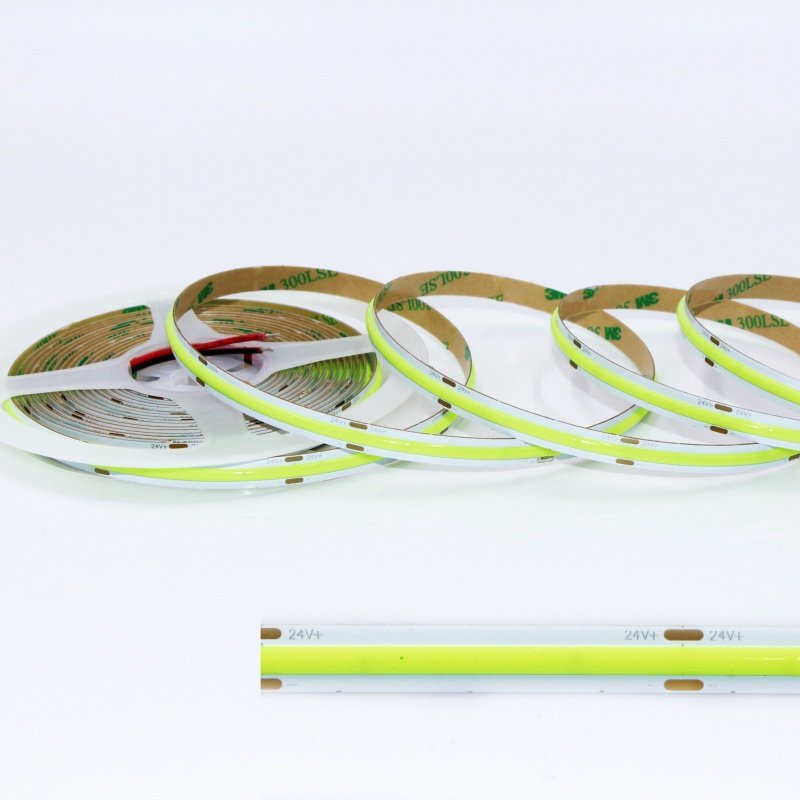
Normalize the numbers to the same units
The first trap is that suppliers quote brightness in different ways. One lists lm/m measured on the bare strip at 25°C in an integrating sphere; another lists lumens for the strip inside an aluminum channel; a third lists the LED package rating from the chip datasheet. Before comparing prices, rebuild every quote with three fields: lumens per meter, watts per meter, and the test condition behind both. Only lm/W at a stated condition is a fair efficiency metric. If a supplier cannot tell you how the number was measured, treat the quote as unverified. Our guide to COB LED strip price factors explains what genuinely drives the differences between numbers.
Read the line items that reveal quality
After the headline specs, check the five details that separate a durable strip from a good-looking datasheet:
- Color binning: the SDCM window promised per batch. A 3-step SDCM commitment with same-batch matching costs slightly more and eliminates visible shade differences between reels.
- CRI and R9: CRI 90 with R9 above 40 for retail and hospitality work; quotes that state only “high CRI” without R9 leave the hardest color to render unspecified.
- PCB copper: 2oz copper carries heat and current measurably better than 1oz on the same trace width. It is one of the quietest cost cuts in the industry.
- Tape and accessories: genuine 3M or equivalent branded adhesive versus generic tape; connector brand if pre-soldered leads are quoted.
- Sample policy: whether the quoted model is available as a free sample for verification before production.
If a prospective supplier resists putting these five items in writing, that resistance is itself information — our checklist for vetting a COB LED strip manufacturer covers how to read those signals.
Compare the commercial terms, not only the unit price
Three commercial lines can move the landed cost more than the unit price itself. First, the Incoterm: an EXW quote looks lowest until you add pickup, freight, insurance and clearance, so convert every quote to the same basis — FOB or DDP — before ranking. Second, the warranty: the length matters, but so does the claim process, including who pays return freight and whether replacements ship from local stock or the factory; our COB LED strip warranty guide lists the questions to ask. Third, payment structure: deposits above 30-40% shift risk onto the buyer before a single reel is tested.
Side-by-side quote comparison table
| Field | Ask every supplier |
|---|---|
| Lumens & watts per meter | With the test condition stated |
| CRI / R9 / SDCM binning | Numeric values in writing |
| PCB copper weight | 1oz or 2oz |
| Incoterm basis | All quotes on the same term |
| Warranty & claim process | Length, freight, replacement source |
| Sample availability | Free sample of the quoted model |
FAQ
Why do quotes for the same specification differ so much?
Because the specification is rarely as identical as it reads. Chip grade, phosphor batch, copper weight, binning discipline and testing rigor all sit between the cheapest and the honest quote. A 15-30% spread on paper is normal; the spread in real service life is far larger.
Should I just choose the lowest quote?
Choose the lowest quote that survives the full comparison — normalized photometry, written component grades, same-basis Incoterms and a verifiable claim process. If the cheapest quote also passes every line, award it with confidence. If it passes none, the saving was never real.
What documents should a serious quote include?
A dated quotation sheet, the full datasheet for the exact model with test conditions, IES or LM-80 style data on request, warranty terms, and the sample policy. Ask for the datasheet before the price — our buyer guide shows which datasheet fields decide real performance.
Send us your bill of quantities
Email your run list, lengths and target color temperature — we will return a line-by-line quote with photometry measured per meter, written binning commitments and a free sample of the exact quoted model. Browse the COB LED strip range or check the 8mm 480-LED 24V datasheet as a reference model.
COB vs SMD LED Strip: Which One Fits Your Project?
COB vs SMD LED strip: the question every project buyer asks
Every distributor and contractor sourcing LED strips eventually faces the same decision: COB vs SMD LED strip — which technology fits the project? The honest answer is that both are mature, and the right choice depends on the application, the budget and the surface the light touches. This comparison walks through the five differences that actually matter on site, from the team that manufactures COB strips daily.
What the two technologies actually are
An SMD strip carries discrete LED packages soldered at fixed intervals, typically 60 to 120 per meter, with resistors between them. Switch it on and you see individual light points separated by dark gaps. A COB LED strip mounts bare LED chips directly on the board at very high density — 300 to 600 chips per meter — then covers the entire line with a uniform phosphor layer. The result is one continuous emitting surface with no visible dots.
Light quality: the difference your customer sees
The dotted effect of SMD is subtle on matte walls but becomes obvious on anything reflective. Marble floors, glass partitions, stainless steel, mirrors and water all mirror the individual LED points and break the light line. A COB LED strip projects a clean linear glow on the same surfaces, which is why it dominates in hotel corridors, retail display walls, cove lighting and any install behind glass or near glossy finishes. Behind a diffuser, SMD still shows pixelation up close, while COB reads as one even line even at short distances.
| Dimension | COB LED strip | SMD strip |
|---|---|---|
| Light appearance | Continuous line, dot-free | Discrete points with gaps |
| Chip density | 300-600 chips/m | 60-120 LEDs/m |
| Glare | Lower, one soft surface | Higher, point sources |
| Reflective surfaces | Clean reflection | Dotted reflection |
| Cost per meter | Higher | Lower |
Efficiency, heat and lifespan
Modern SMD packages remain efficient, and for pure lumens-per-dollar on long unseen runs they still compete. The COB advantage is thermal: hundreds of small chips spread heat evenly along the whole board instead of concentrating it at solder points, so COB strips degrade more slowly in strip form. Both technologies need an aluminum channel in enclosed or long-run installations; the channel, not the chip type, decides real installed lifespan. For how density and voltage shape wattage, see our power consumption guide and our high-density COB LED strip overview.
Where SMD still makes sense
SMD keeps three honest advantages. It costs less per meter, which matters on long hidden runs such as ceiling coves behind a crown molding where no one inspects the light closely. The SMD RGB ecosystem is mature and inexpensive for dynamic color effects. And some decorative designs deliberately use spaced dots as a styling element. If the budget rules and the dots stay out of sight, SMD is a rational choice.
Where COB wins the specification
Choose a COB LED strip when the light line itself is visible and part of the design: architectural coves, shelves, mirrors, furniture, hotel and restaurant interiors, museum casework and any narrow profile from 3mm to 10mm where a diffuser would be visible. COB is also the safer pick on camera: film crews and video content studios specify it because it has no scan lines or pixel flicker in frame. Our narrow COB LED strip guide covers the thin-profile installs where only COB fits.
FAQ
Is COB brighter than SMD?
Not automatically. Brightness depends on watts per meter, not the package type. At equal wattage, COB spreads the same lumens into a smoother line, while SMD concentrates them into points. Compare datasheets by lm/m and lm/W, not by chip type.
Why is COB LED strip more expensive?
COB production places and electrically connects hundreds of bare chips per meter under a phosphor coat, which needs finer process control than soldering discrete packages. The price difference has narrowed for years and is small next to the installed visual result in premium spaces.
Can I use both in one project?
Yes, and many projects do: SMD on hidden utility runs where dots are invisible, COB LED strip on every visible line. Matching color temperature and CRI across both keeps the result consistent — our team can bin both types to the same SDCM window in one order.
Send your drawings, get both options quoted
Tell us where each run goes and what surface it lights — we will quote a COB LED strip option and an SMD option side by side, with free samples of both, so you can compare on site before you commit. Browse the COB LED strip range or the 10mm 480-LED 24V datasheet to start.
How to Size a Power Supply for COB LED Strip Projects
Undersized drivers cause most COB LED strip failures
Undersized drivers are behind most COB LED strip failures we see in warranty claims: tails that dim within the first meters, drivers that shut down on warm afternoons, and strips that lose brightness after months of use. The sizing math takes five minutes and prevents all three. This guide walks through the exact steps we use with project buyers before any order ships.
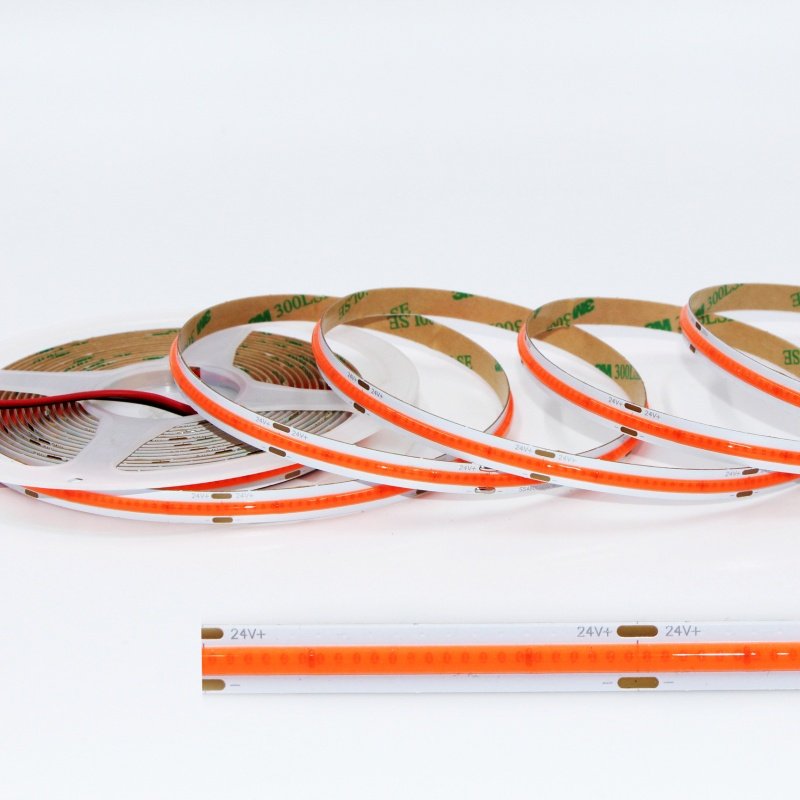
Step 1: Calculate the total load in watts
Every COB LED strip has a rated power per meter on its datasheet. For example, our 10mm 480-LED 24V strip runs at 14.5W/m. Multiply that figure by the total meters connected to one driver:
14.5W/m × 12m = 174W total strip load.
Note the words “connected to one driver” — if the run is split across three rooms with three drivers, size each driver for its own section, not the whole project. For how wattage varies with density and voltage, see our guide to COB LED strip power consumption.
Step 2: Add 20-30% headroom
Never size a driver to exactly the strip load. A driver running at 100% load runs hot, ages its capacitors faster, and often cannot deliver its rated output inside a warm, enclosed ceiling void. The standard rule:
174W × 1.25 = 218W → choose a 220-250W driver.
In practice we recommend 20% headroom for ventilated indoor installs and 30% for enclosed channels or high ambient temperatures. The extra cost is a few dollars per project; the return is a driver that actually reaches its rated lifespan.
Step 3: Match voltage and check the current
The driver output voltage must match the strip: a 24V strip needs a 24V driver. Then check the current:
218W ÷ 24V ≈ 9.1A — so wiring and connectors on that run must carry 9-10A safely.
The same load on 12V would roughly double the current to 18A, which demands heavier cable and better terminations. This is one reason we recommend 24V for runs over 5 meters; the full trade-offs are covered in our 12V vs 24V comparison.
Step 4: Plan driver placement and power injection
Voltage drop, not driver capacity, is the usual cause of a dim tail. Three placement rules prevent it:
- Keep the driver as close to the strip run as practical — every meter of DC cable adds resistance.
- For runs beyond 5m, feed power from both ends or inject at the midpoint.
- Mount drivers where they can dissipate heat, not sealed in a box with no airflow.
A dim tail on a properly sized driver is an installation problem, not a product problem. For heat management on longer runs, see our aluminum channel guide.
Power supply sizing checklist
| Check | Rule |
|---|---|
| Total load | Rated W/m × meters connected to the driver |
| Headroom | 20% ventilated installs, 30% enclosed or hot spaces |
| Voltage | Driver voltage = strip voltage, always |
| Current | Load ÷ voltage; cable rated above the result |
| Placement | Close to the run, ventilated, serviceable |
FAQ
Can I connect two COB LED strips to one driver?
Yes, if the combined load stays within driver capacity with headroom and both strips share the same voltage. Wire them in parallel from the driver terminals rather than strip-to-strip in a long chain, so each receives the same voltage.
What happens if the power supply is oversized?
Nothing harmful. A quality constant-voltage driver delivers only the current the strip draws, so a slightly oversized driver simply runs cooler and lasts longer. Heavy oversizing only wastes budget and space.
Constant voltage or constant current for COB LED strip?
Constant voltage (12V/24V) is the standard for strip projects because strips are rated for a fixed voltage and multiple runs can share one driver. Constant current belongs to module-level products, not strip installations.
Get a free driver sizing plan
Send us your run lengths and layout — our engineers will return a complete driver sizing and power-injection plan with your quotation, free of charge. Browse the COB LED strip range or check the 10mm 480-LED 24V datasheet to compare wattage, density and width options.
COB LED Strip: Factory Direct vs Online Marketplaces
When a COB LED strip order grows beyond a few reels, the sourcing question arrives: keep buying through online marketplaces, or go direct to a factory? Both channels work, and most professional buyers use both at different stages — marketplaces for prototypes and emergencies, factory direct for volume and custom work. This comparison of factory direct COB LED strip sourcing against marketplace buying covers MOQ, customization, quality control, pricing and after-sales support, so the next order goes through the right door.
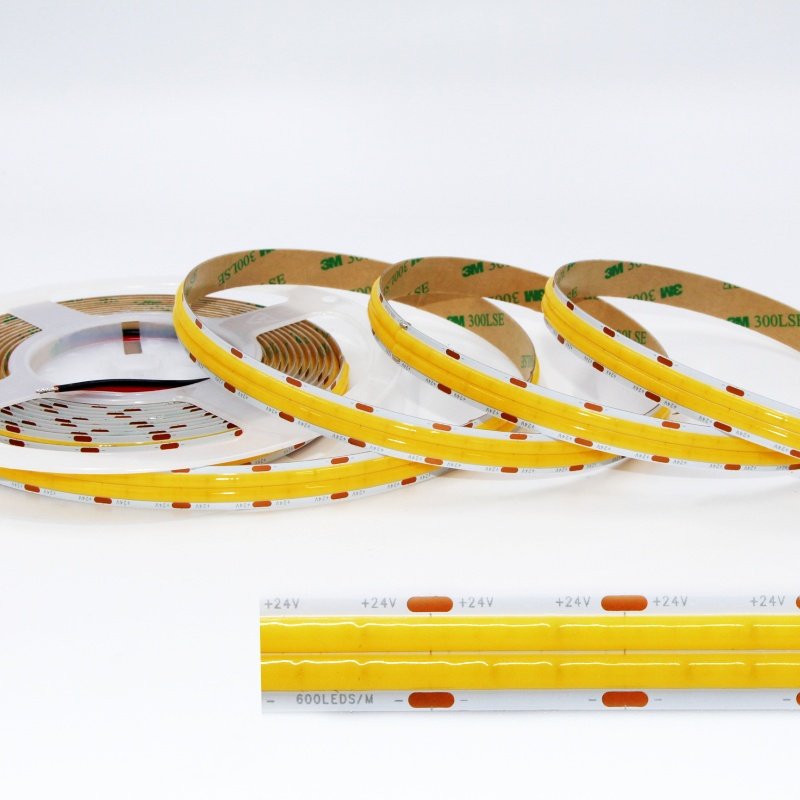
What Factory Direct Actually Gets You
Ordering from a COB LED strip manufacturer directly unlocks what marketplaces structurally cannot. Custom specifications: bespoke CCTs, widths, IP classes and factory-terminated lengths built to your schedule. Engineering access: questions answered by the people who built the product, not a reseller’s support inbox. Quality control transparency: bin documentation, test reports and factory access, as covered in our manufacturer vetting guide. Factory direct COB LED strip pricing also improves with every tier, because the factory’s own logistics replace two reseller margins. And bin consistency across orders, because the same factory keeps the same binning discipline — the foundation of color consistency across a multi-order project.
Where Online Marketplaces Win
Marketplaces are not the wrong channel — they are the right channel for specific situations. One or two reels for a prototype or a single room: marketplace listings ship in days from local warehouses, with easy returns and no MOQ conversation. Emergency top-ups when a project runs short: whatever ships fastest wins. And price discovery: marketplace listings show what distributors charge at retail, useful context before negotiating factory terms. Check the seller, though: marketplace listings often aggregate several factories under one storefront, so the reel that arrives may differ from the sample that sold you.
Factory Direct vs Marketplaces at a Glance
| Factor | Factory direct | Marketplaces |
|---|---|---|
| Minimum order | Negotiable tiers | Single reel |
| Customization | Full: CCT, density, width, IP, labels | Catalog only |
| Price per meter | Best at volume | Retail markup |
| QC access | Test reports, factory access | None beyond reviews |
| After-sales | Direct engineer support | Platform returns |
| Shipping speed | Production plus freight | Local warehouses, days |
A Middle Path: Sourcing Partners
Between the two extremes sits a practical middle path. Many factories — GPD included — run low-MOQ programs for trade customers and support distributor networks that carry factory stock locally. The hybrid strategy most experienced buyers converge on: source samples and prototypes through marketplaces where speed matters, qualify the factory during sampling, then move volume orders factory direct once the specification is proven. That sequence gets marketplace speed where stakes are low and factory economics where stakes are high — and the custom COB LED strip program supports it with pilot batches before bulk. Distributors with factory backing split the difference: local stock, factory spec, and someone accountable on both ends.
Frequently Asked Questions
Is factory direct always cheaper for COB LED strip?
At volume, factory direct COB LED strip pricing wins once freight and duties are counted. For one or two reels, marketplace retail is often cheaper because the logistics are local. The crossover point usually sits around the first real project quantity.
How do I verify a factory is real before ordering direct?
Business license with manufacturing scope, a live video tour of the lines, equipment lists and trade references — the checks in our manufacturer vetting guide. Third-party audits add assurance on larger commitments.
What MOQ should I expect when ordering factory direct?
Lower for catalog specifications that run continuously in production, higher for fully custom builds that require dedicated setup. Ask for tiered pricing so the pilot, mid and full volumes are visible before committing. Tiered pricing usually starts around 100–200 meters for standard catalog items, though it varies by factory and season.
Go Direct When You’re Ready
Volume orders, custom specifications or a private-label program? Browse our COB LED strip lights range to benchmark, or contact the GPD team for factory-direct pricing, samples and engineering support — with the MOQ tiers published so the first conversation starts with real numbers.
5V vs 12V vs 24V COB LED Strip: Choosing the Right Voltage
COB LED strip catalogs list three voltage families — 5V, 12V and 24V — and buyers often treat them as interchangeable. They are not. The voltage decides how much current flows for the same brightness, which cascades into voltage drop, feed lengths, cable sizing, connector heat and even whether the strip can run from a USB port. This comparison of 5V vs 12V vs 24V COB LED strip systems explains what each voltage does best and how to pick per application.

The Physics: Current Is What Bites
Power equals voltage times current, so the same wattage draws very different currents: a 20-watt run pulls 4 amps at 5 V, 1.7 amps at 12 V and 0.8 amps at 24 V. Current is what heats connectors, causes voltage drop along the copper and limits feed length. Higher voltage halves the current at every step, which is why long runs always favor higher voltage — and why a 12V vs 24V comparison matters even when both are “low voltage”. The physics also explains USB: a port that supplies 5 volts rarely supplies more than 1–2 amps, which caps what a USB-powered strip can honestly deliver.
5V, 12V and 24V COB LED Strip at a Glance
| Factor | 5V USB | 12V | 24V |
|---|---|---|---|
| Current at 20 W | 4 A | 1.7 A | 0.8 A |
| Max run per feed | 1–2 m | ≈5 m | ≈10 m |
| Cut pitch | Finest | Fine | Fine |
| Power sources | USB ports, power banks | Adapters, batteries, vehicles | CV drivers, professional PSUs |
| Best for | Monitor bias, short accents | General residential, vehicles | Coves, long runs, architecture |
Where 5V USB COB Strip Fits
Five-volt COB strip exists for one reason: it runs directly from USB power — TVs, power banks, monitor arms with built-in USB. That makes it the natural choice for TV and monitor bias lighting, short desk accents and retrofit furniture where no driver can be added. The limits are hard physics: runs stay at one to two meters, and the strip’s wattage must fit the USB port’s current budget — most ports supply 0.5–1 A, high-output ports reach 2–3 A. Match strip wattage to the port before promising plug-and-play.
12V and 24V: The Indoor Workhorses
Twelve volts dominates general residential and vehicular work: battery systems run it natively, the accessory ecosystem is the widest, and five-meter feeds cover most rooms. Twenty-four volts halves the current again, doubling feed lengths and halving connector heat — which is why architectural coves, longer runs and high-output grades default to 24 V. Both are SELV touch-safe systems with mature dimming ecosystems; the choice between them is usually feed length and ecosystem, not quality.
Frequently Asked Questions
Can a 5V COB LED strip run from any USB port?
No — check the current budget. Strip wattage divided by 5 volts gives the amps required, and many TV or monitor USB ports supply less than the strip needs. Underpowered USB shows up as dim output or brown-out flashing, not as damage, but the install fails its purpose.
Which voltage is best for long runs?
24 V for most projects: half the current of 12 V means half the voltage drop, double the feed length and cooler connectors. Very long architectural lines go further with higher-voltage systems and re-feeds every section.
Can 5V, 12V and 24V COB strips share one driver?
No — each voltage needs its own matching supply. Never connect a strip to a higher voltage than rated; mixing families on one driver damages the lower-voltage reels instantly. Amplifiers and separate drivers keep multi-voltage projects safe.
Pick the Voltage per Application
Matching voltage to project is easier with the full range in one catalog. Browse our COB LED strip lights across 5V, 12V and 24V — including the 5 mm USB-friendly RGB reel shown above — or contact the GPD team with your run lengths and power situation. We will recommend the voltage, quote the complete system and back it with samples.
COB LED Strip for Hotel Projects: A Buyer’s Checklist
Hotels pack more lighting typologies into one building than almost any other project: guest rooms, bathrooms, corridors, lobbies, restaurants and back-of-house — and COB LED strip touches most of them. For FF&E buyers, contractors and brand-standard managers, that variety is where specifications drift: different CCTs between floors, mismatched reels across wings, spare stock that doesn’t fit. This checklist covers what a COB LED strip for hotel projects order should lock down, area by area, before the purchase order goes out.
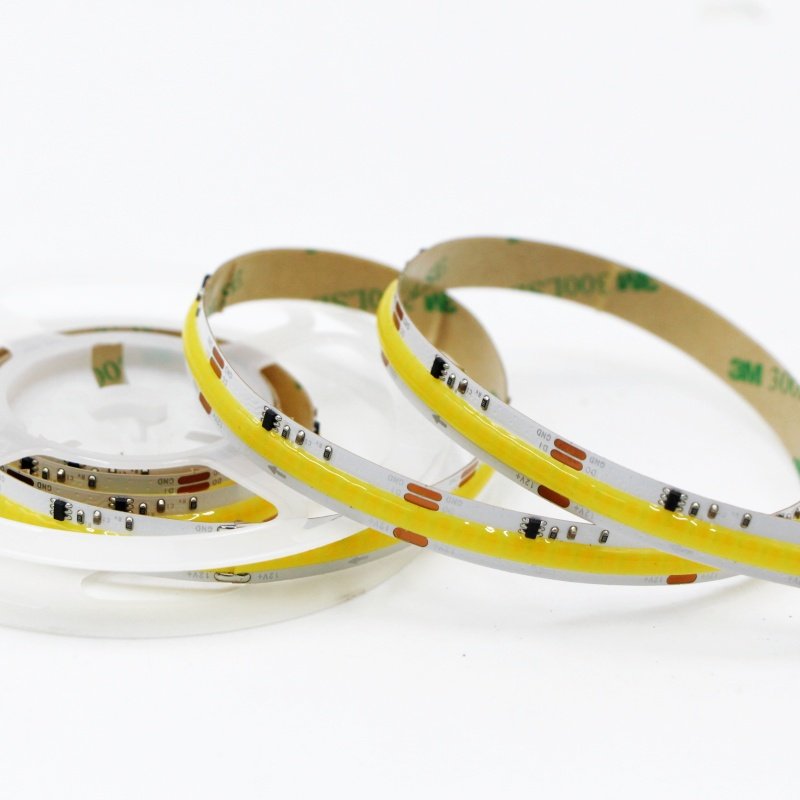
Guest Rooms: The Core Application
A hotel COB LED strip spec starts here: four strip lines per guest room — the ceiling cove, the headboard wash, the wardrobe interior and the desk task line. Hospitality comfort sets the targets — 2700–3000 K across all room lines, roughly 300–400 lm/m for coves, with per-room dimming so guests set their own scenes. Brightness planning follows the same lumens-per-meter logic as any other project, calibrated to warm finishes and evening use: bright enough for tasks, warm enough for evening. And because guests control the dimming, the strip-driver-dimmer trio must be matched and tested as a set, room type by room type.
Bathrooms and Corridors
Bathrooms bring the wet-zone rules: vanity mirror lines outside the splash zones on standard strip, IP-rated versions wherever the local code places the zone boundaries — the zone and IP logic is covered in our bathroom mirror lighting guide. Confirm zone boundaries and IP per the local code before ordering, because bathroom zone rules differ between markets. Corridors are the consistency challenge: continuous runs floor after floor, night-dimmed to 10–20%, all reading identically. That is a single-batch requirement across the whole floor plate, and the color consistency rules apply with full force — one mismatched reel in a corridor is visible from both ends. This is why a hotel COB LED strip order specifies single-batch production floor by floor.
Hotel Spec Checklist at a Glance
| Area | Typical spec | Confirm with supplier |
|---|---|---|
| Guest rooms | 2700–3000 K, 300–400 lm/m coves | Dimming set per room type |
| Bathrooms | IP44+ vanity, IP65 near water | Zone boundaries per local code |
| Corridors | 300–400 lm/m, night dimming | Single batch across floors |
| Public areas | High density or cove, 500–800 lm/m | Color match with spot layer |
| Back-of-house | CRI 80, standard density | Cost-optimized grades |
Consistency, Spare Stock and Lead Times
Three procurement decisions protect a hotel project. Single-batch production per floor or wing, so the corridor line on floor 12 matches floor 3. Spare stock of 5–10% in the same batch, boxed per floor, because a guest-room repair two years later needs invisible color. And lead times planned around the factory calendar with the delay clause in the purchase order — hotel handover dates rarely move, and the strip schedule has to hold. Hotel COB LED strip spare stock works best boxed per floor with batch labels.
Frequently Asked Questions
Which CCT works best for hotel guest rooms?
2700–3000 K is the hospitality comfort standard across guest rooms, corridors and dining. Premium properties increasingly add tunable white in suites, but the fixed-CCT layers should still match each other everywhere the guest can see two lines at once.
How much spare COB LED strip should a hotel project hold?
Five to ten percent of the installed length in the same production batch, boxed per floor with batch labels, plus a small maintenance kit per housekeeping zone. That combination covers repairs without visible mismatch and without emergency freight.
Can one supplier cover guest rooms, bathrooms and corridors?
Yes — and they should. One factory keeps the bin discipline, the color consistency and the contact point unified across all three areas, and custom lengths for joinery and mirrors come from the same custom COB LED strip program as the corridor runs.
Match the Strip to the Brand Standard
Specifying strip for a hotel new-build, refit or a chain-wide program? Browse our COB LED strip lights range across every density, width and IP class, or contact the GPD team with your room-by-room schedule — we will match a COB LED strip for hotel projects to each area, quote floor-by-floor with batch documentation and support the handover with samples.
COB LED Strip for Mirrors and Bathrooms: Zones and IP
Bathroom mirror lighting is the second-highest-frequency strip application after kitchens, and bathrooms add a layer of rules most buyers have never read: wet zones, IP classes and wiring restrictions that decide which strip may legally and safely go where. A thin, dotless COB LED strip for mirror lighting is the natural choice optically — it hides behind the glass, cuts to the exact mirror width and glows without dots at intimate distances. This guide covers the bathroom zones, the IP choices, the light quality for grooming and the mounting rules that make it all pass inspection.
Why COB Suits Bathroom Mirror Lighting
Mirrors leave almost no room: the gap behind a typical mirror cabinet is a few millimeters to a few centimeters, and slim 3–10 mm COB boards fit where thicker SMD strips and their packages cannot. The viewing distance to the wall is close too, which is exactly where SMD dots and their reflections become visible — a COB line stays continuous, so the halo around the mirror reads clean even at arm’s length. Waterproof IP65–IP67 versions handle humid and splashed zones, and cutting COB strip to the exact mirror width avoids the exposed ends that retrofit work usually leaves behind. Our IP rating guide explains the classes in detail.
Bathroom Zones: Where Which Strip Is Allowed
Bathroom electrical rules divide the room into zones based on distance from water sources:
| Zone | Where | Typical strip requirement |
|---|---|---|
| Zone 0 | Inside the bath or shower basin | IP67, strip rarely appropriate |
| Zone 1 | Above the bath or shower to 2.25 m | IP65 preferred |
| Zone 2 | 0.6 m perimeter around water | IP44 or better |
| Outside zones | Vanity mirrors away from spray | IP20 acceptable per many rules |
Vanity mirrors above counters usually sit outside the defined water zones, which is why standard IP20 strip is so common behind them — but zone rules vary by country on the IEC 60364-7-701 basis, and the licensed electrician signing off the installation makes the final call, not the catalog.
CCT and Output for Grooming
Mirror light is grooming light: faces, skin tones and shaving all read honestly under a high CRI COB LED strip, so CRI 90+ belongs here even though bathrooms often tolerate less elsewhere. For color, a COB LED strip for mirror lighting in 3000–4000 K covers most palettes — warm for hospitality comfort, neutral for modern vanities. Output stays modest because faces need flattering, not floodlighting: 200–450 lm/m is the working range. The classic trick for even facial light is two vertical runs on both sides of the mirror at face height, which flatters like a dressing room; the contemporary alternative is a halo behind the mirror itself, which reads softer and more architectural.
Mounting a COB LED Strip for Mirror Lighting: Halo and Power Rules
For the halo style, mount the strip offset 20–40 mm from the wall on standoffs or inside a profile, with runs on the top and bottom edges so the glow frames the mirror symmetrically. With anti-fog mirrors, check the mirror maker’s specification first — rear-mounted strip heat can fight the demister pad if the strip is overdriven. Power lives outside the wet zones wherever the rules require it: the driver and dimmer sit in the furniture, the ceiling void or an adjacent dry cabinet, IP-rated connectors go inside the bathroom, and the switch stays pull-cord or outside the door. Our custom COB LED strip guide covers cutting and terminating strip to the exact mirror width, including waterproof options.
Frequently Asked Questions
Which IP rating does a bathroom mirror strip need?
Zone-based: IP65 or better near baths, showers and basins that can splash, IP44 inside the wider Zone 2, and IP20 is commonly accepted for vanity mirrors outside the defined zones. Local code and the electrician signing off the installation make the final ruling.
What CCT is best for a bathroom mirror?
3000–4000 K covers most palettes — warm for hospitality comfort, neutral for modern vanities — and CRI 90+ matters more here than almost anywhere, because grooming is color judgment. Avoid very warm 2200 K tones in bathrooms used for makeup and shaving.
Can I mount the strip directly behind an anti-fog mirror?
Usually yes, at the mirror edges where the demister pad does not reach. Follow the mirror maker’s specification for rear-mounted accessories, keep the strip clear of the pad area and avoid overdriving, so the demister keeps working.
Specify the Bathroom Layer with Your Supplier
Planning hotel bathrooms, furniture lines or a residential refit? Browse our COB LED strip lights range with IP-rated and ultra-narrow options, or contact the GPD team with your mirror dimensions and zone layout — we will match a COB LED strip for mirror lighting to your exact widths, quote IP-rated versions where the zones need them and support the installation with samples.
COB LED Strip Inspection: AQL Standards Explained for Buyers
The container arrives, the boxes get opened, and the claims start: “some strips don’t work,” “the color doesn’t match,” “two reels were kinked.” Without agreed inspection standards, nobody can say who is right — the factory points to its outgoing tests, the buyer points to the failures, and the project waits. That is why professional importers write an AQL acceptance standard into every COB LED strip order, and why understanding COB LED strip inspection before the deposit is the cheapest quality decision available. This guide explains AQL in plain language and shows how to apply it.
What AQL Actually Means
AQL stands for Acceptable Quality Level — the worst average quality a buyer is willing to accept, defined in the ISO 2859-1 (ANSI/ASQ Z1.4) sampling standard. It works in three steps: the lot size determines a sample size code, the code and AQL level together give accept and reject numbers, and the inspector then judges only that random sample. A practical example: for a 1,000-reel lot at general inspection level II with AQL 2.5, the sample is 80 pieces — accept the lot with up to 5 defective units, reject at 6 or more. The smaller the AQL number, the stricter the acceptance and the larger the sample.
Which Defects Count, and How Severely
AQL results only make sense when defects are classified first:
| Defect class | Examples on COB strip | Typical acceptance |
|---|---|---|
| Critical | Dead segment, wrong voltage marking, short circuit, insulation failure | None accepted |
| Major | Visible color mismatch between runs, wrong CCT, dim section, IP failure | AQL 1.0–1.5 |
| Minor | Small scratch, slight adhesive offset, minor flux residue | AQL 2.5–4.0 |
Which AQL Level to Specify for COB LED Strip
AQL 2.5 is the working standard for decorative and general strip orders, and it is what most factories will quote comfortably. AQL 1.0–1.5 belongs on premium retail, hospitality and architectural projects where a visible defect in an exposed run costs far more than the stricter screening — the tighter tolerance is one of the reasons those quotations carry a higher price, as covered in our price and cost-factor guide. Safety-critical defects sit outside the AQL scale entirely: a strip with wrong voltage marking or an insulation fault is a critical defect at any level, and the only acceptable number is zero.
The Pre-Shipment COB LED Strip Inspection Workflow
The standard moment for a COB LED strip inspection is after production, before the balance payment. The inspector draws the AQL sample randomly across cartons and pallets — not from the front of the stack — and works through a fixed protocol: visual check against the defect list, electrical verification of voltage and current per reel, photometric spot checks for lm/m and CCT, an aging spot test on sampled sections and a packing review. The output is a photo-documented COB LED strip inspection report with the accept or reject decision. Third-party inspectors (QIMA, SGS and similar) perform this for a modest daily fee and remove the supplier from the judging role — an option worth using on first orders with a new factory, alongside the audits described in our manufacturer vetting guide.
Frequently Asked Questions
What AQL level should I use for COB LED strip orders?
AQL 2.5 for general decorative and cove applications; AQL 1.0–1.5 for premium retail, hospitality and architectural projects with exposed runs. Safety-critical defects are zero-tolerance at any level, and the classification table should be attached to the purchase order so both sides judge the same list.
Who pays for the pre-shipment COB LED strip inspection?
Typically the buyer, as a protection on their own investment — third-party inspection firms charge a modest daily rate including travel. On first orders with a new factory it is money well spent; established relationships with clean history can move to skipping intermediate inspections by agreement.
What happens if the shipment fails AQL?
The purchase order governs: standard remedies are a 100% re-screen at the factory, replacement of rejected units from new production, or rejection of the lot with a refund. Whatever is agreed, a delay clause should follow — a failed COB LED strip inspection has consequences for the project schedule that both sides should have priced in.
Put Inspection Standards in Every Order
Importing strip for projects, stock programs or private-label lines? Browse our COB LED strip lights range, or contact the GPD team — we support AQL-defined COB LED strip inspection orders with third-party inspection access, full test reports and batch documentation on every shipment, so acceptance is decided by agreed standards rather than arguments.
CRI 90 vs CRI 80 COB LED Strip: When the Upgrade Pays
CRI appears on every COB LED strip datasheet, and most quotations still default to CRI 80 because it costs less. But the upgrade to CRI 90 COB LED strip is not a luxury everywhere — in the right applications it directly drives sales, comfort and fewer complaints. This comparison explains what CRI 90 actually changes, where the premium pays for itself and where CRI 80 remains the sensible specification.
What the CRI Number Actually Tells You
Color Rendering Index measures how faithfully a light source reveals object colors compared with a reference illuminant. The catch: the standard CRI figure (Ra) is an average over eight muted pastel tones and completely ignores saturated colors — especially deep red, which is measured separately as R9. A CRI 80 strip can therefore render gray fabrics well and red tomatoes terribly. CRI 90 versions use better phosphor blends and tighter sorting, so skin tones, wood, fresh food and dyed fabrics all read true — the mechanism is explained in our high CRI guide.
CRI 90 vs CRI 80 COB LED Strip at a Glance
| Factor | CRI 80 | CRI 90 |
|---|---|---|
| Color fidelity | Good general rendering | True-to-life rendering |
| R9 red content | Low to moderate | High |
| Skin tones and food | Flat | Natural |
| Efficacy | Marginally higher | Marginally lower |
| Price per meter | Lower | Modest premium |
| Best for | Coves, backlight, utility, storage | Retail, hospitality, grocery, premium homes |
Where CRI 90 Pays for Itself
Upgrade to a CRI 90 COB LED strip wherever customers judge color: apparel and cosmetics retail, grocery fresh zones, hotel dining, salons, galleries and premium residential interiors. In these spaces, flat reds and gray skin tones read as cheap lighting, and the fitting’s job — selling merchandise, creating comfort — depends on faithful color. Grocery and fresh-food operators specify high CRI as standard for exactly this reason. Backlighting, cove washes, corridors and utility rooms genuinely do not need it, and the modest efficacy penalty is irrelevant where the source is concealed anyway. The pragmatic approach runs CRI 90 in customer-facing zones and CRI 80 behind the scenes, often within the same project.
What to Check When Ordering CRI 90
- Ask for the full photometric report, not just a “CRI 90” label — the R9 score and the test conditions are where weak products get exposed.
- Confirm the SDCM tolerance and single-batch production, because high CRI variations between reels are more visible than the CRI gap itself — our color consistency guide covers the details.
- Compare lumens per meter rather than watts: the efficacy penalty is small, but it exists — the brightness figures in our brightness guide show how to compare fairly.
- Sample a CRI 90 COB LED strip over the actual merchandise before the bulk order, in the evening as well as daylight.
Frequently Asked Questions
Is CRI 90 worth the extra cost?
In color-critical spaces, a CRI 90 COB LED strip is worth the premium — retail, hospitality dining, salons and premium homes all benefit visibly. In coves, backlighting and utility rooms, CRI 80 delivers the same function for less and remains the sensible specification.
Does CRI 90 reduce brightness?
Marginally — the better phosphor blend trades a few percent of efficacy for color fidelity. Compare lumens per meter between options rather than watts, because a well-designed CRI 90 strip at the same wattage can still outperform a poor CRI 80 one on delivered light.
Can CRI 80 and CRI 90 coexist in one project?
Yes — across zones and rooms, where different areas serve different purposes. Within one sightline, keep a single CRI level, because adjacent runs of different rendering read as inconsistent — the same discipline as the color consistency rules covered in our consistency guide.
Compare CRI 90 on Your Own Merchandise
Deciding for a store, hotel or premium residential project? Browse our COB LED strip lights range — most models are available in CRI 80 and CRI 90 — or contact the GPD team for a sample reel of a CRI 90 COB LED strip, full photometric reports and a per-zone specification that matches each area’s budget.
COB LED Strip for Retail Shelving and Display Lighting
Retail shelves are where lighting sells products. An even wash of light makes merchandise read true, colors pop and the whole fixture look premium — while a patchy, dotted wash makes the same products look discounted. That is why shopfitters and chain buyers increasingly specify a COB LED strip for retail shelving and display cases instead of older strip formats: continuous light, no visible dots at arm’s length, and a clean line that turns the shelf itself into part of the design. This guide covers brightness, color, mounting and controls for shelving and display systems.
Why Continuous Light Sells Products
At shelving distances, viewers see the product and the light together. SMD strips place a visible point every few centimeters, and their reflections travel up glossy packaging and glass fronts as scattered dots. A COB strip emits from one continuous phosphor surface, so the shelf edge reads as a single clean line and the merchandise sits in an even wash — no stripes across the products, no dark gaps between fittings.
Brightness and CCT by Product Category
Retail lighting is merchandising, not general illumination — each category has its own targets:
| Shelf type | Suggested output | CCT | CRI |
|---|---|---|---|
| Standard shelving | 300–400 lm/m | 3000–4000 K | 80+ |
| Fashion apparel | 300–450 lm/m | 3000–4000 K | 90+ |
| Jewelry and watches | 500–700 lm/m | 3000 K | 90+, high R9 |
| Grocery fresh zones | 500–700 lm/m | Category-tuned | 90+ |
| Electronics | 400–500 lm/m | 4000–5000 K | 80+ |
A high CRI COB LED strip earns its premium wherever color drives the sale — apparel, fresh food, cosmetics and jewelry all read truer under CRI 90+ with strong R9.
Mounting Options for Shelf Systems
- Shelf-lip mounting: ultra-narrow boards on the shelf front edge, aiming down and across the products — the 5 mm class fits slim shelf lips that nothing else does.
- Under-shelf rear mounting: strip at the back underside washing the shelf below — hides the source completely.
- Vertical pillar lines: continuous vertical lines between shelf sections break the monotony of long runs and mark category zones.
- Integrated display cases: strip recessed into glass-case frames for jewelry and premium displays — where an aluminum channel for COB LED strip provides the finished, heat-sunk mounting.
Controls That Cut the Energy Bill
Shelf lighting does not need to run at full output all day. Per-section dimming drops stock shelves to night levels, daylight sensors trim the window bays, and zoned scenes lift promoted sections for campaigns — meaningful energy savings on lights that would otherwise run at full output all day.
Frequently Asked Questions
How many lumens per meter does retail shelving need?
Three hundred to seven hundred lm/m depending on the merchandise — standard shelving at the low end, jewelry and fresh food at the top. Compare the strip’s lm/m figure against the category target and remember the shelf lip shadows some of the output.
Which CCT works for clothing versus grocery?
Apparel reads best at 3000–4000 K with CRI 90+, so fabrics and skin tones look true. Grocery fresh zones are tuned per department — warmer for meat and bakery, cooler for produce and dairy. Electronics tolerate 4000–5000 K comfortably.
Can one COB LED strip serve multiple shelf levels?
A combination works best: continuous vertical pillar lines between shelf sections plus short shelf-lip runs per level. Specify both from a single production batch so every line in the bay matches.
Light Every Shelf Like a Flagship
Planning a store refit or a chain-wide shelf program? Browse our COB LED strip lights range — including the ultra-narrow 5 mm boards for shelf lips — or contact the GPD team with your bay layouts and categories. We will match output, CCT and CRI per shelf type and quote the complete package with samples for your flagship bay.
COB LED Strip vs LED Panel Lights: Office Lighting Compared
Office ceilings default to recessed LED panel lights the way kitchens default to under-cabinet strip — familiar, predictable and easy to quote. But a growing share of modern offices light their spaces with continuous COB LED strip lines instead: coves, perimeter runs and architectural lines that wash ceilings and walls indirectly. For specifiers and contractors deciding between the two, this comparison covers uniformity, glare, design freedom, renovation and cost — and where a hybrid of both makes sense. Both formats deliver quality light; the difference is in how they distribute it and what they demand from the ceiling.
The Panel Grid: Predictable but Fixed
Recessed panel lights deliver exactly what offices have needed for decades: uniform downward illumination, easy to specify per square meter, familiar to every electrician. The constraint is architectural. The panel grid dictates the ceiling — a suspended grid system sized to the panel format — and fixes the light positions in a repeating pattern. Exposed concrete, timber or the increasingly popular minimalist ceilings without a dropped grid cannot host panels at all without visible surface mounting, which changes the look of the space entirely. Panels also pair naturally with suspended acoustic ceilings, so offices that need sound absorption tend to keep them.
COB LED Strip vs LED Panel Lights at a Glance
| Factor | LED panel lights | COB LED strip |
|---|---|---|
| Light pattern | Downward cones, spacing-critical | Continuous wash along lines |
| Ceiling requirement | Suspended grid system | Any ceiling, including exposed |
| Design freedom | Fixed repeating grid | Lines, coves, shapes, zones |
| Screen glare | Direct downward source in view | Indirect cove light, low glare |
| Retrofit into occupied offices | Ceiling works required | Surface or cove mounting only |
| Acoustic ceiling pairing | Natural fit | Needs surface channels |
Where COB LED Strip Lines Win
Strip lines shine — literally — in three office scenarios. First, exposed ceilings: concrete and timber offices cannot take a suspended grid without changing their character, so perimeter coves and linear runs wash the space indirectly, cutting screen reflections that direct panel light causes at every workstation. Second, zoning: per-run dimming turns desk clusters, meeting areas and circulation into separately controlled scenes without moving a single ceiling tile. Third, the linear aesthetic reads as intentional architecture, and a single-batch, color-matched installation keeps every run identical across the floor.
Where LED Panel Lights Still Make Sense
When the suspended grid already exists, panels remain the fast and budget-friendly route: swap units, keep the ceiling, done. They also make it straightforward to hit the uniform task illuminance that office standards specify, and they suit fit-outs where construction time must stay minimal. The pragmatic answer in many offices is a hybrid — panels over dense workstation zones, COB LED strip coves and perimeter lines for ambient light, meeting areas and the corridor layer.
The panel format also simplifies emergency lighting integration, with versions that include battery backup and presence sensors. And when the ceiling is exposed structure, the ambient layer moves to COB LED strip lines instead — which is exactly the comparison above.
Frequently Asked Questions
Can COB LED strip match LED panel brightness for office work?
Yes — a designed cove and perimeter scheme reaches the same horizontal illuminance as a panel grid when the lm/m, run spacing and bounce surfaces are calculated properly. Ask for a photometric layout rather than quoting strip by the meter. Most office schemes land between 300 and 500 lux on the work plane, which linear cove designs reach comfortably.
Which is cheaper to install?
It depends on the ceiling. Where a suspended grid already exists, panels win on speed. On exposed ceilings, strip avoids building a grid entirely — and that structural saving usually decides the comparison in favor of COB LED strip.
Can LED panels and COB strip be combined?
Yes, and it is common: panels for the task zones, strip for ambient and architectural layers. Match CCT and CRI across both, because mixed sources in one view read as two different installations.
Plan the Office Layer with Real Numbers
Specifying lighting for an office, studio or co-working space? Browse our COB LED strip lights range — including the dual-channel 10 mm 608 LED/m reel shown above for tunable white zones — or contact the GPD team for a photometric layout comparing COB LED strip lines against your panel alternative, with samples to confirm the look on site.
Under-Cabinet Kitchen Lighting with COB LED Strip: A Guide
Kitchen under-cabinet lighting is the highest-frequency strip application in residential work, and it is also the one clients judge every single day. Done well, the source disappears and only an even wash of task light remains. Done badly — visible dots, glare in the eyes, a color tone that fights the room — it is used daily and seen daily. This guide covers what a COB LED strip under-cabinet installation should specify: brightness, CCT, mounting position and the power details that decide the result.
Why COB Wins Under Cabinets
Under-cabinet viewing happens at arm’s length, and counter surfaces are usually reflective. SMD strips show discrete dots on the backsplash reflection and hot spots directly under each package; a COB strip emits one continuous line with no visible spacing, so the counter and splash read as evenly lit surfaces. The boards are thin too — 3 to 8 millimeters — which fits the tight reveal under most cabinet boxes. Where the strip edge is exposed to view, a high density COB LED strip keeps the line perfectly seamless even without a diffuser. On glossy quartz and tile splashbacks, that seamless line is the first thing a client sees when comparing quotes.
Glare is the other reason dots matter: exposed SMD points sit in the user’s sightline while they work, and their reflections travel up the splashback. The continuous COB line, mounted at the back edge and tilted slightly toward the wall, puts light on the counter instead of in the eye.
Brightness and CCT for Counter Work
Under-cabinet COB LED strip applications are task lighting, so they need more output than cove or mood applications. Typical planning ranges:
| Counter type | Suggested output | Suggested CCT |
|---|---|---|
| Wood counter, warm kitchen | 450–550 lm/m | 3000 K |
| Quartz or white surfaces | 500–600 lm/m | 3000–4000 K |
| Dark stone, dramatic kitchen | 550–650 lm/m | 3000 K |
| Open shelving, display | 300–400 lm/m | 2700–3000 K |
CRI belongs in the same breath as brightness: CRI 90+ with a healthy R9 makes food, herbs and wood read true, which matters more in a kitchen than almost anywhere else in the home. Measure brightness as delivered light on the counter rather than lumens printed on the reel — the channel, diffuser and mounting angle all change the delivered figure. Dimmable drivers let the kitchen drop from task brightness to a soft night level after dinner.
Mounting and Power Placement
Mount an under-cabinet COB LED strip at the back edge of the cabinet underside, close to the wall and aimed at the backsplash-counter junction — the front edge puts the source in direct view and throws glare at anyone working. Where the cabinet sits above open shelving instead of a counter, aim the line at the shelf backs instead. An aluminum channel under cabinets finishes the job: it adds heat sinking, carries the diffuser that softens reflections on glossy counters, and turns the strip into a finished fixture. Power placement matters as much as the strip: locate the driver inside an adjacent cabinet or above the hood, plan the switch — hand-wave sensors are the popular choice — and keep the low-voltage runs short enough to hold their voltage.
Frequently Asked Questions
How bright should under-cabinet kitchen lighting be?
Task level: roughly 450–650 lumens per meter depending on counter finish, with dimming so the kitchen can drop to a soft night level. The range above covers most counters; sample on the real surface before the bulk order. Under-cabinet COB LED strip runs are short, so one driver usually covers the whole kitchen.
Which CCT should I choose for the kitchen counter?
3000 K is the standard for wood and warm palettes; 4000 K suits modern cool kitchens with white and gray finishes. Match the room’s main lighting layer and confirm with a sample on the actual counter.
Where should the strip be mounted under the cabinet?
An under-cabinet COB LED strip belongs at the back edge, toward the wall, so the source stays hidden and the light washes the backsplash and counter instead of hitting the user’s eyes. Front-edge mounting exposes the strip and creates glare across the work surface.
Specify the Kitchen Layer with Your Supplier
Planning kitchens for a project or a product line? Browse our COB LED strip lights range — including the ultra-narrow boards that fit shallow cabinet reveals — or contact the GPD team for under-cabinet COB LED strip samples in both CCTs, channel recommendations and a complete quote.
COB LED Strip Lead Time: What Affects It and How to Plan
Lead time surprises kill project schedules faster than any technical issue. A quotation promises three weeks, the order ships in six, and every trade after electrical slips with it. The reason is that a COB LED strip lead time is not one number — it is stock availability, component sourcing, factory calendar and quality control stacked together. Buyers who understand those layers plan differently: they freeze specifications earlier, order around the calendar and treat quality control time as part of the schedule rather than an obstacle to it.
Stock Items vs Custom Builds: Two Different Clocks
Catalog specifications that a factory keeps as running stock — standard densities, common CCTs, popular IP classes — ship in days, because the only work is cutting, testing and packing. The moment a project needs a different CCT, an unusual width, a private label or a specific IP process, the order becomes a production build: chips procured in matched bins, lines set up, coatings cured and QC completed before shipment. A custom COB LED strip order therefore runs on a different clock from a stock order — and the two should never be promised on the same timeline in one quotation.
What Actually Moves the Lead Time
- Component sourcing: tight-bin die lots and specific phosphor chemistries take longer to procure than wide-bin stock, especially outside peak chip production windows.
- Line changeovers: switching a line between densities, widths or colors adds setup time that stacks across mixed orders.
- IP processing and curing: silicone tube and potting builds add drying and curing stages that cannot be safely compressed.
- Quality control and aging: integrating sphere sampling and aging runs are part of the schedule — this is the stage that protects the project, so it belongs in the plan, as our manufacturing walkthrough shows.
- Order queue and season: factory calendars fill around major holidays and Q1 project waves; first in the queue ships first.
Lead Time Quick Reference
| Order type | Typical window | What to confirm in writing |
|---|---|---|
| Catalog spec from stock | Days | Reel lengths actually in stock |
| Custom configuration | 2–4 weeks | Written spec plus a sample approval |
| Full OEM or private label | 4–8 weeks or more | Artwork, tooling and label proofs |
| Large project volumes | Negotiated | Line slot booked around holidays |
Plan Around the Factory Calendar
The factory calendar is the biggest single variable in COB LED strip lead time planning. Two windows move Chinese production schedules every year: Chinese New Year, when lines close and logistics congest for weeks on either side, and the October Golden Week. Projects that need first-quarter deliveries should have specifications frozen and orders placed by December, with stock confirmed before the closure rather than after. A supplier who quotes honestly will build the holiday into the lead time — one that promises a custom build across a closure was never going to make it.
How Buyers Keep Projects on Schedule
- Order samples early and freeze the specification in writing before the production slot is booked.
- Agree the lead time and a delay clause inside the purchase order, not in a side conversation.
- Plan QC, aging and shipping into the project schedule as fixed stages, not as compression targets.
- Consolidate custom items into one production window instead of drip-feeding changes that restart the clock.
- Prefer suppliers who hold stock programs for the catalog tiers, so replacements and top-ups never wait on a production run — the framework is in our COB LED strip buyer’s guide.
Frequently Asked Questions
What is a typical COB LED strip lead time?
What a typical COB LED strip lead time looks like depends on the build. Stock specifications ship in days. Custom configurations typically run two to four weeks including QC, and full OEM or private-label programs run longer depending on tooling and artwork. Confirm the figure per factory and season — it genuinely varies.
Why do lead times stretch around Chinese New Year?
Lines close for the holiday and the logistics network congests for weeks on either side, so late orders queue behind earlier ones. Buyers who need first-quarter delivery place specifications and confirm stock before the closure begins.
Can a COB LED strip lead time be expedited?
Sometimes — stock reels, priority scheduling and air freight all help. What should never be expedited is the QC and aging stage: compressing it to hit a date converts a schedule risk into a quality risk on site.
Plan the Next Order on a Real Calendar
Building lead time into your project plan? Browse our COB LED strip lights range to see what ships from stock, or contact the GPD team with your drawings and dates — we will confirm stock versus custom timelines honestly, quote both options and support the schedule from sample to shipment.
COB LED Strip Backlighting for TVs and Monitors: A Guide
The soft glow behind a TV or monitor is not decoration — it is bias lighting, and it changes how comfortable a screen is to watch in a dark room. For integrators of media walls, monitor arms and furniture, adding that glow is also one of the easiest upgrades to sell: a short run of COB LED strip backlighting, mounted invisibly behind the panel, powered quietly and dimmed to taste. This guide covers why it works, how to size and mount it, and the power details that decide whether the installation is clean or fiddly.
Why Bias Lighting Works
Watching a bright screen in a dark room forces the eye to constantly readjust between two extremes, which is what causes the fatigue people blame on “too much screen time”. A backlight raises the ambient luminance directly behind the panel, so the screen appears to emit softer light, halos look less harsh and perceived contrast actually improves. Home cinema builders have specified it for years; monitor-heavy workplaces are catching up for the same reason, and furniture integrators now treat COB LED strip backlighting as a standard feature of media walls.
Sizing COB LED Strip Backlighting for the Screen
Bias lighting needs far less output than room lighting — the glow should be subtle, roughly a tenth of the screen’s own luminance. Suggested starting points:
| Screen | Suggested strip run | Suggested output |
|---|---|---|
| 27″ monitor | Two vertical runs, ~1.4 m total | 150–250 lm/m |
| 43″ TV | Top and sides, ~2.4 m | 200–300 lm/m |
| 55″ TV | Top and sides, ~3.4 m | 200–300 lm/m |
| 65″ and larger | Full perimeter, 4 m+ | 250–350 lm/m |
Dimmable installation is strongly preferred, because the right level changes with room lighting and content.
Why COB Beats SMD for the Glow
The viewing distance to the wall behind a screen is short — 10 to 30 centimeters — and that is exactly where SMD strips show their discrete dots through the glow. A COB strip emits one continuous wash, so the halo behind the panel reads as a clean line with no visible spacing, even around tight corners where SMD bends show dark gaps. Slim 3–8 mm boards also disappear behind the bezel, and a tunable white dual-channel strip lets the glow shift from energizing cool to relaxed warm with the content.
Power and Mounting Basics
Mount the strip on the wall behind a wall-mounted TV, or on the panel’s back frame for stands, aiming the light at the wall at roughly 55–65% of screen height for the most even halo. Power has one trap worth checking before quoting: a 5 V COB strip can run from the TV’s own USB port, but only if the current budget fits — two meters of strip at 10 W/m needs 4 amps at 5 V, and many TV USB ports supply 0.5–1 A at most. Short runs work from the port; longer runs need a small powered adapter or a 12/24V strip with a compact driver, sized with the usual 20% headroom rule from our power guide.
Frequently Asked Questions
Can a COB LED strip run from the TV’s USB port?
Five-volt USB strips can, if the port’s current rating covers the strip’s load — calculate strip wattage divided by 5 V and compare against the port’s output. Short monitor runs usually fit; longer TV runs need a powered USB adapter or a low-voltage driver.
How bright should TV backlighting be?
Subtle. Aim for roughly a tenth of the screen’s own luminance and make the run dimmable — the right level changes with room lighting, and a glare-free low end matters more than maximum output here.
Which color works best for the glow behind a screen?
6500 K white tracks the screen’s own balance most naturally, warm white relaxes evening viewing, and RGB adds ambience effects at the cost of purity — an RGB COB mixing guide covers what mixed white can and cannot do.
Add Bias Lighting to Your Product Range
Integrating monitors, media walls or furniture with screens? Browse our COB LED strip lights range — including 5 V USB-friendly options — or contact the GPD team for COB LED strip backlighting kits with sizing tables, controllers and samples for your demos.
How to Store COB LED Strips: Shelf Life, FIFO and Repacking
Wholesalers hold COB strip for months between purchase order and project drawdown, and how you store COB LED strips in that window decides what ships to your customers: solderability, adhesive strength and even color match all drift with warehouse conditions. The painful part is that storage damage looks exactly like a factory defect at installation time — and the claim lands on the wrong desk. This guide covers shelf life, the warehouse conditions that matter, FIFO discipline and how to repack opened reels without ruining them.
Shelf Life of Sealed Reels
The LEDs themselves do not degrade meaningfully while unpowered and sealed — that is a different mechanism from the powered aging described in our lifespan guide. What ages in storage is everything around the chips: the adhesive layer slowly loses peak bond strength, the solder pads oxidize and become harder to wet, and over multi-year horizons the phosphor film can yellow slightly even in the dark. As a working rating, plan on one to two years of optimal solderability and adhesive performance for sealed, dry-stored reels — and spot-test the solderability of older stock before committing it to a production run. Sealed means the original factory bag, actually closed — not a reel that spent a week open on the packing bench. And IP67 versions are not immune: their silicone sleeve still breathes slowly, so the same humidity rules apply.
Warehouse Conditions That Matter
Four warehouse factors decide how well you store COB LED strips between purchase order and project:
| Factor | Target | Risk if violated |
|---|---|---|
| Temperature | 10–30 °C, stable | Adhesive softening, condensation cycles |
| Humidity | Below 60% RH | Solder pad oxidation, poor wetting |
| Light | Dark or shaded racks | UV yellows the phosphor film over years |
| Packaging | Sealed original anti-static bag | Dust, oxidation, damaged leads |
| Rotation | FIFO — oldest ships first | Mixed batches on one project |
FIFO deserves the emphasis: when a project draws from several reels across different storage vintages, the color consistency guide’s same-batch rule breaks down, and the mismatch lands on your installation, not the factory. Color consistency tolerances assume reels from one production window; mixing storage vintages quietly voids that assumption. A simple shelf label with the receiving date makes FIFO enforcement automatic instead of dependent on memory.
Repacking Opened Reels Without Damage
How you repack and store COB LED strips after opening decides their condition at the next project. Once a reel is opened, the clock starts differently. Reseal the remainder in its original bag with a desiccant pouch, store reels lying flat on shelving — never on edge and never hanging by the strip itself — and never backwind the strip tightly, because tight coiling stresses the phosphor layer. Mark the bag with the opening date and use opened reels before breaking into new ones. Keep the stock away from solvents, paints and any corrosive atmosphere: silicone coatings and adhesives absorb chemistry you cannot wash out later. For short custom-cut sections, keep the coils loose in their original bags rather than folded flat, and store connector ends upward so the leads are not bent under the coil’s own weight. IP67 potted versions tolerate damp warehouses better, but their potting should still be inspected after any transport impact.
Frequently Asked Questions
How long can COB LED strips be stored before use?
Sealed, dry and dark: one to two years with full performance expectations. Beyond that, the LEDs are fine but test solderability and adhesive tack on a short sample before committing the reel to a customer’s project — the pads are the first thing storage conditions touch on any store of COB LED strips.
Why are the solder pads on older reels hard to solder?
Surface oxidation from humid storage. Clean the pads with isopropyl alcohol and a fibreglass pen, switch to a higher-activity no-clean flux, and the pads wet normally — no need to scrap the reel.
Does storage change the color of COB strips?
Sealed and unpowered: barely at all. Opened, lit and displayed sample stock ages like installed strip, which is why sample pieces should never become install pieces — and why we recommend same-batch service stock for anything that might need matching later.
Store It Right, Ship It Right
Hold strip for projects and stock programs? Browse our COB LED strip lights range with batch labels on every reel, or contact the GPD team about storage recommendations, batch documentation and re-order planning — so the reel you ship in six months matches the one you ship today.
How to Choose an Aluminum Channel for COB LED Strip
A quality COB LED strip in the wrong aluminum channel underperforms on every count — heat, looks and installation speed. The channel is not an accessory; it is half of the lighting system. It acts as the heat sink that extends service life, the diffuser carrier that makes the line read clean, and the mechanical protection that survives cleaning crews. This guide explains how to choose an aluminum channel for COB LED strip projects — profile type, diffuser, width matching and the rules that prevent the classic failures.
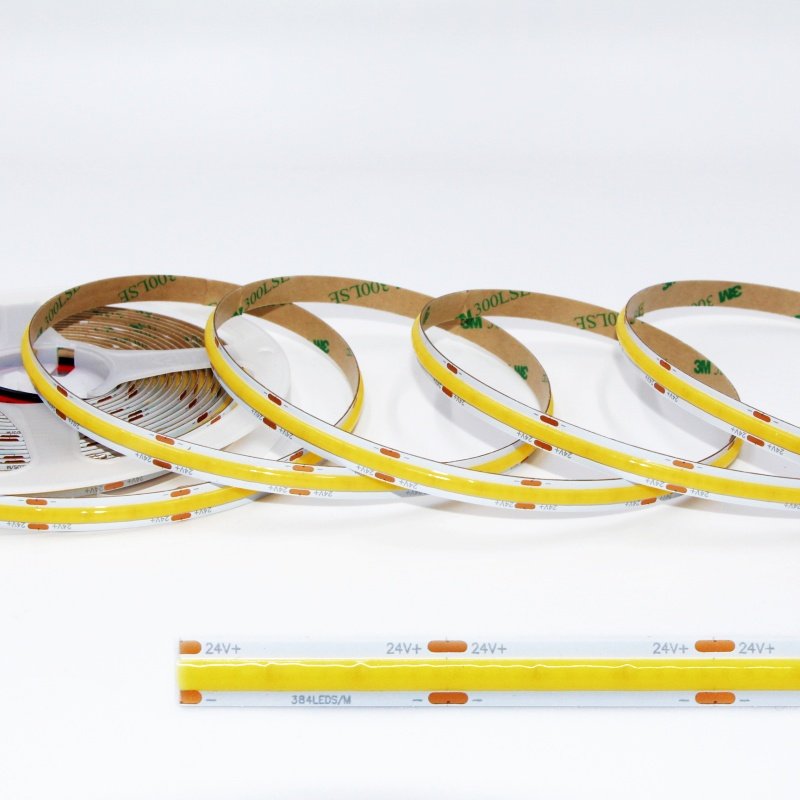
Why the Channel Matters More Than You Think
Three jobs, one profile. First, thermal: aluminum conducts heat away from the strip’s copper layer, lowering junction temperature — the single biggest factor in service life and lumen maintenance. Second, optical: the diffuser turns the strip into a finished architectural line, and on exposed runs it is what hides the emitting surface. Third, mechanical: a channel protects the strip from cleaning crews, impacts and bending stress. Choosing all three well takes one decision made early, at the ordering stage together with the strip itself.
Choosing an Aluminum Channel for COB LED Strip by Type
Channels come in surface, recessed, corner and wide high-output families — each exists because a different mounting condition demands it. Match the family to the mounting condition first, then filter by inner width and diffuser option.
- Surface-mount channels: screwed or taped onto flat walls and ceilings — the fastest retrofit format, with the profile remaining visible as a design line.
- Recessed channels: flushed into grooves in millwork, drywall or stone — the cleanest look, but measure the inner width minus fitting tolerance before ordering (our narrow strip guide covers tight-fit cases).
- Corner channels: 45° profiles for cabinet undersides and display edges, aiming light diagonally onto work surfaces.
- Wide high-output channels: sized for 20–40 W/m architectural boards, with deeper aluminum mass for the extra heat.
Diffuser Choice: Opal vs Clear vs Prismatic
The diffuser decides the look more than the strip itself. Opal (milk-white) covers diffuse the widest: even a standard-density reel reads perfectly dotless behind it, at the cost of roughly 20–40% light loss. Clear diffusers preserve almost all output but only hide dots reliably on high density COB LED strip — on standard density, points remain faintly visible up close. Micro-prismatic diffusers sit between the two, scattering light while keeping most of it. The working rule for an aluminum channel for COB LED strip installation: exposed close-range runs get opal plus whatever density the budget allows; concealed coves can run clear to keep every lumen. Also check the diffuser’s fire rating for public and commercial ceilings.
Width Matching and Installation Rules
Match the channel’s inner width to the strip plus a fitting tolerance — and measure the channel at several points, because extrusion tolerances are not uniform along the length. Fix the channel with screws or high-bond tape, seat the strip flat so the adhesive bonds fully, and derate enclosed or insulated runs rather than driving them at maximum. Anodized interiors reflect light back through the diffuser and improve thermal performance at the same time — a detail worth checking on the datasheet of the aluminum channel for COB LED strip you are quoting.
Frequently Asked Questions
Does an aluminum channel really extend COB LED strip life?
Yes — it works as a continuous heat sink, pulling heat out of the board and lowering junction temperature, the main driver of lumen depreciation. Combined with sensible derating inside enclosed profiles, it is the single most effective reliability upgrade for an aluminum channel for COB LED strip installation.
Which diffuser hides dots best?
Opal or milk-white diffusers, with 60–80% diffusion, hide dots on any density. Clear covers need a high density COB reel to read dotless. If the run is exposed at close range and brightness is critical, high density strip behind opal is the safe specification.
What width channel do I need for an 8mm strip?
An inner width of roughly 8 mm plus 0.5–1 mm of tolerance, and confirm the diffuser’s usable width matches too. For recessed details, measure the groove at several points before ordering the channel.
Order Strip and Channel as One Package
Mismatched channels cause most linear lighting complaints — and they are avoidable at the quotation stage. Browse our COB LED strip lights range, or contact the GPD team with your cove and channel drawings — we will match strip, profile and diffuser as one package, quote them together and confirm the combination with samples before shipping.
220V vs 24V COB LED Strip: Where Each One Fits
COB LED strip catalogs split by voltage almost as visibly as by color: mains-operated 220V strips for long architectural runs, and 24V low-voltage strips for everything indoors. Each solves a different equation of run length, safety and control — and choosing the wrong one either overcomplicates a simple cove or under-protects a facade. This comparison of 220V COB LED strip and 24V systems covers run length, safety class, drivers and cost, so importers and contractors can specify the right voltage family per project.
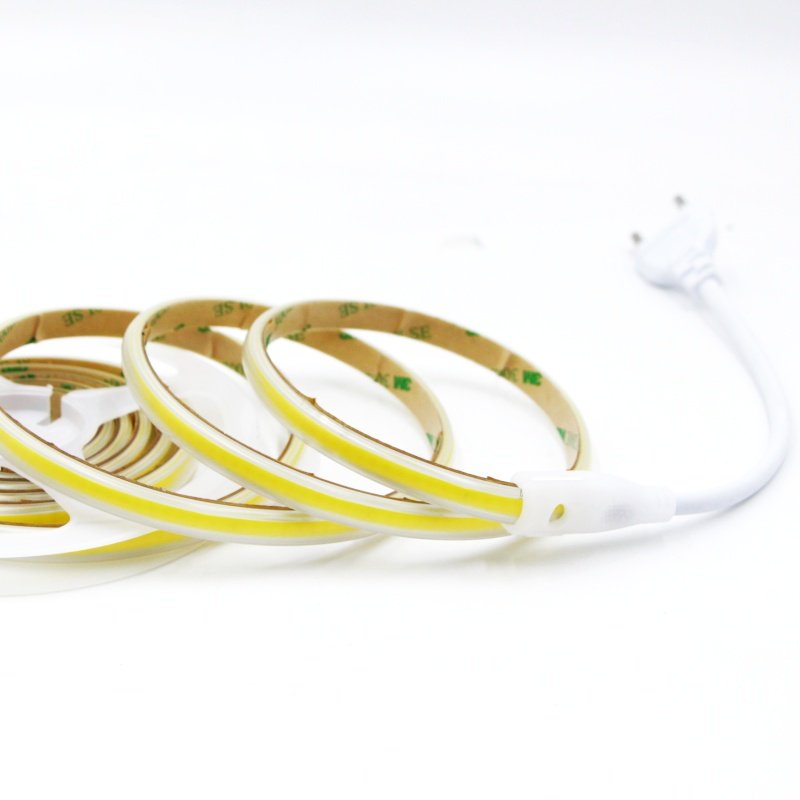
How 220V High-Voltage COB Strip Works
A 220V COB strip connects directly to mains power — no constant-voltage driver in the classic sense, just connection, protection and control. The strip is cut only at its marked intervals, typically per meter, which keeps long runs simple: a building perimeter or facade line can run tens of meters with minimal voltage drop and no re-feeds. The trade-off is fundamental safety: full mains voltage sits on the board itself, so installation belongs to qualified electricians, the IP class and enclosure must match the environment, and the certification documents behind the product deserve the same verification as any mains appliance.
Why 24V Low-Voltage COB Strip Dominates Indoors
A 24V COB LED strip is a SELV (safety extra-low voltage) system: the driver converts mains to safe low voltage, and everything after the driver is touch-safe. That unlocks the details indoor work depends on — fine cut pitch for joinery, a broad ecosystem of CV dimmers and controllers, small connectors and profiles, and reels that integrate into furniture without special protection. The 24V ecosystem also spans every density and width in the catalog, from ultra-narrow joinery strips to wide high-output boards. The constraint is distance: low-voltage strip loses voltage over the run, so feeds stay within roughly 5–10 meters and longer lines use center or both-end feeds, as the feed math in our 12V vs 24V comparison shows.
220V vs 24V COB LED Strip at a Glance
| Factor | 220V high voltage | 24V low voltage |
|---|---|---|
| Safety class | Mains — qualified install | SELV — touch-safe |
| Cut pitch | Coarse, per-meter marks | Fine, 25–50 mm |
| Max run per feed | Tens of meters | 5–10 m per feed |
| Dimming ecosystem | Limited | Broad CV range |
| Typical applications | Facades, perimeter outlines | Coves, joinery, furniture |
Where Each Voltage Fits
A 220V COB LED strip earns its place outdoors and at distance: building perimeter outlines, long facade accents, garden and landscape runs, and any line too far from a practical driver location. Installed by qualified electricians in the correct IP class and enclosure, it removes the driver infrastructure entirely from those long runs. Indoors, the 24V COB LED strip remains the default: touch-safe SELV operation, fine cutting for joinery, a broad dimming and control ecosystem, and simple integration with furniture and profiles. Mixed projects use both families with clearly segregated circuits and protection, and heat management matters in both — derate enclosed runs, as our lifespan guide explains.
Frequently Asked Questions
Is a 220V COB LED strip safe to install?
Only in the right hands and the right housing. Full mains voltage runs on the strip itself, so installation belongs to qualified electricians, the IP class and enclosure must match the environment, and touchable or DIY locations should stay on 24V. Verify the certifications for your 220V COB LED strip before specifying it.
Can 220V and 24V COB LED strips share one circuit or driver?
No — they are completely different electrical systems with separate protection requirements. Keep the families segregated, each with its own circuit, and never connect either to a supply of the wrong voltage.
Which system is cheaper overall?
It depends on the run. A 220V COB LED strip saves driver cost and cabling on very long outdoor lines, while 24V systems are cheaper per meter and dominate indoor work with a broader dimming ecosystem. Compare the total system — strip, protection, control and installation — rather than the reel price alone, and remember that long 220V runs also avoid the re-feed points 24V systems need every 5–10 meters.
Specify Both Voltage Families with One Supplier
Planning facade lines, perimeter outlines or indoor coves? Browse our full COB LED strip lights range in 220V and 24V, or contact the GPD team with your run lengths and site conditions — we will recommend the voltage family, quote the complete package with drivers and protection, and support it with samples and test data.
How RGB COB LED Strips Mix Color: A Practical Guide
Color-changing COB strips combine two things buyers used to choose between: the effect capability of RGB and the dotless, continuous line that only chip-on-board construction delivers. Understanding how an RGB COB LED strip actually mixes its colors — and where the limits are — helps distributors and specifiers set expectations correctly before the controller is even chosen. Here is the practical guide to the mixing principle, the white point question and the ordering checklist.
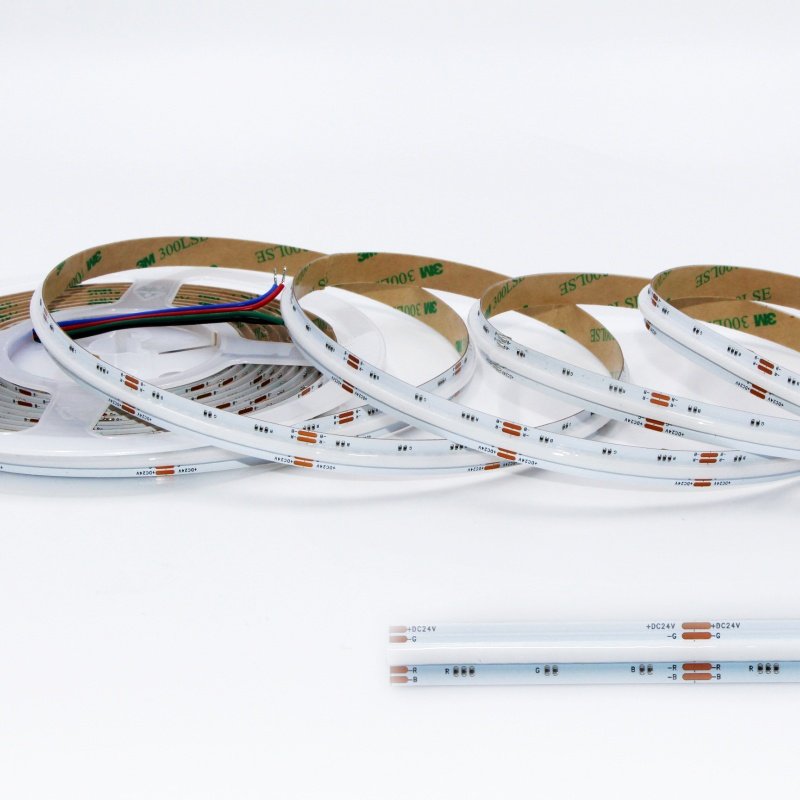
How the Color Mixing Works
An RGB COB LED strip carries three interleaved sets of LED dies — red, green and blue — along the whole strip, all sealed under the same single phosphor film. A controller dims each color channel independently with rapid PWM switching, and because the three colors sit millimeters apart under one diffusing layer, the eye blends them into any color on the RGB wheel at the viewing distance that matters. This is the structural advantage over SMD RGB strips: on those, the red, green and blue packages are visibly separate points, and their colored dots show at close range and on reflective surfaces. On COB, the mixing happens before the eye ever sees a discrete point.
The White Point Question
Driving all three channels at full produces white — but it is mixed white, and its tint depends on the die ratios the factory chose. Mixed white is perfectly usable for effect and accent scenes, yet it rarely matches the dedicated white of a single-color strip in the same view. If a project needs architectural white light that stays consistent night after night, a dedicated white strip or a tunable white dual-channel strip is the cleaner specification. RGB COB earns its place where scenes, moods and color effects lead the design: entertainment areas, bars, gaming setups, event spaces and retail features.
Controllers, Wiring and Power
Most RGB COB strips are common-anode: one voltage wire plus three color return wires, driven by a PWM controller matched to the strip voltage. Controller options run from RF remote and app/WiFi units for simple installs up to DMX or 0-10V systems for professional integration. Two electrical notes from the field: keep total run length within the strip’s recommended feed distance and add amplifiers beyond it, and remember the rated power splits across the three channels — a 14 W strip is 14 watts total at full white, not per color. Our power consumption guide covers the sizing math.
The RGB COB Range at a Glance
| Model family | Width | Density | Voltage | Power |
|---|---|---|---|---|
| Ultra-narrow RGB | 5 mm | 576 LED/m | 5 V | 10 W/m |
| Standard RGB | 10 mm | 576 LED/m | 24 V | 16 W/m |
| High density RGB | 10 mm | 840 LED/m | 24 V | 14 W/m |
| Wide RGB | 12 mm | 720 LED/m | 12 V | 12 W/m |
What to Check Before Ordering an RGB COB LED Strip
- Mixing uniformity: at bends and near the strip, the three colors should blend with no color shadows — the COB construction handles this, but samples confirm it on your surfaces.
- Reel-to-reel color match: RGB dies are binned too; ask for single-batch production on multi-reel orders, per our color consistency guide.
- IP class for the environment: RGB effects often live in bars, gaming rooms and outdoor facades — match the IP rating to the zone before ordering.
- Controller compatibility: confirm the strip’s common-anode wiring and voltage against the controller spec, and plan amplifiers for every additional run.
Frequently Asked Questions
Can an RGB COB LED strip produce white light for everyday use?
Yes — full mixing produces usable white for effect scenes. It is not, however, a substitute for a dedicated white strip in architectural lighting, because the mixed white carries a slight tint that becomes noticeable against true white surfaces and furniture.
Do RGB COB strips show color dots at bends like SMD RGB?
No — that is the core COB advantage. The phosphor film blends the three channels before the light leaves the strip, so bends, reflections and close viewing stay smooth, without the alternating color points SMD RGB shows.
What controller does an RGB COB LED strip need?
A PWM controller matched to the strip voltage and its common-anode wiring: RF remote units for simple installs, app or WiFi control for smart spaces, and DMX or 0-10V systems for professional integration. Add amplifiers for every run beyond the first, with power injected as the run length requires.
See RGB COB Mixed on Your Own Surfaces
Sourcing color-changing strip for a project or product line? Browse our full COB LED strip lights range — including the RGB families in the table above — or contact the GPD team for samples, controller recommendations and a quotation. Sample both an RGB COB and a tunable white reel, and the specification writes itself.
How Much COB LED Strip Do You Need? A Planning Guide
“How much strip do we need?” sounds like the simplest question on a lighting project, and it is the one most often answered wrong. Order too little and the installation stalls mid-run waiting for freight; order too much from the wrong batch and the spare meters will never color-match the walls they were meant for. Working out how much COB LED strip you need is a short, structured calculation — run lengths, cut pitch, waste and service stock — and doing it properly protects the schedule as much as the budget.
Measure the Runs, Not the Room
Room area tells you almost nothing. Strip quantity comes from walking each lighting line with the real geometry: the cove perimeter, every shelf front, the mirror perimeters, the counter reveals. Measure each run separately and note which zone it belongs to, because zones with different CCT or density cannot share reels. How much COB LED strip each line needs then follows directly from the tape measure — not from a rule of thumb applied to the floor area. Zones matter for another reason too: rooms specified with different CCT, CRI or density cannot share reels, so the run list should be sorted by zone first.
Cut Pitch, Connectors and the Waste Factor
COB strip cuts only at its designated pitch, so each run rounds up to the next cutting point, and corners add length that drawings forget. Connector positions, wire tails and driver locations all consume strip that the drawings never show. Site-cut ends also need connectors and wire tails, which is why many buyers order factory-terminated runs instead — the supplier cuts and solders to your exact schedule. On top of the measured lengths, a waste factor of 5–10% covers miscuts, damage and the segment that lands between two cutting points.
A Worked Example
| Zone | Measured runs | Strip | Order incl. 10% waste |
|---|---|---|---|
| Ceiling cove | 18.0 m | 8 mm 480 LED/m, 12 W/m | 19.8 m |
| Shelf fronts (12) | 10.8 m | 3 mm 400 LED/m, 7 W/m | 11.9 m |
| Mirror frames (2) | 2.4 m | 3 mm 400 LED/m, 7 W/m | 2.7 m |
The loads stack too: 19.8 meters at 12 W/m is 237 watts on the cove driver alone before headroom, which is why quantity planning and power planning belong in the same step. Loads assume full output — dimmed zones draw less at night, but the driver still sizes to the maximum.
Service Stock: The 10% That Saves Projects
Beyond the waste factor, experienced buyers add 5–10% of same-batch service stock. Strip ages and shifts color slightly, so a replacement reel ordered two years later will not match the installed run — the mechanism is explained in our color consistency guide. Same-batch spares keep future repairs invisible, and they cost a fraction of an emergency order with air freight attached. For multi-site rollouts, store the spares centrally and log their batch numbers with the as-built documentation. How much COB LED strip you keep as service stock is a separate calculation: 5–10% of the installed length is the usual answer.
Frequently Asked Questions
How do I calculate how much COB LED strip I need?
Measure every run, multiply by the number of runs per type, round each up to the strip’s cutting pitch, then add 5–10% for waste. A factory-terminated order can skip the on-site cutting entirely — send the schedule and receive ready-to-install lengths.
Should I order more strip than the calculation says?
Add the waste factor to the install quantity, then add same-batch service stock of 5–10% for future maintenance. Do not chase extra volume discounts with stock you cannot use — bin lots change over time and unmatched spares lose their value. If the project may expand to more areas, order the extra lengths in the same batch now, while the production run still exists.
How many drivers does the quantity imply?
Sum the watts per zone, add at least 20% headroom, and split the runs so no single feed exceeds the strip’s recommended length. Our power consumption guide walks through the driver and cable sizing step by step.
Send the Drawings, Get the Schedule
Planning a fit-out, retail rollout or furniture line? Browse our COB LED strip lights range, or contact the GPD team with your drawings and measurements — we will return a complete strip schedule that answers how much COB LED strip the project needs, with densities, drivers and lead times.
COB LED Strip vs T5 Fluorescent: The Cove Retrofit Guide
Thousands of coves, corridors and display edges still run on T5 fluorescent tubes installed a decade ago. When the tubes start flickering, humming or going dark at the ends, the retrofit question arrives: more tubes, or a switch to COB LED strip? The comparison is less obvious than it looks, because a COB LED strip vs T5 fluorescent upgrade changes the driver topology, the dimming behavior and the maintenance profile — not just the lamp. Here is what buyers and contractors should compare before converting a cove.
Light Quality: From Aging Tubes to a Continuous Line
A T5 tube is itself a linear source, so the geometry of the cove does not change. What changes is the quality of the line: aging tubes darken at the ends, flicker as ballasts wear and hum audibly in quiet spaces. A COB LED strip produces one continuous, dotless line with no warm-up, no hum and no end darkening — and high CRI versions render merchandise and finishes noticeably better than the 80-series tubes most coves were built with. In the COB LED strip vs T5 fluorescent decision, light quality is usually the part building occupants actually mention after the swap.
COB LED Strip vs T5 Fluorescent at a Glance
| Factor | T5 fluorescent | COB LED strip |
|---|---|---|
| Efficacy | 50–80 lm/W typical | 80–140 lm/W typical |
| Dimming | Ballast-dependent, poor at low end | Smooth with matched CV dimming |
| End of life | End darkening, mercury disposal | Gradual L70 fade |
| Visibility | Tube and fittings visible | Hidden in channel or cove lip |
| Disposal | Mercury-containing waste stream | Standard electronics recycling |
Retrofit Practicalities: Ballasts, Drivers and Wiring
A COB LED strip vs T5 fluorescent retrofit changes the electrical topology completely: the strip runs on a constant-voltage driver, so the conversion removes the fluorescent ballasts entirely and locates a 12V or 24V driver where the mains wiring already reaches — often reusing the existing supply circuit to its position. Size the driver at least 20% above the connected load, as covered in our power consumption guide. If the cove dims, verify the dimmer and driver are a matched constant-voltage pair; mismatched retrofit dimmers are the main cause of flicker complaints, a topic our flicker-free dimming guide covers in depth. Finally, check the existing cove’s inner dimensions so the strip and any channel sit cleanly where the tube used to be.
The Numbers: Energy and Maintenance Savings
Take a 20-meter cove built with twenty 14 W T5 tubes: roughly 280 watts, plus ballast losses, plus a tube replacement cycle every few years and mercury-containing disposal. An equivalent COB LED strip retrofit at around 10–12 W/m delivers comparable light for 200–240 watts — roughly 15–30% less energy depending on the products — with no tubes to store, replace or dispose of as hazardous waste. On long operating hours the payback shortens further, and the long service life of quality COB extends the interval to the next intervention dramatically.
Frequently Asked Questions
Can I reuse the existing T5 wiring in a retrofit?
Usually yes — the mains supply that fed the ballasts can often feed the new constant-voltage driver’s position, with the ballasts removed and the low-voltage side rewired. A licensed electrician should confirm the circuit, add the driver isolation and verify earthing before the cove closes.
Will a COB LED strip match the brightness of my T5 tubes?
Compare lumens per meter, not watts. A quality COB strip delivers T5-class output at lower wattage — check the lm/m figure against the old tubes’ lumen rating and sample before the full run. In practice, a COB LED strip vs T5 fluorescent swap in a cove lands slightly brighter than the tubes it replaces, because the new line is measured where it matters: at the surface below.
Is the mercury in old T5 tubes really a problem?
Yes — fluorescent tubes are a hazardous waste stream requiring special disposal in most jurisdictions. A COB LED strip retrofit eliminates that cycle entirely, which is increasingly a procurement and ESG argument of its own.
Plan Your Cove Retrofit with Real Numbers
Converting coves, corridors or display edges from T5 to COB? Browse our COB LED strip lights range, or contact the GPD team with your cove dimensions and tube count — we will calculate the like-for-like output, quote the strip, driver and channel package, and support the retrofit from first sample to final dimming check.
COB LED Strip for Cove Lighting: Spacing and Output Tips
Cove lighting is the classic hidden-source application: the luminaire disappears into the architecture and only a clean line of light remains. When it works, it elevates the whole room. When it goes wrong — visible dots, dim tails, mismatched color between reels — it is on display every single night. COB technology changed the math for coves, and this guide covers what a COB LED strip for cove lighting project should specify: output, mounting, feeding, CCT and consistency.
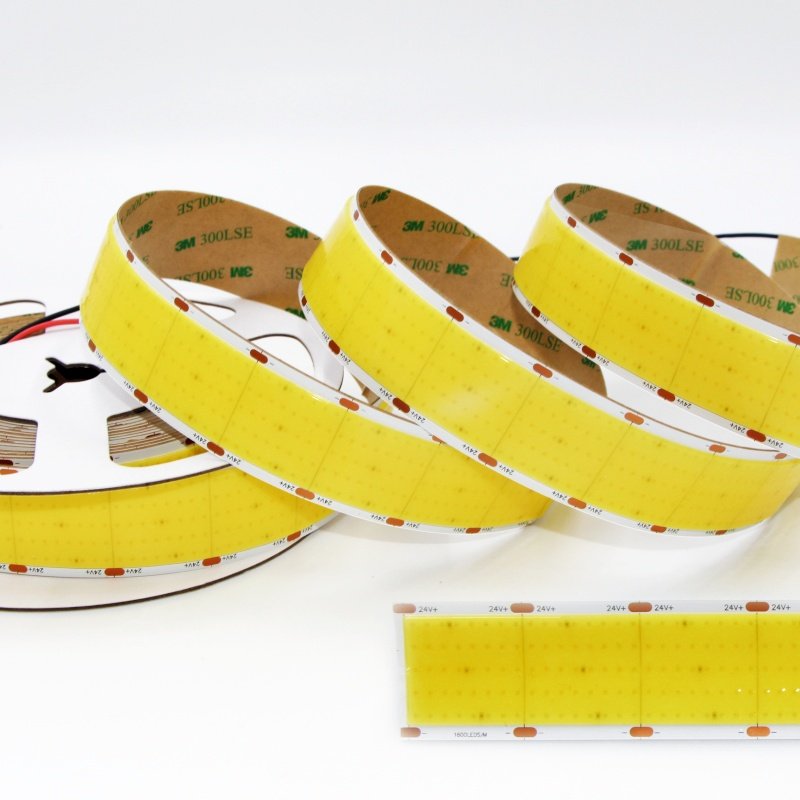
Why COB Became the Standard for Cove Lighting
Older SMD strips showed discrete dots along the cove lip, especially at close viewing distances in residential ceilings, which forced diffusers into every detail. A COB strip emits from one continuous phosphor surface, so the line stays smooth even without a diffuser — cleaner details, shallower coves and no extra accessories. Fewer solder joints also mean fewer failure points in a location that is awkward to service. The result is why most premium cove specifications migrated to COB, and why specifiers now default to a COB LED strip for cove lighting in premium projects — and why the color consistency of the reel now matters more than ever: the cove is one unbroken surface where any mismatch shows.
Choosing Output for the Cove Height
Cove lighting is indirect — the light bounces off the ceiling — so a COB LED strip for cove lighting loses a meaningful share of its brightness between the strip and the eye. Plan with these typical ranges:
| Cove type | Typical geometry | Suggested output |
|---|---|---|
| Residential ceiling cove | 2.6–3 m ceiling, 5–8 m runs | 300–400 lm/m |
| Hotel lobby or restaurant cove | 4–6 m ceiling, longer runs | 500–800 lm/m |
| Large commercial volumes | High ceilings, wide coves | 800+ lm/m |
For the top tier, wide high-output boards are the tool of choice — our 12 mm 600 LED/m 24V strip and its 30 mm high-output siblings exist precisely for these larger volumes, where standard densities would underwhelm.
Mounting and Feeding Rules That Prevent Complaints
Mount the strip on the cove lip with the emitting face tilted toward the ceiling, not straight out — this hides the source and spreads the gradient evenly. Feed longer runs from the center or both ends: on 24V systems, runs beyond roughly five meters fed from one end start showing a dim tail, the classic cove complaint explained in our 12V vs 24V comparison. Use adequately sized cable, and — the golden rule — power the cove up and inspect it before the closing detail goes in. Fixing a feed problem after the ceiling is finished is ten times the work.
CCT and Consistency Inside the Cove
Choose CCT to match the room’s main lighting layer: 2700–3000 K for residential and hospitality, 4000 K for offices and commercial back-of-house. Because a COB LED strip for cove lighting reads as one unbroken surface, insist on single-batch production and a 2–3 SDCM tolerance so every reel matches — a mismatch inside a cove is unforgivable at night. And remember that an enclosed cove traps heat: derate rather than drive the strip at its maximum, because sustained heat shortens service life and shifts color faster.
Frequently Asked Questions
How many lumens per meter do I need for residential cove lighting?
Most coves lit with a COB LED strip for cove lighting land comfortably at 300–400 lm/m. High ceilings, dark surfaces and large volumes need more — plan upward from 500–800 lm/m and confirm with a sample before the cove closes.
Which CCT should I choose for a cove?
Match the room’s primary lighting layer: 2700–3000 K for homes, restaurants and hotels, 4000 K for offices and commercial back-of-house. A cove on a different CCT than the room’s main light reads as two different installations.
Why does my cove lighting look dimmer at the far end?
Voltage drop. Long runs fed from one end lose voltage along the strip, and the far end dims visibly. Feed from the center or both ends, step up to 24V for longer distances and use adequately sized cable.
Get a Cove Lighting Plan for Your Project
Designing coves for homes, hotels or commercial volumes? Browse our COB LED strip lights range across every density and width, or contact the GPD team with your cove dimensions — we will recommend the output, CCT and feed layout, and quote the complete COB LED strip for cove lighting package with samples and test data.
How to Read a COB LED Strip Datasheet: 8 Specs That Matter
Two COB LED strip datasheets can look almost identical and describe two very different products. Both quote 3000 K, CRI 90 and “high density” — yet one wall glows seamlessly and the other shows banding at every bend. The difference hides in specifications that never make the headline: tolerances, test conditions and construction details. Learning to read a COB LED strip datasheet properly is the fastest way to compare suppliers on facts instead of photos. Here are the eight specifications that matter most, grouped the way buyers actually use them.
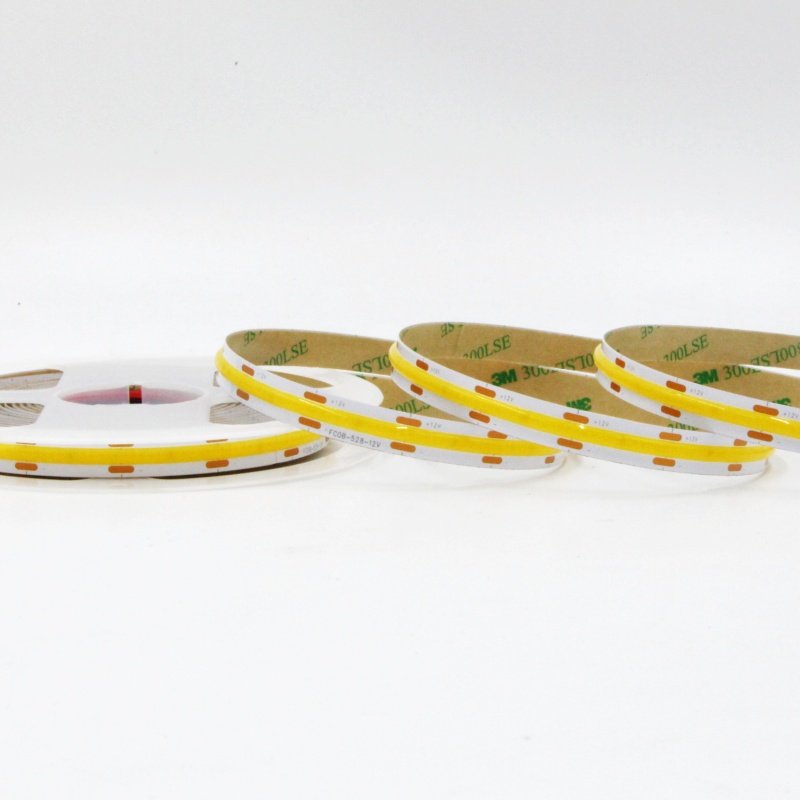
Output Specs: Lumens, Efficacy and Color Rendering
Start with what the strip delivers. Lumens per meter (lm/m) states the brightness of each meter — check that the figure comes with test conditions, because the same strip measures differently at 25°C and in a hot channel. Lumens per watt (lm/W) tells you the efficacy: how much light each watt of electricity buys, typically 80–140 lm/W for quality COB. CRI states color rendering, and the better datasheets add R9, the saturated-red score that separates great retail light from flat light. If a quotation lists watts without lumens, ask for the photometric figures behind the brightness — output is what you are buying.
Consistency Specs: SDCM and Binning Policy
SDCM (the MacAdam ellipse step) measures how tightly the color points of the LEDs are sorted — and it is the number that decides whether adjacent runs in one sightline look seamless. Two to three SDCM is the working standard for quality COB; five and above invites visible mismatch. Just as important is the binning policy across production batches, because a perfect first order means little if the re-order comes from a different bin. Our color consistency guide explains what to write into the purchase order.
Practical Specs: Voltage, Cut Pitch, IP and Copper
The remaining specifications decide whether the strip fits the installation. Voltage (12V or 24V) sets current, feed lengths and driver choice. Cut pitch — the interval between cutting points — must divide evenly into your joinery segments, or arrange factory-cut and terminated lengths with the supplier. The IP rating must match the environment, from IP20 indoors to potted IP67 outside. And copper weight (1 oz vs 2 oz) quietly determines voltage drop and heat spreading on longer runs. None of these four stands alone — a 24V strip with a fine cut pitch but 1 oz copper will still underperform on long runs.
The 8-Spec Quick Reference Sheet
| Spec | What good looks like | Why it matters |
|---|---|---|
| Lumens per meter | Stated with test conditions | Brightness baseline |
| Efficacy (lm/W) | 80–140 lm/W for quality COB | Running cost and heat |
| CRI and R9 | CRI 90+, R9 above 50 | Color rendering quality |
| SDCM | 2–3 step | Run-to-run color match |
| Cut pitch | Divides evenly into segments | Joinery and layout fit |
| IP rating | Matched to the zone | Moisture protection |
| Copper weight | 2 oz preferred on longer runs | Voltage drop and heat |
| Warranty | 3–5 years, written terms | Supplier accountability |
Red Flags When Comparing COB LED Strip Datasheets
- No SDCM figure, or lumens quoted without test conditions.
- Wattage listed with no lumens — input without output.
- Generic model names like “LED strip 24V” that cannot be traced to a certificate or batch.
- Certificates without model numbers, covered in our certification guide.
- Absolutely identical datasheets from two “different” manufacturers, right down to the fonts.
Frequently Asked Questions
Which specification on a COB LED strip datasheet should I check first?
Lumens per meter with its test conditions, followed by the SDCM figure. Together they tell you how bright the strip is and whether two runs will match — the two things end clients actually notice.
Why do two COB LED strip datasheets with identical headline specs differ so much in price?
Because headline numbers hide binning tolerance, copper weight, phosphor quality and warranty terms. Identical “24V, CRI 90, 480 LED/m” lines can describe different products; the specifications in this article are where the price difference lives.
Is a datasheet a substitute for samples?
No. A COB LED strip datasheet is a filter that narrows the field to serious suppliers; samples from the actual production line confirm it. Samples also reveal what datasheets never show: the quality of the phosphor coating, the reel winding and the labeling. Use both, in that order.
Compare Datasheets Like a Procurement Pro
Bringing two or three suppliers into a comparison? Browse our COB LED strip lights range with full specifications on every product page, or contact the GPD team for datasheets, test reports and samples — side by side, with the numbers that matter filled in.
COB LED Strip vs Track Lighting: When Lines Beat Spots
Walk through a well-designed retail space or showroom and you will see both philosophies at work: adjustable spots pulling your eye to individual products, and continuous lines of light washing shelves, coves and counters in even illumination. Track lighting delivers the first, a COB LED strip delivers the second — and the strongest designs use each for what it does best. This COB LED strip vs track lighting comparison explains where continuous lines beat spots, where they do not, and how the two combine in real projects.
The Core Difference: Points of Aim vs Continuous Lines
The COB LED strip vs track lighting debate comes down to aiming versus washing. Track lighting is a system of adjustable spot heads on a powered rail. Its strength is aiming: one track serves many heads, each highlighting a mannequin, a painting or a product island, and heads move as displays change. A COB LED strip is the opposite philosophy — a fixed continuous line of dotless light that washes surfaces evenly along its entire length. Track draws attention to objects; strip defines the architecture around them. Neither replaces the other; they answer different questions about where light should fall. A track system also carries its own infrastructure — rail, transformers and heads — while a strip installation is one driver and one continuous run.
COB LED Strip vs Track Lighting at a Glance
| Factor | Track lighting | COB LED strip |
|---|---|---|
| Aiming per object | Excellent — adjustable heads | Fixed wash along the line |
| Surface washing | Pools between spots | Even, continuous |
| Glare at close range | Point source visible | Low, spread emitting surface |
| Installation | Rail plus a driver per layout | Driver plus one continuous run |
| Typical cost per meter | Higher with heads | Lower |
Where COB LED Strip Lines Beat Track Spots
Continuous strip wins wherever evenness matters more than aim. Shelf and display-case lighting, cove and perimeter washes, under-cabinet task lines, backlit surfaces and reception desks all read better as unbroken lines of light — spots would create scallops, shadows between heads and visible fixtures at close range. Under-cabinet and joinery lines are the classic case: within arm’s length, evenness beats aiming every time. Glare is the second advantage: a COB LED strip presents a large, low-brightness emitting surface, while each track head is a bright point that can hit a customer’s eye across the room. Cost completes the case for wash lighting: one driver and one continuous run typically cost less per meter than rail, heads and transformers.
Where Track Lighting Still Belongs
Spots remain unmatched for accenting individual objects from a distance — a mannequin, artwork, a feature wall three meters up. They also suit spaces whose layouts change constantly, because heads re-aim in seconds without re-wiring. Track also handles sloped or exposed ceilings where strip channels would need custom fabrication. And in high-ceiling retail, punchy spots cut through ambient light in a way a soft linear wash cannot. Most showroom and flagship designs therefore combine the two: track spots for heroes, COB LED strip lines for shelves, coves and architecture, with both layers set to the same CCT and CRI so the scene reads as one design — and the COB LED strip vs track lighting balance is documented in the specification.
Frequently Asked Questions
Can COB LED strip replace track lighting entirely?
For washing shelves, walls and architectural lines, yes. For highlighting individual objects from two or three meters away, spots still perform better — a line of light cannot aim. Mixed-layer designs avoid the compromise altogether.
Which creates less glare for close-range displays?
COB LED strip. Its light leaves from a wide, continuous surface, so brightness per viewing angle stays low; a track head concentrates the same lumens into a small point that becomes uncomfortable in reflective environments. This is why display cases and counters increasingly use strip instead of rows of small spot heads.
Can track heads and COB LED strip share one look?
They should. Set both layers to the same CCT and CRI, and confirm color consistency between them — our color consistency guide explains why mixed sources in one view need matching bins. Plan the combined load the way any power consumption plan would.
Design Both Layers with One Supplier
Planning a retail, gallery or display project? Browse our COB LED strip lights range for the continuous layers, or contact the GPD team with your layouts — we will recommend densities, CCT and CRI combinations that sit comfortably alongside your track spots, and support both layers with samples and photometric data.
COB LED Strip Color Temperature: How to Choose CCT
Color temperature is the first specification a client reacts to — usually emotionally, and always before anyone mentions lumens. It is also the specification most often re-ordered after installation, because “3000 K” means different things to different people and rooms. Understanding what COB LED strip color temperature actually measures, and how to match it to each space, prevents the most common and most expensive ordering mistake in linear lighting. Here is a practical guide for buyers, designers and contractors.
What Color Temperature Actually Measures
Color temperature, measured in kelvin (K), describes whether white light appears warm or cool. Warm white sits between roughly 1800 K and 3000 K, with an amber to soft golden look. Neutral white runs 3500–4500 K. Cool white, 5000–6500 K, reads as crisp and bluish — daylight-like. The counterintuitive part for newcomers: the higher the kelvin number, the cooler and bluer the light appears. A “5000 K” strip is not five times something; it is simply on the cold end of the scale. For a COB LED strip, color temperature is fixed at the factory by the phosphor recipe — which is why the choice happens at ordering, not on site.
Choosing COB LED Strip Color Temperature by Application
Each kelvin band has a natural home in commercial and residential work:
| CCT | Appearance | Typical applications |
|---|---|---|
| 1800–2200 K | Candlelight amber | Decorative accents, bars, hospitality feature lines |
| 2700 K | Warm white | Homes, restaurants, hotel guest areas |
| 3000 K | Warm neutral | Most residential upgrades, retail standard |
| 4000 K | Neutral | Offices, kitchens, bathrooms, showrooms |
| 5000–6500 K | Cool daylight | Industrial, task areas, healthcare |
When a COB LED strip color temperature must be chosen for a brand or a chain, work from the existing standard rather than from taste — consistency across locations is part of the brand.
How to Decide CCT for Each Space
Three inputs decide most cases. First, materials: warm woods, brass and fabrics flatter warm light, while cool marble, concrete and gray palettes pair naturally with neutral tones. Second, regional and brand habits: 2700 K dominates North American residential work, while 4000 K is more common in offices and some Asian markets. Third, function: task areas tolerate cooler light, relaxation zones rarely do. If the space must adapt to different uses, this is where a tunable white option enters the conversation instead of forcing a single choice.
Common CCT Mistakes Buyers Make
Most COB LED strip color temperature complaints trace back to one of four ordering mistakes:
- Mixing color temperatures in one sightline: a 2700 K cove meeting a 4000 K shelf line reads as an error, even when both strips are excellent.
- Assuming higher kelvin means brighter: CCT describes color, not output — brightness lives in the lumens per meter figure.
- Ordering from memory: “3000 K-ish” strips from two suppliers rarely match; order samples and compare on site.
- Specifying CCT without CRI: color temperature without a CRI rating is half a specification — the high CRI guide explains why the two belong together.
Frequently Asked Questions
What CCT is best for under-cabinet kitchen lighting?
3000 K is the safe default for wood and warm finishes; 4000 K suits modern cool palettes and high-polish surfaces. Because counters reflect light strongly, always sample the strip under the actual cabinets before the bulk order.
Is 4000 K too cold for residential spaces?
It depends on the finishes and the region. North American homes typically sit at 2700–3000 K, while 4000 K reads naturally in kitchens and bathrooms with cooler materials. When in doubt, install a short sample and look at it in the evening, when warm light matters most.
Can I mix CCTs in one project?
Yes — across zones and rooms, CCT can follow function. Within one sightline, keep a single CCT and a single production batch, because adjacent runs of different color temperature or different bins read as an installation error — our color consistency guide covers how to keep runs matching within a zone. Where flexibility genuinely matters, a tunable white dual-channel strip covers the whole range instead of stocking multiple fixed CCTs — but for most fixed installations, single-color is simpler and cheaper.
Order CCT Samples Before You Commit
Comparing options for a project or a product line? Browse our COB LED strip lights range across the full CCT spectrum — including tunable white versions if flexibility matters — or contact the GPD team for samples in every COB LED strip color temperature under consideration, so the decision is made on your own surfaces.
COB LED Strip Packaging and Shipping: A Buyer’s Guide
Packaging sounds like the least strategic part of an order — until a kinked reel, a moisture-fogged strip or a crushed carton arrives and the project clock is already running. For importers, COB LED strip packaging and the freight decisions around it determine the condition of the goods on arrival, how quickly claims get resolved, and a noticeable slice of landed cost. This guide explains how quality factories pack strip for domestic and export orders, what goes wrong in transit, and what importers should confirm before and after shipping.
COB LED Strip Packaging at the Factory
Finished strip is wound onto reels under even tension — kinked or loose winding creases the board and phosphor layer permanently. Wholesale reels commonly run in longer lengths than retail rolls, and every reel should carry a batch label; that small sticker is what connects a field failure to a production batch, as covered in our warranty guide. For export, reels are bagged — anti-static bags for standard builds — and sea freight consignments include desiccant to control the humidity that weeks at sea inevitably bring. Protected IP65–IP67 versions are packed with extra care around connectors and potted ends, which are the parts most likely to take damage.
What Can Go Wrong in Transit
Most transit damage falls into four categories, and all four are preventable or at least provable:
- Kinks and creases: from reels that unwound in transit or boxes stacked too heavy on top.
- Moisture: condensation inside unsealed packaging during long sea voyages attacks solder joints and phosphor layers.
- Connector damage: wires and pre-soldered leads take the knocks when cartons are handled roughly.
- Crushed cartons: single-wall boxes and careless palletizing show up as bent reels on arrival.
Photographing the packaging before and while opening it is not paranoia — it is the evidence trail that makes a claim straightforward, as our warranty process requires.
Packaging and Shipping Checklist
| Stage | What to expect | What to confirm |
|---|---|---|
| Factory reel | Even winding, batch label | Reel length, batch number vs PO |
| Bagging | Anti-static bag, desiccant at sea | Sealed, not repacked |
| Carton | Double-wall, labeled | Carton count vs packing list |
| Freight | Air or sea by urgency | Insurance and Incoterms agreed |
Freight Options and Planning
Air freight makes sense for samples, urgent top-ups and small custom runs; sea freight carries bulk orders at a fraction of the cost, at the price of weeks in transit. Plan re-orders against that calendar instead of reacting — a maintenance-stock order placed with the original purchase removes the rush entirely, the same logic behind ordering maintenance stock for color consistency. Incoterms decide who books which leg and where liability transfers, so confirm EXW, FOB or DDP in writing. One packaging note for custom-length orders: short pre-cut sections usually ship coiled in bags and boxes rather than on reels — confirm the coil diameter so connectors are not stressed near the ends, and ask how the COB LED strip packaging for custom lengths differs from the standard reel program.
Receiving Inspection Before You Sign
The arrival inspection closes the loop on COB LED strip packaging: what the factory built, the carrier moved, and you now both rely on. Four checks take ten minutes and prevent most disputes:
- Count cartons against the packing list before the driver leaves, and note any damage on the delivery documents.
- Inspect each reel for kinks, creases and unwound sections; reject or photograph anything questionable immediately.
- Verify batch labels against the purchase order — especially on multi-reel orders where color consistency depends on single-batch production.
- Test a sample from every reel type before installation begins, at full and low output.
- File the photos, packing list and labels together; if a claim follows, they are the evidence that decides it.
Frequently Asked Questions
Can COB LED strips be shipped by sea safely?
Yes — sea freight is the standard for bulk orders when reels are sealed in bags with desiccant and cartons are palletized properly. The weeks in transit demand moisture protection more than any special handling; inspect reels on arrival and the risk is manageable.
How are custom-length strips packed?
Short pre-cut sections usually ship coiled in bags or small boxes rather than on full reels. Confirm the coil diameter with the supplier so the sections near factory-soldered connectors are not bent sharply during transport.
What should I do if reels arrive damaged?
Photograph the carton and packaging before and while unpacking, keep everything as received, and notify the supplier and carrier immediately with the batch numbers. Documented transit damage is normally a freight insurance matter, and complete evidence makes the claim routine rather than contested.
Packed to Survive the Journey
Sourcing strip that has to arrive in the same condition it left the factory? Browse our COB LED strip lights range, or contact the GPD team about export packaging, freight options and documentation — our COB LED strip packaging is specified to survive the route, and every reel ships labeled and traceable back to its batch.
COB LED Strip vs Rigid LED Bar: Which Fits Your Project?
Linear lighting comes in two formats: flexible strip you cut and bend, and rigid bars in extruded aluminum that stay perfectly straight. Both can produce beautiful continuous lines, and projects routinely use both — but they are specified differently, installed differently and fail differently. This comparison of COB LED strip vs rigid LED bar walks through construction, installation, durability and cost, so you can match the format to the geometry and conditions of each project. The right answer usually depends on three things: geometry, environment and how much customization the application needs.
Construction and Light Line Compared
The COB LED strip vs rigid LED bar difference starts with construction. A rigid LED linear bar mounts its LEDs inside an extruded aluminum housing, usually behind a diffuser, in fixed lengths that screw or clip into place. The housing makes the format naturally straight and physically robust. A COB LED strip achieves its continuous line differently: dies under a single phosphor film emit one seamless line of light with no discrete points to hide, and the flexible copper laminate behind them bends, curves and cuts. The visual difference at the ceiling is small — in fact, a high density COB LED strip run in a channel with a diffuser is close to indistinguishable from a rigid bar.
COB LED Strip vs Rigid LED Bar at a Glance
| Factor | COB LED strip | Rigid LED bar |
|---|---|---|
| Geometry | Bends, curves, any length to cut pitch | Straight runs in fixed lengths |
| Mounting | Adhesive, clips or channels | Screws and mounting clips |
| Impact robustness | Needs a channel in exposed spots | Housing protects the LEDs |
| Length customization | Cut or factory-terminated to size | Limited to extrusion lengths |
| Rework and reuse | Easy to relocate and re-cut | Reusable, bulkier to store |
Where COB LED Strip Is the Better Fit
Strip wins whenever geometry is not a straight line: coves with curves and corners, joinery with returns, curved reception desks, backlit edges and shelves. It also wins on customization — cut to the exact segment on site or factory-terminated to your lengths, which matters in joinery where millimeters are visible. Retrofit projects favor strip too, since it fits existing channels and coves without new fixings. For buyers comparing options, our custom COB LED strip guide covers how factory termination removes most site labor — one of the quiet cost advantages in the COB LED strip vs rigid LED bar equation.
Where a Rigid LED Bar Makes Sense
Rigid bars are the right call for long, perfectly straight architectural lines — the extrusion cannot sag the way unsupported strip can over wide spans — and for locations where the light will take knocks: public corridors, industrial spaces, retail fixtures restocked daily. High-power linear replacements for fluorescent fittings also come in rigid format. The pragmatic middle ground is a hybrid: COB LED strip inside a rigid aluminum channel gives you the straight-line look and physical protection with strip’s cutting flexibility — the format most architectural cove specifications actually use.
Frequently Asked Questions
Can COB LED strip match the straight-line look of a rigid LED bar?
Yes — this is where the COB LED strip vs rigid LED bar comparison usually ends: mounted in a straight aluminum channel, with or without a diffuser, COB strip produces the same clean line. High density versions hold the dotless look even without a diffuser at close viewing distances.
Which lasts longer, COB LED strip or a rigid LED bar?
Quality and heat management dominate, in both formats. The rigid housing protects against impact, while strip gains protection from the channels it usually sits in. Judge each product on binning, copper weight and driver quality rather than on flexibility alone.
Is a rigid LED bar more expensive than COB LED strip?
Finished rigid bars usually cost more per meter because the aluminum housing and assembly are built in. Strip plus a separate channel often lands at a similar total once the mounting hardware is counted — compare system cost, not reel price.
Choose the Format per Surface, Not per Catalog
The COB LED strip vs rigid LED bar decision resolves per surface, not per project. Most projects end up specifying both: strip for curves, joinery and channel-mounted coves, rigid bars for exposed straight spans and impact zones. Browse our COB LED strip lights range to plan the strip side, or contact the GPD team with your drawings — we will help you split the project by geometry and quote each format with the right accessories.
COB LED Strip Manufacturing: From LED Chip to Finished Reel
Datasheets and samples show the result; the process behind them explains everything else — why quotes differ, why failure modes cluster, and why two visually identical strips can behave differently after a year on the ceiling. Understanding COB LED strip manufacturing also changes how you vet suppliers, because every quality claim maps to a production step that either exists or does not. Here is the standard flow, from bare chip to packed reel, with the checkpoints buyers should care about at each stage.
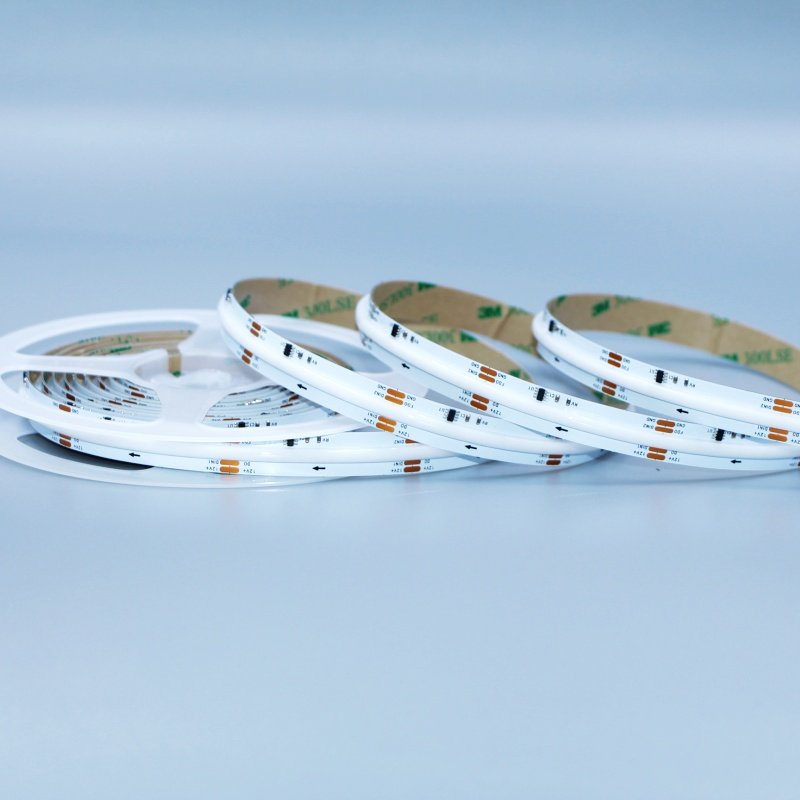
Step 1: Chip Procurement and Binning
COB production starts upstream, with LED dies purchased from chip fabs. The dies arrive sorted into bins by brightness and color point, and how a strip factory buys — tight bins or wide ones — sets the ceiling on the finished product’s consistency before assembly even begins. Projects that need tunable white add a second requirement: matched warm and cool die sets, procured so both channels age alike. This is the step where color consistency is won or lost, which is why bin documentation belongs in your order file — the first quality gate in COB LED strip manufacturing.
Step 2: Die Bonding onto the PCB
Next, the bare dies are placed directly onto the copper pads of the PCB at the designed pitch — 264 to 608 dies per meter on typical COB strips — and connected electrically. Because the dies sit directly on the board rather than in packaged housings, placement accuracy matters: consistent spacing produces a uniform emitting line, while sloppy placement shows up later as uneven brightness along the run.
Step 3: Phosphor Coating and Curing
The signature COB step. A phosphor gel is dispensed in a uniform layer over the entire die line and cured into the continuous film that converts blue light into white. Coating thickness and uniformity decide how even the white looks along and across the strip — and this is precisely why COB output is dotless, with no discrete points to hide behind a diffuser. Variations in the coating process are also why two visually identical strips from different factories can render color differently.
Step 4: Components, Soldering and IP Protection
After the emitting line is complete, surface-mount components — resistors, ICs on dual-channel and addressable versions — are added, and wire tails or connectors are soldered to the pads. Protected versions then receive their ingress protection: a silicone sleeve for IP65-class builds or full potting for IP67. The process choice affects flexibility, cost and lead time, which is why IP should be specified early in a custom strip project rather than added at the end.
Step 5: Testing, Aging and Packing
Finished reels pass through electrical testing and photometric measurement — integrating sphere sampling for color and flux — followed by aging runs that catch early failures before shipment. Final inspection, reel packing and batch labeling close the loop, and the labels matter: they are what connects a field failure back to a production batch years later. The documents that should accompany shipment — test reports, aging data, batch numbers — are the same evidence listed in our lifespan guide, and their absence is a legitimate reason to pause an order.
Manufacturing Steps and Buyer Checkpoints
| Step | What happens | What buyers should check |
|---|---|---|
| Chip sorting and binning | Dies sorted by flux and color | Bin documentation |
| Die bonding | Dies placed and connected on PCB | Line uniformity |
| Phosphor coating | Gel dispensed and cured | SDCM figure, dotless appearance |
| Components and IP | SMT parts, wires, encapsulation | Component brands, IP process |
| QC, aging and packing | Testing, aging runs, labeling | Test reports, batch numbers |
Frequently Asked Questions
Where does COB LED strip manufacturing mostly happen?
Predominantly in China, concentrated in the Guangdong cluster around Shenzhen and Zhongshan, where the die supply, phosphor chemistry, extrusion and assembly ecosystem sit within a short radius. That concentration is a genuine advantage for buyers: shorter supply chains and faster custom iterations.
Why do strips with identical specifications look different from two factories?
Because the specification describes the design, not the process. Phosphor recipes, binning discipline, coating equipment and curing parameters all differ, and each one shifts color and uniformity. The design is copied easily; the process control behind color consistency is not.
Can buyers visit the production line?
Established manufacturers expect it. Live video tours are standard practice, and on-site or third-party audits are reasonable to request before a first bulk order — a supplier who refuses both is answering the question anyway. Our manufacturer vetting guide lists what to look for when judging COB LED strip manufacturing quality on the walk-through.
See the Process Behind Every Reel
Sourcing COB strip for a project where quality has to be repeatable? Browse our COB LED strip lights range, or contact the GPD team to walk the production process, review the QC records and request samples from a live line — the clearest way to judge a COB LED strip manufacturing partner before the first order.
COB LED Strip Warranty: What to Check Before You Sign
Warranties are promises that get tested the day something fails. Most buyers compare lumens, CCT and price in detail, then sign the warranty terms unread — and discover later that “5-year warranty” meant five years against complete failure only, with freight payable both ways. A well-written COB LED strip warranty is a procurement document like any other: it has scope, exclusions, evidence requirements and a claims process. Here is what a good one covers, where the traps usually hide, and what to agree before the purchase order is signed.
What a Good COB LED Strip Warranty Should Cover
Look past the headline duration to the substance. A warranty worth its paper defines four things clearly:
- Duration: two to five years is the working range for quality constant-voltage strip; the figure should appear in writing, not in conversation.
- Defects in materials and workmanship: the core coverage — dying sections, dead segments, delamination, phosphor defects.
- Lumen maintenance: a commitment that output stays above an agreed threshold (for example 90% within the first years), not just a promise the strip will “work”.
- Color shift tolerance: a bound on how far the CCT may drift, because strips that fade unevenly fail visually long before they fail electrically.
The last two separate serious manufacturers from the rest. Any supplier can replace a strip that stopped lighting; a supplier who bounds color shift across the warranty period is putting real accountability behind their binning.
Common Exclusions That Surprise Buyers
Warranties carry exclusions, and most of them are reasonable — the lesson is knowing them in advance and documenting your installation accordingly:
- Heat damage from improper installation: sealing strip in unventilated housings or skipping heat sinking voids coverage — the mechanism is explained in our lifespan guide.
- Wrong driver or voltage: overdriving, undersized power supplies and unstable sources are the classic void clause.
- Water ingress beyond the rated IP class: an IP20 strip in a wet zone is not a warranty case — match the IP rating to the environment before ordering.
- Cutting damage outside marked points and unauthorized modification.
Keep installation photos and driver model records; exclusions are only unfair when nobody can prove the installation was correct.
Warranty Terms Compared at a Glance
| Term | What good looks like | Red flag |
|---|---|---|
| Duration | 3–5 years, written in the PO | Verbal promises only |
| Coverage | Lumen and color shift included | Complete failure only |
| Claim evidence | Batch number plus photos | Undefined process |
| Freight on replacements | Shared or supplier-paid | Buyer pays both ways, always |
| Response window | 7–14 business days, defined | No timeline at all |
Length Is a Quality Signal — and Not Everything
A five-year warranty backed by aging data is a genuine signal of confidence in binning and process; a “ten-year” claim with no test report behind it is marketing. Length should also match commercial reality: a five-year warranty on a strip with a two-year-rated driver means little if the driver fails first. Judge the warranty as one input in your supplier vetting — alongside production capability, QC documentation and references — rather than as a standalone number.
The Claims Process: Agree on It Before You Need It
The cheapest time to negotiate a claims process is before the first order. Agree on: how failures are documented (batch and reel numbers, photos, a returned sample policy), who pays freight for replacements, whether remedies are credit or replacement, and the response window. Reputable suppliers will put this in the purchase order without hesitation. Our experience with custom COB LED strip projects is that one paragraph in the PO prevents most after-sales disputes.
Frequently Asked Questions
How long should a COB LED strip warranty be?
Two to three years is common across the industry; five years typically signals above-average confidence in binning and process. Match the term to your project’s maintenance plan and lease — a strip warranted longer than the fit-out lasts delivers its full value.
Does a COB LED strip warranty cover color shift?
The best ones do: they commit to lumen maintenance above an agreed threshold and bound the CCT drift within the warranty period. Many standard warranties cover only complete failure, which rarely happens before visible degradation does — so ask this question specifically and get the answer in writing.
What should I keep on file to make a claim?
The purchase order, the datasheet version supplied with the order, batch and reel numbers, installation photos and the driver model records. Claims fail on missing evidence far more often than on unwilling suppliers.
Warranty Terms in Writing with Every Quote
Sourcing strip for a project where failures are expensive? Browse our COB LED strip lights range, or contact the GPD team — every quotation includes written COB LED strip warranty terms, coverage details and the claims process, so the promise on paper is the promise you keep.
Narrow COB LED Strip vs Standard Width: Which Fits Where?
Width is the strip specification that gets checked last and fails first. A reel can have perfect color and output, yet still be 0.4 millimeters too wide for the aluminum channel that already arrived on site. Beyond channel fit, board width shapes bending behavior, maximum output and even price. This guide compares narrow COB LED strip formats against standard-width boards so buyers can match width to channel, application and budget before ordering.
The Common Width Classes Explained
COB LED strips cluster into four practical width classes. Ultra-narrow boards at 3–5 mm serve joinery, curved routes and shallow reveals where nothing wider physically fits. The 8 mm class is the industry standard and matches the widest range of aluminum channels and accessories. Wider 10–13 mm boards carry higher densities and wattages, and large 30 mm architectural formats deliver the highest output per meter for big volumes. Custom widths also exist for retrofit work — our 5 mm 608 LED/m ultra-narrow strip serves the tightest joinery, and boards have been produced to customer channel tolerances down to tenths of a millimeter, like the 9.91 mm reel shown above.
Width vs Density vs Output: How They Interact
Width rarely appears alone on a datasheet — it interacts with density and power. Narrow boards usually carry lower maximum wattage because there is less copper and surface to manage heat, while wider boards host the highest-density, highest-output builds. The catch: a power budget built around a 10 mm strip does not transfer automatically to a 5 mm one, and vice versa. Match width, density and wattage as a set rather than optimizing one line of the datasheet.
Where a Narrow COB LED Strip Wins
- Tight channels and joinery grooves: cabinet bases, shelf fronts and narrow reveal profiles where an 8 mm board simply will not sit flat.
- Curves and bending routes: a narrower board tolerates tighter bends with less stress on the phosphor layer and solder joints.
- Minimal-reveal design: edges of glass, backlit acrylic edges and slim furniture lighting where the strip should disappear.
- Weight-sensitive or curved surfaces: less board, less adhesive footprint issues on smooth or curved furniture surfaces.
The trade-offs are real but manageable: maximum wattage per meter is lower, heat should be derated sooner, and connector and channel accessories come in a thinner range. Specified within those limits, a narrow COB LED strip delivers the same dotless light quality as its wider siblings.
Narrow vs Standard Width at a Glance
| Factor | Narrow (3–5 mm) | Standard (8–13 mm) |
|---|---|---|
| Channel compatibility | Slim and custom profiles | Widest accessory range |
| Bend radius | Tighter | Larger |
| Max wattage per meter | Lower | Higher |
| Output ceiling | Moderate | Highest |
| Best for | Joinery, curves, minimal reveals | Coves, facades, high output |
How to Match Width to Channel and Application
Start from the channel or groove, not the strip: measure the inner width, subtract a fitting tolerance, and let that number eliminate half the catalog. Then check the cut pitch against your segment lengths, confirm the density delivers the lumens the space needs, and only then compare prices on boards that actually fit. The COB LED strip buyer’s guide walks through the full sequence, from channel measurement to driver matching.
Frequently Asked Questions
What is the narrowest COB LED strip available?
Ultra-narrow boards in the 3 mm class are available from established manufacturers. Expect trade-offs in maximum wattage and accessory choice, and confirm the cutting pitch and bin specification before ordering, since narrow boards are often built to order.
Can a narrow COB LED strip deliver enough light?
Yes for most joinery and display work. Output depends on density and wattage rather than width alone — high-density narrow boards reach 608 LED/m — so check lumens per meter against the application instead of assuming a small board means dim light.
How much clearance should an aluminum channel have for the strip?
A common rule is strip width plus roughly 0.5–1 mm of tolerance so the board sits flat without forcing, and the diffuser clips without pinching. Measure the channel’s inner width at several points; extrusion tolerances are not always uniform along the length.
Fit the Strip to the Channel the First Time
Send us the channel drawings or measure the groove, and we will match a strip to it. Browse our COB LED strip lights range across 3 mm to 30 mm widths, or contact the GPD team for samples, width recommendations and a quotation — including custom widths produced to your tolerance.
COB LED Strip Brightness: Lumens per Meter Explained
“How bright is it?” is the first question in every strip inquiry, and the hardest to answer from a listing. Wattage is quoted everywhere, but watts are the electricity a strip consumes — not the light it delivers. Two 10 W/m reels from different suppliers can differ dramatically in visible output. The unit that actually measures COB LED strip brightness is lumens per meter, and learning to read it changes how you compare quotations, how you specify by application, and how you spot the quotes that quietly underdeliver. The good news: brightness is also one of the easiest specifications to verify before ordering.
Lumens, Not Watts, Measure Brightness
Watts describe input: the electrical power consumed. Lumens describe output: the visible light produced. The ratio between them — lumens per watt, called efficacy — is where quality hides. A well-engineered strip converts more of every watt into light; a poorly binned or overdriven one turns more of it into heat. So the practical specification question is never “how many watts?” but “how many lumens per meter, at what efficacy, measured under what conditions?” Our power consumption guide covers the input side; this one covers COB LED strip brightness — the output you are actually buying.
Typical Output Levels by Application
Lumens per meter requirements follow from the surface, the viewing distance and the ambient light. Typical starting points for specification:
| Application | Typical output | Notes |
|---|---|---|
| Coves and mood lighting | 200–350 lm/m | Indirect light, reflectance helps |
| Shelving and display accent | 350–500 lm/m | Compete with ambient lighting |
| Kitchens and task surfaces | 450–650 lm/m | Under-cabinet, close to work plane |
| High-output architectural coves | 600–1000+ lm/m | High ceilings, large volumes |
Treat these as planning ranges, not absolutes — ceiling height, surface reflectance and the presence of a diffuser all shift the target. Specifying COB LED strip brightness in lumens per meter also keeps suppliers, installers and clients aligned on the same measurable target.
What Drives the Output of a Given Reel
Several factors decide how many lumens a meter actually delivers. Chip grade and efficacy set the baseline. CRI level plays a role too: CRI 90+ phosphor systems trade a small amount of output for better color rendering, which is usually the right trade in retail and hospitality. Density mainly smooths the light rather than raising it. Heat is the quiet killer — output falls as the junction temperature rises, and a strip chronically run hot never quite returns to its box figure, one of the mechanisms behind lumen depreciation over service life. Finally, driver quality determines whether the strip receives stable voltage or a noisy approximation of it.
How to Compare Brightness Between Suppliers
- Quote COB LED strip brightness in lumens per meter and lumens per watt at the same CCT and CRI — figures measured at different settings are not comparable.
- Ask for the test conditions: integrating sphere measurement, ambient temperature and drive current all move the number.
- Beware watt-only claims. A reel that claims high watts but delivers low lumens is converting your electricity into heat.
- Where the comparison matters commercially, test samples side by side on the same surface at the same output — and remember that color consistency between the two reels is part of the same judgment.
- Remember that the cheapest lumens often age fastest; buying on brightness alone ignores how output holds up, a trade-off covered in our price and cost-factor guide.
Frequently Asked Questions
How many lumens per meter does a COB LED strip produce?
Depending on grade and drive level, COB LED strip brightness runs from roughly 300 lm/m for soft cove applications to over 1,000 lm/m for high-output architectural lines. The datasheet should state lumens per meter directly; if it only lists watts, ask for the photometric data.
Is a higher-wattage COB LED strip always brighter?
No. Efficacy varies between chip grades and designs, so a well-made 10 W/m strip can out-produce a poorly engineered 14 W/m reel. Wattage tells you what it costs to run; only lumens tell you what you get.
How do I choose brightness for my application?
Start from the application table above, adjust for surface reflectance and viewing distance, and confirm with a sample on site. The right test is the installed one: same channel depth, same surface, same viewing angle as the final installation.
Get Photometric Data with Every Quote
Comparing reels for an upcoming project? Browse our COB LED strip lights range with lumens per meter stated on every datasheet, or contact the GPD team for photometric test data, application advice and samples — so the brightness you specify is the brightness that ships.
How to Vet a COB LED Strip Manufacturer Before Ordering
The first order with a new supplier is always a trust decision. Samples tell you about the product; they cannot tell you whether the factory behind them will ship the same quality in eight months, hold bins across batches or answer an engineer’s question at 9 PM. That is what vetting is for. Before wiring a deposit to a new COB LED strip manufacturer, work through capability, quality control, documentation and references — in that order — and most expensive surprises disappear from the timeline.
Start with Production Capability, Not Price
The market includes real factories and assembly traders, and both can be legitimate suppliers — but they are not interchangeable, and quotes between them are not comparable. A manufacturer with in-house die bonding, phosphor coating or at minimum controlled binning, SMT assembly and a dedicated aging room can control the variables that decide quality; a trader assembling bought-in reels cannot. Breadth of range is a useful proxy — a line spanning 3 mm to 30 mm boards, multiple IP classes and tunable options usually indicates real production depth. Ask for a live video walkthrough of the lines, not a polished showreel, and remember that capability explains much of the spread in every COB LED strip price comparison you run.
The QC System Predicts Every Future Reel
What you sampled is one reel; what your COB LED strip manufacturer’s quality system produces is every reel after it. Ask how incoming chip bins are checked, what in-process controls exist on the line, and how finished reels are tested: integrating sphere measurements per batch, 100% or sampled aging runs, and bin documentation attached to each shipment are the working standard at serious factories. Then ask for one thing most buyers never request — a redacted QC report from a real production batch, not a marketing document. The depth of that paperwork tells you whether claims like tight color consistency tolerances or the rated lifespan are backed by records or by habit.
Vetting at a Glance
| Area | What to check | Red flag |
|---|---|---|
| Production | In-house lines, aging room, range depth | No factory tour or live video offered |
| Quality control | Per-batch sphere reports, aging records | “We test by sample only” |
| Documentation | Certificates matched to exact models | Generic certificates, no DoC |
| Engineering | Direct engineer access, real datasheets | Sales-only replies to technical questions |
| Commercial | Written warranty, trade references | Refuses references or warranty terms |
Samples and Pilot Orders De-Risk the Rest
Once the desk vetting passes, order samples pulled from the production line rather than showroom stock — the reels that ship to customers are the honest reference. Test them against your specification at full and low output, then run a pilot batch before the bulk order: a few hundred meters through the full production and QC process tells you more about repeat consistency than any document. Keep the pilot specification identical to the bulk order — a pilot built as a special favor tells you nothing about the production run. Finally, ask for two trade references from customers in your market and actually call them; five minutes of conversation about how the supplier handled a problem is worth more than a certificate folder.
Frequently Asked Questions
How do I verify a COB LED strip manufacturer is a real factory?
Check the business license scope and whether the factory address matches the registered one, then request a live video walkthrough showing the lines running — die bonding, assembly and the aging room. A professional trader can still be an excellent supplier for catalog purchases; the point is knowing which kind you are dealing with and vetting accordingly.
What documents should the manufacturer provide before the first order?
At minimum: full datasheets, certificates matched to the exact models you are buying, per-batch QC and aging reports, and written warranty terms. Together these form the paper trail that customs, inspectors and your own customers will eventually ask to see. Suppliers planning for long-term business provide them without being chased.
Should I audit the factory before or after sampling?
Both, at different depths. A desk audit — documents, video, references — comes first because it is free. An on-site or extended video audit makes sense just before the first bulk order, when the relationship is proven but the volumes are not yet.
Audit Us Before You Order
Choosing a new COB LED strip manufacturer is easier with nothing to hide. GPD welcomes video tours and third-party audits, and supplies bin data, aging reports and certificates with every quotation. Browse our COB LED strip lights range or contact the GPD team to schedule a walkthrough and test the process described above — on us.
High Density COB LED Strip vs Standard: Which to Specify?
COB strip catalogs read like a ladder of densities: 264, 320, 384, 480, 576, 608 LEDs per meter. Prices climb with the numbers, and buyers are left to guess whether the top rung is worth it. The honest answer is that a high density COB LED strip is not automatically the better product — it is a different tool, bought for specific visual conditions and paid for in price and power. This guide compares the two tiers so you can specify density per application instead of assuming more is always more.
What Density Actually Changes in a COB LED Strip
Density is the number of LED dies packed into each meter. In a COB strip those dies sit under one continuous phosphor film, so even a standard 264–320 LED/m strip already reads as a single soft line of light rather than separate points — a structural advantage SMD strips cannot match. Raising the density makes that line even more continuous: the emitting surface grows, the light leaving the strip is smoother at every angle, and the strip tolerates conditions that would betray the spacing on a lower-density reel. For buyers, the practical question is where that extra smoothness is worth paying for.
Where a High Density COB LED Strip Earns Its Premium
A high density COB LED strip earns its premium in specific viewing conditions rather than across the board:
- Exposed installations and reflective surfaces: polished tile, glass, marble and dark high-gloss finishes amplify every imperfection; higher density keeps the line seamless at grazing angles.
- Sharp bends and tight channels: around corners and inside narrow 3–5 mm profiles, standard density can show slight banding at the bend — high density holds the line.
- Close-range viewing: mirrors, shelving, jewelry cases and counters put the viewer within arm’s length of the strip.
- Backlighting close to a panel: thin light boxes and backlit stone need uniformity at short throw distances.
- High-output architectural lines: wide boards pair high density with high wattage for premium cove and facade applications.
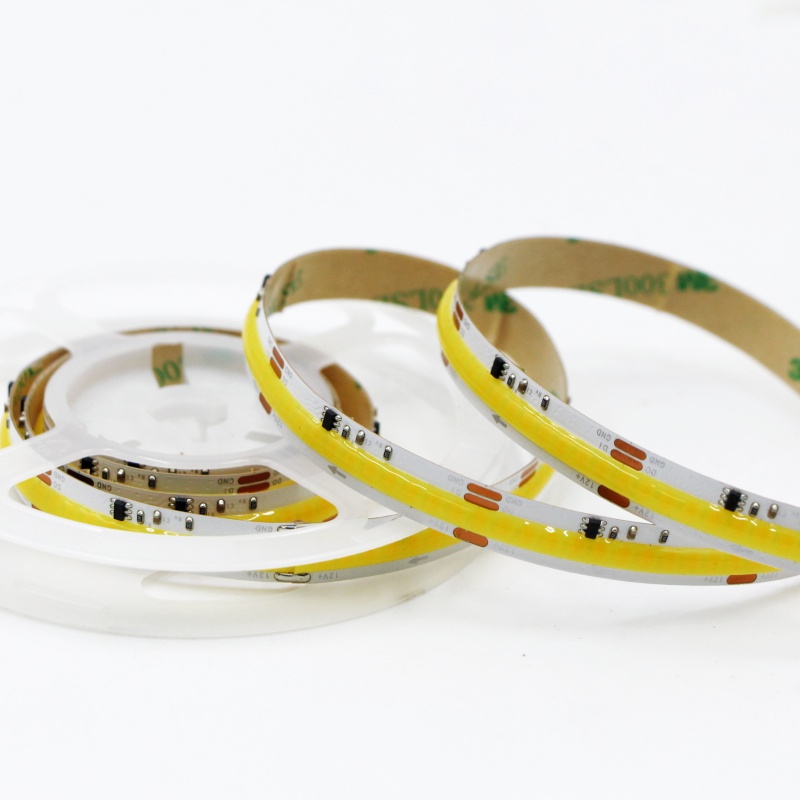
Standard vs High Density at a Glance
| Factor | Standard (264–384 LED/m) | High density (480–608 LED/m) |
|---|---|---|
| Emitting surface | Continuous, softer | Continuous, densest |
| Exposed and reflective use | Better with a diffuser | Clean without a diffuser |
| Typical price per meter | Lower | Higher |
| Typical power draw | 8–12 W/m | 10–20 W/m |
| Best for | Hidden coves, backlighting, budgets | Visible, reflective, close-range work |
The Trade-Offs: Price, Power and Heat
Density is one of the main drivers of COB LED strip price — more dies per meter means more material and assembly. It also raises the electrical load: a high density reel can draw meaningfully more watts per meter than a standard one, which cascades into larger drivers, shorter feed lengths and thicker cable, as the math in our power consumption guide shows. The compensation is thermal: spreading the same output across more dies runs each die cooler, which supports longevity when the strip is properly heat-sunk.
How to Choose Density by Application
Specify by viewing distance and budget, in that order. Hidden coves, backlighting and utility runs deliver all the light a client needs from standard density. Exposed runs, reflective finishes and close-range viewing justify the high density premium — and in those locations, skipping it usually means adding a diffuser instead, which costs its own money and light output. Whichever tier you choose, consistency across reels matters at every density: chip binning and single-batch production, covered in our color consistency guide, decide whether runs match long before density enters the picture.
Frequently Asked Questions
Is a high density COB LED strip brighter than a standard one?
Not automatically. Brightness is set by the wattage and chip efficiency, not by the die count alone. Higher density primarily makes the light smoother and more even; high-output versions pair high density with higher wattage to also raise the lumen package.
Does higher density always mean better quality?
No. Density is one cost driver among several, and a well-binned 384 LED/m strip with 2 oz copper will outperform a poorly binned 608 LED/m reel with thin traces every time. Judge density alongside binning, copper weight and driver quality.
Can I mix densities in one project?
Yes — different zones can use different tiers, and dimming hides the transition between rooms. Avoid butting a standard and a high density run together in the same sightline, since their surfaces read differently at close range.
Match Density to Your Application
Unsure which tier fits your project? Browse our full COB LED strip lights range from standard to high density, or contact the GPD team with your installation details — we will recommend the density, quote both tiers side by side and support the decision with samples and test data.
COB LED Strip Color Consistency: Why Some Runs Don’t Match
Every lighting wholesaler has seen the complaint: two reels ordered against the same specification, installed in the same room, and one wall is visibly warmer than the other. No component failed and no datasheet was violated — the strips simply do not match. The cause sits upstream in how LEDs are manufactured and sorted, and it is the reason COB LED strip color consistency deserves a line in your purchase specification rather than a hopeful assumption. This guide explains binning, the SDCM rating and the practical steps that keep every run in a project reading as one continuous light.
Why Strips from the Same Factory Can Look Different
LED manufacturing has natural variance. Chips from the same production batch differ slightly in brightness and color point, and the phosphor coating that converts blue light to white adds its own layer of variation. To make this manageable, manufacturers test and sort finished chips into groups with similar characteristics — a process called binning. Here is the catch for buyers: tighter bins contain fewer chips, so they cost more, and a supplier chasing the lowest possible price is almost always buying wider bins. Wide bins pass a basic datasheet (“3000 K, CRI 90”) while still producing reels that a customer can tell apart on a wall.
SDCM: How COB LED Strip Color Consistency Is Measured
Color similarity is quantified in SDCM — Standard Deviation of Color Matching, often described as MacAdam ellipses. One ellipse describes a zone so tight that most people cannot see any difference inside it. As the step count rises, the zone grows and so does the chance of a visible line where two runs meet. In practical terms, a COB LED strip held to 2–3 SDCM will look continuous across adjacent runs for the overwhelming majority of viewers, while strips sorted only to 5 SDCM or quoted without any SDCM figure at all are where “same product, different color” complaints begin. Datasheets that print the SDCM figure are making a checkable promise; datasheets that omit it are leaving the door open. This figure is the single best proxy for COB LED strip color consistency a buyer can write into a specification.
Where Mismatch Shows Up First
- Adjacent runs in one sightline: two reels butted together on a long cove or ceiling line, one reel noticeably warmer.
- Reflective surfaces: polished floors and glass fronts double the visibility of any tone difference between runs.
- Low-output dimming: strips that match at full power drift apart at 10–20% output, exactly where hotel and restaurant scenes live.
- Re-orders years later: an aged strip has itself shifted color, so even a perfectly binned new reel will not match the wall it joins.
- Mixed brands on one project: different phosphor recipes make cross-brand matching a gamble regardless of binning.
How Buyers Specify Color Consistency
Consistency is bought at the order stage, not repaired on site. The specification that prevents the complaint above takes four lines:
- State the SDCM tolerance in the purchase order — 2–3 SDCM for anything with adjacent runs in one sightline.
- Require single-batch production for each project, so every reel comes from the same bin lot; this is standard practice for a custom COB LED strip order and worth requesting even on catalog items.
- Order maintenance stock with the original purchase, because a future top-up will not match aged strip — the mechanism is covered in our lifespan guide.
- Acceptance-test two reels side by side at full and low output before installation begins.
Tight binning is part of why quotations differ, a point our price and cost-factor guide covers — a consistency specification is buying yield, and yield has a price.
Frequently Asked Questions
What does 3-step SDCM mean on a COB LED strip datasheet?
It means the chips are sorted so their color points fall within three MacAdam ellipses of the target — a tolerance most viewers cannot distinguish between adjacent runs. 2-step is tighter and priced accordingly; 5-step and above is where visible mismatch becomes common.
Does COB construction hide color mismatch better than SMD?
Partially. The continuous light line of COB softens the dotted look and small variations read as gentle gradients rather than sharp points, but a genuine white-tone difference between two runs is still visible — especially on reflective surfaces. Binning quality, not package type, is what decides COB LED strip color consistency between runs.
Why did my replacement reel not match the installation it joined?
Two effects stack: the original strip has aged and drifted slightly, and the factory’s current production bin may differ from the batch you bought years ago. Ordering maintenance stock together with the original run avoids both effects, which is why we recommend it on every project quote.
Order Consistent Light the First Time
Planning a multi-reel project or a national rollout? Browse our COB LED strip lights range, or contact the GPD team about single-batch production, COB LED strip color consistency tolerances and maintenance stock — with test reports to back every reel, so the last meter matches the first.
COB LED Strip Certifications: What to Check Before Import
Compliance is the least glamorous line in a lighting quotation and the one most capable of stopping a shipment. Containers are held at customs, retail chains delist products, and inspectors refuse installations — all over paperwork. For importers and wholesalers, COB LED strip certifications are procurement documents, not decorative logos on a datasheet, and they deserve the same scrutiny as pricing and lead time. Here is what each market expects, what a valid certificate should show, and how to verify the documents before money moves.
The Certifications That Matter, Market by Market
Requirements depend on where the strip will be sold and installed:
- European Union: CE marking, declared by the manufacturer under the EMC, Low Voltage and RoHS frameworks. Crucially, CE is a self-declaration — its credibility rests on the test reports and Declaration of Conformity behind it, which buyers should request rather than assume.
- United Kingdom: UKCA marking replaced CE for Great Britain, covering the same essential requirements under UK law.
- North America: UL or ETL listing, issued by third-party laboratories with follow-up factory inspections. For hardwired and commercial installations in the US and Canada, inspectors and authorities having jurisdiction typically expect to see a listing, not a self-declaration.
- Australia and New Zealand: SAA approval or RCM marking for electrical safety.
- Chemical compliance: RoHS (and REACH where applicable) restricts hazardous substances and applies across the EU and UK markets.
What Valid COB LED Strip Certifications Should Show
A certificate is only as good as what it actually covers. Before accepting one, check that it names the testing laboratory or certification body (TÜV Rheinland, SGS, Intertek, UL and similar), carries a report or certificate number, and — the most common gap — identifies the exact product model and ratings rather than a generic “LED strip”. A certificate issued for a 12V IP20 reel does not cover a 220V IP67 product from the same supplier. The document should also state the test standard and its date, and for CE, the Declaration of Conformity should be signed by the manufacturer with the technical file available on request. When a quotation already looks sharp, these details tell you whether COB LED strip certifications behind it are real or decorative.
Certifications at a Glance
| Certificate | Market | Covers | Buyer red flag |
|---|---|---|---|
| CE (EMC, LVD, RoHS) | EU | EMC, electrical safety, substances | No test report or DoC offered |
| UKCA | Great Britain | Same essentials under UK law | CE-only paperwork for UK stock |
| UL / ETL | US and Canada | Third-party safety listing | No listing number to search |
| RoHS / REACH | EU, UK | Restricted substances | Report without model reference |
| SAA / RCM | Australia, NZ | Electrical safety approval | Expired or model-mismatched file |
How Buyers Verify Certificates Before Paying
- Request the full test report, not just the certificate page — genuine COB LED strip certifications always come with one — and match the model number, voltage rating and IP rating to your purchase specification.
- Look listing numbers up in public databases where they exist — UL Product iQ, for example, lets anyone confirm a UL file in minutes.
- Examine the document critically: mismatched fonts, missing accreditation logos and certificates dated years before the product existed are all known tricks.
- For custom builds, make compliance part of the order itself — our custom COB LED strip guide recommends putting specifications and documentation duties directly into the purchase order.
- Remember the commercial angle: certification testing is a real cost, and a quote with no compliance line item may be a price factor warning in disguise.
Frequently Asked Questions
Is CE marking enough to import COB LED strips into the EU?
CE is the required marking, but it is a self-declaration supported by technical documentation — an EMC report, a safety assessment under the Low Voltage framework and a RoHS report, plus a signed Declaration of Conformity. Ask the supplier for those underlying documents and check that the models and ratings match your order.
Do I need UL or ETL certification to sell in the United States?
There is no federal blanket requirement for every sale, but in practice, hardwired and commercial installations usually require a listing that inspectors recognize, and many distributors will not stock unlisted product. For those channels, UL or ETL listing with a searchable file is the working standard.
Who is responsible if a certificate turns out to be fake?
As the importer of record, the buyer carries the legal responsibility in the destination market — even if the supplier produced the document. That is exactly why verifiable COB LED strip certifications belong before the deposit, not after the container arrives.
Import with Compliance Covered
Sourcing for a regulated market? Browse our COB LED strip lights range, or contact the GPD team for certificates, test reports and Declaration of Conformity documents issued with your order — so customs, distributors and inspectors all see the same paper trail you do.
Tunable White or Single-Color COB LED Strip: How to Choose
Most quotations default to a single fixed color temperature, and for good reason — it is simple, stable and cheap to control. But an increasing share of project inquiries now ask for something more flexible: a tunable white COB LED strip that shifts between warm and cool white on demand. Whether that flexibility is worth specifying depends on how the space will actually be used, and on the control and cost implications that come with it. Here is how buyers and specifiers can decide between the two approaches.
How a Tunable White COB LED Strip Works
A tunable white strip carries two sets of LED dies — one warm, one cool — under the same continuous phosphor film. A dual-channel controller drives each set independently, and the mixed ratio sets the output anywhere across the range, typically 2700 K to 6500 K. This is why ratings like “7 W + 7 W” appear on datasheets: two channels, each with its own load. Our 10 mm 608 LED/m dual-channel strip is built exactly this way. The construction matters for sourcing, because a tunable white COB LED strip needs a two-channel controller and a power budget that accounts for both channels, not a standard single-circuit driver.
Where Single-Color COB Strip Is Still the Right Answer
Fixed CCT remains the correct specification for the majority of installations. When the brand standard is settled — 3000 K hospitality, 4000 K office, 5000 K retail — a single-color strip delivers it with simpler drivers, ordinary dim-to-warm-free controls and no commissioning beyond standard aiming and dimming. It is also the budget-friendly route: fewer channels, smaller power supplies and no interface to program. For cove lighting, concealed shelf lines and most fit-outs where the architectural concept already fixes the color temperature, single-color COB strip is the efficient, low-risk choice.
Where Tunable White Earns Its Premium
- Wellness and daylight schemes: offices and healthcare spaces that follow daylight rhythms shift from cool morning light to warm evening light automatically.
- Multipurpose hospitality: a restaurant floor that runs bright and neutral at breakfast and warm and intimate at dinner — one installation, two moods.
- Showrooms and exhibitions: merchandising and exhibit layouts change; tunable white adapts without re-lamping.
- Unfinished spaces: when furniture, finishes or brand standards are not final, tunability removes the risk of specifying the wrong CCT on day one.
Tunable White vs Single Color at a Glance
| Factor | Tunable white | Single color |
|---|---|---|
| CCT flexibility | Full range, on demand | One fixed value |
| Control gear | Dual-channel controller | Switch or standard dim |
| Drivers and wiring | Two channels, higher total load | Single circuit |
| Commissioning | Mix curves and scenes to set | Minimal |
| Typical cost | Higher | Lower |
Specifying Checklist for Tunable White Projects
- Confirm the control protocol first — dedicated CCT controllers, DALI, 0-10V dual-channel or RF/app systems — and match the strip’s channel wiring to it.
- Size the power for both channels: a “7 W + 7 W” strip draws up to 14 W per meter at full white, so the usual power consumption math applies twice.
- Ask for channel-to-channel consistency data; the warm and cool dies should blend without a visible crossover band at mid-range mixes.
- Sample the actual mixes on site — 2700 K, 4000 K and 6500 K scenes tell the client more than a datasheet.
- Document the scenes and handover settings, and file the spec alongside the rest of the buyer’s checklist.
Frequently Asked Questions
Can a tunable white COB LED strip be locked to one fixed CCT?
Yes — the controller simply holds a fixed mix ratio, or the installer drives one channel. It works, but if the color temperature will genuinely never change, a single-color strip delivers the same result at a lower cost with simpler controls.
Does tunable white COB LED strip cost more to run?
At any given moment the strip draws roughly the power of whichever channel mix is active, so everyday running cost is comparable to a single-color strip of similar density. The system’s maximum load is higher because both channels can run together, which affects driver sizing rather than the energy bill.
Which spaces benefit most from tunable white?
Multipurpose and wellness-driven spaces: hotel ballrooms that host breakfast and evening events, meeting rooms that switch between presentation and collaboration, offices following daylight rhythms, and showrooms that restyle regularly. Single-purpose spaces with a fixed brand CCT rarely justify the premium.
Compare Both Options on Your Project
Undecided between the two? Browse our COB LED strip lights range for single-color and dual-channel options, or contact the GPD team with your application — we will quote both approaches with controller recommendations, samples and photometric data so the decision is made on real light.
COB LED Strip Power Consumption: Watts and Running Costs
Wattage is the specification buyers ask about last and need first. COB LED strip power consumption decides the driver size, the cable gauge, how many feed points a run requires and — over the years — a visible slice of the client’s energy bill. Yet it is also the number most often skimmed over in quotations. This guide walks through typical wattage ranges, the voltage math behind them, how to size the power system with headroom, and what a real installation costs to run.
How Many Watts Does a COB LED Strip Use?
Rated power per meter scales with density and board width. Typical figures run from around 8 W/m for slim, standard-density COB strip up to 15–20 W/m for high-output architectural grades, with a few specialty lines above that. Real examples from our range show the spread:
| Strip | Density | Rated power | 5 m load at full output |
|---|---|---|---|
| 8 mm 320 LED/m | 320 LED/m | 8 W/m | 40 W |
| 10 mm 480 LED/m | 480 LED/m | 14.5 W/m | 72.5 W |
| 10 mm 608 dual-channel | 608 LED/m | 7 W + 7 W | 70 W |
| 12 mm 600 LED/m | 600 LED/m | 24 W/m | 120 W |
| 30 mm 1600 LED/m | 1600 LED/m | 40 W/m | 200 W |
Always read the rated figure from the datasheet rather than estimating from appearance — density and board width together determine the load.
The Current Math: Why Voltage Matters
Power is voltage times current, so the same wattage draws very different current at 12V and 24V. A 60-watt run pulls 5 amps at 12V but only 2.5 amps at 24V — and current is what sizes your cable, drives voltage drop and limits feed length. This is why long runs favor 24V systems, why shorter, denser runs often stay at 12V, and why the electrical side of a COB vs SMD decision starts with the same calculation. Our 12V vs 24V comparison covers the trade-offs in full.
Sizing Drivers and Cabling with Headroom
The starting point is simple: total the COB LED strip power consumption of every feed at full output, then work outward from there. Three rules keep an installation safe and stable. First, sum the load per feed — every run between power injection points, not just the total meterage. Second, size each constant-voltage driver at least 20% above that load; drivers running at their ceiling run hot and age fast, a point our COB LED strip buyer’s guide stresses alongside voltage and density matching. Third, choose cable gauge for the current it carries: low-voltage systems lose power in thin cable quickly, and an undersized feed shows up as dim tails long before it trips anything.
What COB LED Strip Power Consumption Costs to Run
Running cost is straightforward arithmetic: kilowatt-hours equal total watts multiplied by operating hours, divided by 1,000. Take a retail application with 150 meters of 14.5 W/m strip running ten hours a day: 2,175 watts for ten hours is roughly 21.75 kWh per day, about 650 kWh per month — on the order of $100 a month at a $0.15 per kWh tariff. At that scale, specifying an efficient grade instead of an overdriven one pays for itself across a multi-year lease, and dimming trims the figure further: on a standard constant-voltage PWM system, energy draw falls roughly in proportion to output, which also softens the light for evening trade.
Frequently Asked Questions
How many watts per meter does a COB LED strip use?
Most commercial COB strips fall between 8 and 20 W per meter depending on density, board width and target output. Ultra-narrow and standard-density strips sit at the lower end, while wide high-output architectural grades reach or exceed the top of the range. The datasheet is the authoritative figure.
Can I power a COB LED strip directly from the wall socket?
No. Standard COB strips run on 12V or 24V direct current and need a constant-voltage LED driver between mains and the strip. Connecting one directly to mains supply will destroy it immediately; high-voltage mains-operated strips are a separate product family with their own protections.
Does dimming reduce COB LED strip power consumption?
Yes. On a standard constant-voltage PWM dimming system, power draw falls approximately in proportion to the dimming level, so a space dimmed to 40% output uses roughly 40% of the energy. Dimming to scene also reduces heat in the strip, which supports longer service life.
Size the Power System for Your Project
Planning loads for an upcoming installation? Browse our COB LED strip lights with full electrical specifications, or contact the GPD team with your run lengths and operating schedule — we will calculate the total COB LED strip power consumption, size drivers, cabling and injection points, and quote the complete power plan.
Custom COB LED Strip: MOQ, Lead Time and OEM Options
Catalog specifications rarely survive first contact with a real project. A retail fit-out needs 4.7-meter runs pre-terminated with connectors; a furniture line wants an ultra-narrow board in a specific bin; a hotel group needs its own CCT and packaging. This is where a custom COB LED strip program earns its keep — and where buyers should understand what factories can actually customize, how minimum order quantities work, and what lead time to plan for before a purchase order goes out.
What Can Be Customized on a COB LED Strip
COB construction is highly configurable at the factory level, and most established manufacturers offer a wider range than their catalogs suggest:
- Cut lengths and termination: strips supplied in project-specific lengths with connectors, wire tails or leads pre-soldered, ready for installation.
- Electrical specification: 12V or 24V systems, wattage per meter and density from standard bins up to very high output.
- Color and rendering: CCT from warm 1800–2700K through 6500K, CRI 80/90/95 options and tuned bins for brand consistency.
- Board geometry: PCB width from ultra-narrow 3–5 mm up to wide 30 mm boards for high-output lines.
- Ingress protection: IP20 through IP65–IP67 via silicone tube or potting processes.
- OEM finishing: private-label reels and cartons, custom label data and project-specific packaging.
A case in point is our 5mm 608 LED/m 24V COB strip — an ultra-narrow, high-density format that exists precisely because a standard catalog could not cover every joinery and display application.
MOQ: Why It Exists and What to Expect
Buyers regularly ask what MOQ a custom COB LED strip carries, and the honest answer is that it is set by preparation cost, not by policy. A factory that sets up solder lines, procures chips in matched bin lots and configures QC jigs for a specific build carries nearly the same preparation cost for 50 meters as for 5,000. In practice, standard catalog specifications usually ship at low or no MOQ, while deeper customization — a bespoke CCT, an unusual board width or private-label packaging — raises the threshold. The useful move is to ask for tiered pricing: many suppliers will support a pilot batch against a higher unit price, then step the price down at agreed volumes. Remember that MOQ also interacts with cost, as covered in our price and cost-factor guide — a volume commitment is one of the levers that genuinely moves the number.
Lead Time: What Drives It and How to Plan
Lead time depends on how far the request sits from stock. Configured versions of catalog items — cut, terminated and packed — typically ship within days. A build that requires non-stock chips, a custom phosphor batch or IP processing adds production and curing time, and every custom order should include incoming QC and aging tests before shipment, which is non-negotiable time well spent. Seasonal factors matter too: capacity around major Chinese holidays tightens weeks in advance, so buyers with first-quarter projects should place specifications early. The safest schedule reserves a sampling stage before the bulk run — the specs that arrive on real reels are the ones worth checking, as our lifespan guide notes on aging data.
Customization at a Glance
| Custom item | Typical flexibility | Confirm in writing |
|---|---|---|
| Cut length and connectors | High | Cutting pitch, connector type, wire gauge |
| CCT, CRI and density | High | Photometric test report |
| IP rating | Medium | Tube or potting process, curing time |
| PCB width and color | Medium | Board width in mm |
| Private label and packaging | Varies | Volume threshold, artwork format |
Questions to Ask Before Placing a Custom Order
- Put the full specification of your custom COB LED strip in writing — density, wattage, CCT, CRI, IP, cut pitch — and have the supplier countersign the datasheet, not just the quotation.
- Request samples of the actual custom configuration, not a catalog look-alike, and age-test them under project conditions.
- Confirm the aging and QC process the batch will pass before it ships.
- Agree labeling, reel and carton packaging requirements, and a spare-quantity percentage for site damage.
- Fix Incoterms and the lead-time commitment in the purchase order; the COB LED strip buyer’s guide covers the commercial checklist end to end.
Frequently Asked Questions
What MOQ should I expect for a custom COB LED strip?
It varies by factory and by how deep the customization goes. Standard specifications configured from stock are often available at minimal quantities, while bespoke bins, widths or packaging set a higher floor. Ask for tiered pricing so you can see the cost at pilot, mid and full volumes before committing.
Can custom lengths arrive pre-cut with connectors installed?
Yes — pre-cutting and connector assembly is one of the most common custom requests. Confirm the cutting pitch, connector brand and wire gauge in writing, because pre-terminated strip that arrives matching the joinery drawings saves significant site labor.
How does customization affect lead time?
Stock-based configurations ship in days; fully custom builds add production plus QC and aging time, and capacity tightens around major holidays. Build a sampling stage into the schedule and confirm both dates in writing with the purchase order.
Discuss Your Custom COB LED Strip Project
Have drawings or a specification ready? Browse our standard COB LED strip lights for a starting point, or contact the GPD team with your requirements — MOQ, OEM options, lead time and samples quoted clearly, with engineer support throughout the project.
COB vs SMD LED Strip: 6 Differences Buyers Should Know
Most product catalogs today split LED strip lines into two families: COB and SMD. Buyers comparing samples often ask which technology is “better,” but the honest answer is that they solve different problems — and the wrong choice usually shows up as visible dots, extra diffuser cost, or a quote that is harder to justify. This guide breaks down the real differences between COB and SMD LED strip construction, light quality, durability and price, so wholesale buyers and project specifiers can match the technology to each application instead of guessing.
Construction: One Continuous Surface vs. Discrete Points
The names describe the physics. An SMD (surface-mounted device) strip carries packaged LED components soldered onto the board at fixed intervals — every 10 to 30 millimeters typically — so the light leaves the strip in distinct points. A COB (chip-on-board) strip mounts bare LED dies directly onto the PCB beneath a single continuous phosphor film, so the entire strip becomes one uniform light-emitting line with no visible spacing.
That construction difference drives nearly everything else: how the light looks on a surface, whether a diffuser is mandatory, how heat spreads, and even how many solder joints exist to fail. When you compare any COB vs SMD LED strip datasheet side by side, start from this point and the rest of the numbers fall into context.
Light Quality: Where COB Pulls Ahead
Because COB emits from a continuous surface, it produces the dotless effect that premium retail, hospitality and mirror applications demand. On polished tile, marble or glass, SMD points reflect as distinct hot spots unless the strip sits behind a thick diffuser — an extra accessory, an extra cost, and extra installation depth. COB also reduces direct glare for close-range viewing, since the emitting surface is larger and the light is spread evenly along the run. SMD strips remain perfectly serviceable where the light source is hidden or the viewer is far away; up close, the difference is immediately visible.
Efficiency, Heat and Durability
Contrary to a common assumption, efficiency is not a decisive winner: quality COB and SMD strips both operate in the same general efficacy range, and the real spread comes from chip grade and driver quality rather than the package type. Two structural points do favor COB. Heat generated by the dies spreads across the whole board instead of concentrating at each package, and a COB strip contains far fewer solder joints — statistically among the more common failure points on any strip. Heat management still dominates longevity for both technologies, as our COB LED strip lifespan guide explains in detail.
Price and Sourcing Considerations
COB vs SMD LED strip pricing differs mainly in process cost. COB strips generally carry a modest premium: the phosphor coating process and higher chip density cost more to produce, which is one of the price factors buyers should recognize in quotes. SMD strips are a mature commodity with an enormous supplier base, which simplifies replacement sourcing and keeps unit prices low. The fair comparison is therefore per project, not per reel: in a visible application, COB’s higher price is often offset by deleted diffusers, faster installation and fewer aesthetic complaints.
COB vs SMD at a Glance
| Factor | COB LED strip | SMD LED strip |
|---|---|---|
| Light appearance | One continuous line, dotless | Distinct points at intervals |
| Diffuser requirement | Optional | Needed to hide dots |
| Glare and hot spots | Lower | Higher at close range |
| Solder failure points | Fewer | More |
| Typical price level | Higher | Lower |
Which Should You Choose?
Every COB vs SMD LED strip decision comes down to visibility and budget. Choose COB when the strip is visible or the surface is reflective: retail displays, hospitality ceilings, mirrors, glass cabinetry and architectural reveals. Choose SMD where the source is concealed and budget leads the decision — deep coves, backlighting panels and utility runs. Many mixed projects use both, which is perfectly sound engineering. Whichever you pick, the technology matters less than the basics behind it: chip binning, copper weight and driver quality decide how the strip actually performs, as our lifespan guide and buyer’s checklist make clear.
Frequently Asked Questions
Is a COB vs SMD LED strip comparison about brightness?
Not really. Efficacy ranges overlap, so neither technology is inherently brighter. COB looks smoother and more even because its light is continuous, while SMD concentrates output at points. Compare lumens per meter and lumens per watt on the datasheet instead of judging by appearance alone.
Can COB replace SMD in an existing installation?
Usually yes, mechanically: both mount with 3M tape or channels and run on the same constant-voltage drivers. Verify the voltage, cut-length intervals and total wattage so the existing power budget still holds before swapping reels.
Which technology handles dimming better?
Both dim well on a matched constant-voltage system. Smoothness depends far more on the driver and control brand than on COB versus SMD construction, so put dimming performance in the specification rather than assuming one package type wins.
Test COB and SMD Side by Side
Still deciding for a specific project? Browse our full COB LED strip lights range to review construction options, or contact the GPD team for samples of both technologies, photometric data and a quotation. Seeing the two side by side on your own surface settles the question faster than any datasheet.
COB LED Strip Lifespan: How Long Do They Really Last?
Product listings love the number 50,000 hours, and procurement teams are right to ask what sits behind it. The honest answer is that COB LED strip lifespan is not a fixed figure — it is a rated behavior under defined conditions, and the installation decides how much of it you actually get. For wholesalers and project buyers, that distinction matters commercially: service life drives maintenance cycles, warranty exposure and the total cost a client signs up for. This guide explains what the rating means, what shortens a strip’s working life, and how to specify so the installed result matches the datasheet.
What the Rated Hours on a COB LED Strip Actually Mean
When a datasheet states 50,000 hours, it normally refers to L70 — the point at which a test sample has faded to 70% of its initial light output — often with a B50 figure, meaning half of the units are expected to reach that point by then. Two things follow. First, the strip does not die at the rated hour; it simply gets dimmer, and color shift usually appears before the lumen loss becomes obvious. Second, the rating is measured under controlled conditions: a stable ambient temperature and a clean, matched power source that a cramped ceiling void rarely provides.
Hours also convert into years only through the operating schedule:
| Daily operating time | 50,000 hours equals |
|---|---|
| 8 hours/day (office) | ≈ 17 years |
| 10 hours/day (retail) | ≈ 13.7 years |
| 12 hours/day (hotel, supermarket) | ≈ 11.4 years |
| 24 hours/day (emergency, signage) | ≈ 5.7 years |
What Shortens a COB LED Strip Lifespan in Real Installations
Heat is the dominant factor. LED chips age faster as junction temperature rises, and a widely used rule of thumb holds that sustained operation well above the specified temperature roughly halves expected life for every additional 10°C. In practice, the usual culprits are:
- Enclosed fixtures without heat sinking: sealing a strip inside a tight plastic profile traps heat; aluminum channels exist precisely to pull it away. Profiles, spacing and derating are the cheapest lifespan insurance available.
- Running at maximum wattage in restricted spaces: a strip driven at its full rating inside a narrow cove runs far hotter than the same strip on an open shelf.
- Poor-quality or oversized drivers: excessive output ripple stresses the strip, and an underrated or unstable power supply delivers the kind of electrical abuse that shortens COB LED strip lifespan before any visible symptom appears.
- Moisture and contamination: the wrong IP class for the environment lets humidity and dust attack the phosphor layer and solder joints — match the IP rating to the actual zone.
- Ignoring color shift: many strips become unacceptable to the client while still technically working, so “life” ends at the point the light no longer matches, not when it goes dark.
How Buyers Protect Service Life Before Ordering
Most of a strip’s real-world COB LED strip lifespan is decided at the ordering stage, before a single reel ships. Four checks make the biggest difference:
- Ask what the rated hours are based on — chip-level aging data and a finished-strip aging report are worth more than a big number.
- Specify aluminum profiles or heat-dissipating mounting for enclosed and high-wattage runs, and avoid driving strips at their absolute maximum in confined spaces.
- Use quality constant-voltage drivers with low ripple; driver quality is repeatedly implicated in early failures, as our flicker-free dimming guide explains.
- Treat an unusually low quote as a lifespan risk: strips that cut corners on phosphor and binning fade faster, a link we covered in our price and cost-factor guide.
- Read the warranty the way an auditor would — duration, what is covered, and whether the supplier backs it with test data.
Frequently Asked Questions
Do COB LED strips really last 50,000 hours?
They can, under the rating conditions: moderate ambient temperature, a matched driver and sane loading. In a hot, sealed housing driven at full power, expect notably less. The rated figure is best read as a ceiling that good engineering lets you approach.
Does switching them on and off frequently shorten the COB LED strip lifespan?
LEDs tolerate switching cycles far better than older lamp technologies, so normal daily use is not a concern. Frequent switching stresses the driver more than the strip, which is another reason driver quality belongs in the specification.
What warranty should I ask a supplier for?
Two to three years is common for quality constant-voltage strip, five years from confident manufacturers. More important than the length is the wording: does it cover lumen maintenance and color shift, not just complete failure, and can the supplier produce the aging data behind it? Suppliers confident in their test reports rarely hesitate to share them.
Plan an Installation Built to Last
Sourcing strip for a long-service project? Browse our COB LED strip lights range with full datasheets, or contact the GPD team for aging data, warranty terms and a quotation tailored to your installation conditions. Our engineers respond within one business day.
COB LED Strip Price: What Drives Cost and How to Compare
Ask three suppliers for a quotation on the same COB LED strip and you will often receive three very different numbers. That spread is not automatically a red flag — COB LED strip price reflects a stack of engineering decisions that never show up in a product photo. For wholesale buyers and project purchasers, understanding those cost drivers is the fastest way to compare offers fairly, avoid overpaying for marketing claims, and stop underpaying for the specifications a project actually needs.
What Actually Drives the Price of a COB LED Strip
Two strips that look identical in a listing can differ in cost by 30–50% because of choices made before the first unit is assembled:
- Chip grade and binning: tightly binned chips with consistent color and luminous flux cost more per reel, and that discipline is what keeps one wall matching the next.
- Density (LEDs per meter): a 480 LED/m strip uses far more die and assembly time than a 320 LED/m one — this is usually the single largest line item.
- CRI level: moving from CRI 80 to a high CRI COB LED strip at 90 or 95 requires better phosphor and stricter testing, which is priced in.
- PCB width and copper weight: wider boards and 2 oz copper dissipate heat better and extend lifetime, at a higher material cost.
- IP rating: silicone tube or potting processes add real labor and materials for IP65–IP67 versions.
- Compliance: UL, CE, UKCA and RoHS testing is amortized into the price of certified product.
COB LED Strip Price vs. Total Project Cost
For commercial work, the sticker number is the wrong metric. A strip that fails early, shifts color, or flickers on the specified dimmer turns a saving of a few cents per meter into relabor, site revisits and warranty claims. Professional buyers therefore compare cost per meter over the rated lifetime, including the driver and accessories each option requires. A practical example: on a 10,000-meter retail rollout, replacing a failed batch after six months costs far more in freight, labor and site disruption than the per-meter saving ever delivered, so the quote that looks 15% higher with documented binning data and a three-year warranty is frequently the cheaper line item. Voltage plays into this as well: the 12V versus 24V decision changes driver count and re-feed intervals, which is why our 12V vs 24V comparison belongs in any cost review.
Where the Money Goes: Price Drivers at a Glance
| Cost driver | Price impact | What to verify |
|---|---|---|
| Chip grade and binning | High | Bin data, Ra/R9 test report |
| Density (LEDs per meter) | High | Datasheet and segment count |
| CRI level | Medium–High | CRI 90+/95+ photometric report |
| PCB width and copper | Medium | Board width in mm, copper weight |
| IP rating | Medium | Tube or potting process detail |
| Certifications | Medium | Valid UL/CE/UKCA/RoHS certificates |
How to Compare Quotes Fairly: A Buyer’s Checklist
- Normalize the specification first. A quote for 480 LED/m at CRI 90 is not comparable to one for 384 LED/m at CRI 80 — put every supplier on the same baseline before judging the COB LED strip price.
- Ask what is included: integrating sphere test reports, binning tolerance in SDCM, warranty length and replacement terms all carry cost and value.
- Watch the wattage game. Confirm real power draw with photometric data instead of trusting a headline number; an understated wattage makes a quote look artificially cheap.
- Compare landed cost: MOQ, lead time and Incoterms (EXW, FOB or DDP) change what actually reaches your warehouse.
- Weigh only the certifications your market requires, and ask for certificate copies with the offer.
- Shortlist two or three suppliers and request samples against the same specification before committing to the bulk order — our COB LED strip buyer’s guide covers the full selection framework.
Frequently Asked Questions
Why do quotes for the “same” COB LED strip differ so much?
Because the specification sheet rarely captures chip binning, copper weight or warranty terms. Two suppliers can both write “COB, 480 LED/m, CRI 90” and still be quoting different products. Ask each supplier to itemize these details and the price gap usually explains itself.
Is the cheapest COB LED strip price ever a good deal?
Occasionally — for short decorative runs with no color-matching requirements. For retail, hospitality or architectural work, an unusually low quote is a signal to check the test data first, because relabor and replacement quickly erase the saving.
Does ordering more reduce the COB LED strip price?
Generally yes. Larger orders let a factory buy chips in better bin lots and spread setup costs, so unit pricing improves with quantity. Order against the project plus a maintenance stock, though, rather than chasing a volume discount with inventory you cannot use.
Get an Itemized COB LED Strip Quotation
Comparing offers for an upcoming project? Browse our full range of COB LED strip lights to benchmark specifications, or contact the GPD team for an itemized quotation with test reports, binning data and warranty terms. Our engineers respond within one business day.
12V COB LED Strip vs 24V: How to Choose the Right Voltage
In retail, hospitality and display projects, an LED strip can have the right color temperature and still make merchandise look dull. The missing factor is color rendering. For wholesalers, contractors and lighting designers, specifying the correct voltage matters just as much — and the first decision is often 12V versus 24V. Both a 12V COB LED strip and its 24V counterpart are widely stocked, and on a product page they can look almost identical. The practical differences show up in the field: brightness that fades along a long run, cutting points that are too coarse for a display shelf, or a driver inventory that does not match the project. This guide compares the two options so you can specify with confidence.
Why Voltage Drop Hits a 12V COB LED Strip Sooner
Voltage drop is a matter of simple physics. For the same wattage, a 12V strip draws twice the current of a 24V strip, and because copper traces in the PCB have resistance, that current turns into a gradual voltage loss along the strip. The visible symptom is a brightness and color gradient: the start of the run looks correct while the far end looks dimmer and slightly warmer.
As a working rule of thumb, a single feed on a 12V strip is typically kept to around 5 meters, while a 24V strip can often reach about 10 meters before a re-feed or amplifier is needed. Exact figures depend on strip wattage and PCB design, so treat the datasheet as the final authority. If a design needs a long, unbroken run from one driver, this single factor usually settles the 12V versus 24V question on its own.
Where a 12V COB LED Strip Is the Better Choice
Twelve volts is not a legacy option — it is the practical pick in several common scenarios:
- Short, dense runs: cabinet lighting, shelf strips, display cases and furniture pieces rarely exceed a few meters per feed, so voltage drop is not a concern.
- Mobile and off-grid power: vehicles, boats, RVs and solar systems run on 12V batteries, so a 12V COB LED strip connects directly without a converter stage that adds cost and failure points.
- Fine cutting intervals: 12V strips are built from shorter chip groups, so their cut points are usually closer together than 24V equivalents. For joinery and retail fit-outs where every segment must land precisely, this saves trimming waste.
- Existing 12V infrastructure: if a client’s site or product line already uses 12V drivers, staying at 12V keeps spares and replacements simple.
A good example of the format is our ultra-narrow 3mm 400 LED/m 12V COB strip, a 7 W model designed for tight channels and precision display work.
12V vs 24V at a Glance
| Factor | 12V COB LED strip | 24V COB LED strip |
|---|---|---|
| Current at 60 W | 5 A | 2.5 A |
| Typical run per feed | About 5 m | About 10 m |
| Voltage drop sensitivity | Higher | Lower |
| Cut length granularity | Finer (shorter chip groups) | Coarser |
| Typical applications | Cabinetry, displays, vehicles, marine | Coves, facades, long architectural runs |
For longer architectural runs, 24V’s lower current means less loss in the strip and marginally better efficiency at the same wattage. Our earlier guide to 24V LED strip lights for long runs covers that side of the comparison in detail.
How to Specify the Right Voltage
- Measure the longest single feed in the design, not the total strip length — re-feeding every 5–10 m changes what the voltage can be.
- Check the cut points against the installation: divide the available length by the cut interval and confirm the segments still land where the joinery needs them.
- Standardize where possible. Wholesalers carrying one voltage family in each wattage class hold less stock and simplify warranty handling.
- Confirm dimming compatibility: both voltages dim smoothly when paired with a matched constant-voltage driver, as covered in our COB LED strip buyer’s guide.
- Match the driver to the strip voltage and at least 20% above the total load in watts.
Frequently Asked Questions
Can I connect a 12V COB LED strip to a 24V power supply?
No. Overdriving a strip at double its rated voltage will burn out the LEDs almost immediately. Match the supply voltage to the strip exactly; if only a 24V driver is available, use a step-down converter or switch to a 24V-rated strip.
Is a 12V COB LED strip less efficient than 24V?
At the same wattage, the 12V version loses slightly more power as heat in the strip’s own traces because it carries double the current. Over short runs the difference is negligible in practice; over 10-meter feeds it becomes one more reason to move to 24V or to re-feed the run.
Can 12V and 24V strips share one driver?
Not directly. Each voltage family needs its own constant-voltage output sized to the connected load. If a project mixes both, plan the driver schedule around that from the start rather than discovering it on site.
Get a Quote for 12V and 24V COB LED Strips
Unsure which voltage fits your next project? Browse our full range of COB LED strip lights in 12V and 24V, or contact the GPD team for samples, test reports and a quotation. Our engineers will help you match voltage, density and driver within one business day.
High CRI COB LED Strip: Why Color Accuracy Matters
In retail, hospitality and display projects, an LED strip can have the right color temperature and still make merchandise look dull. The missing factor is color rendering. For wholesalers, contractors and lighting designers, specifying a high CRI COB LED strip is one of the simplest ways to raise the perceived quality of a space without changing the lighting layout or the budget. This guide explains what CRI means, where it matters most, and how to specify it with confidence in your next tender or OEM order.
What Does CRI Mean in COB LED Strip Lighting?
Color Rendering Index (CRI, also written as Ra) measures how faithfully a light source reveals object colors compared with a reference illuminant, on a scale that typically runs from 0 to 100. Conventional SMD strips and many entry-level COB LED strip lights fall between CRI 70 and 80. That is acceptable for coves and signage, but colors look noticeably flat wherever skin tones, wood, textiles or fresh food are involved.
A high CRI COB LED strip is engineered to reach CRI 90 or above. Professional buyers should also check R9, the score for saturated red, because a strip can average 90 overall yet still render reds, warm woods and baked goods poorly. Reliable manufacturers publish full photometric test reports rather than a single headline number, so always ask for the data behind the label.
Where High CRI Makes a Visible Difference
Color-critical environments are easy to identify: anywhere people look closely at products, faces or finishes, color rendering belongs on the schedule next to lumen output and CCT. Typical examples include:
- Retail: accurate color keeps garments, cosmetics and furniture consistent between window display, shelf and fitting room, which protects brand standards and reduces “looks different at home” returns.
- Hospitality: warm, high-CRI light flatters skin tones, materials and artwork — the detail guests notice but rarely name.
- Food and grocery: fresh produce and meat under low-CRI light look gray and unappetizing, which directly affects sales.
- Galleries, museums and showrooms: faithful color is a specification requirement, not a preference.
Why COB Construction Suits Color-Critical Work
COB (chip-on-board) packages many LED dies directly onto the circuit board under a uniform phosphor layer, so the strip emits one continuous line of light instead of separate dots. Even illumination keeps color perception consistent along the run and removes the micro-shadows that dotted strips cast on shelves and textured surfaces. High-density models such as our 12mm 600 LED/m 24V COB strip also simplify the design: no heavy diffuser is needed just to hide LED dots, so light reaches the eye with minimal distortion.
How to Specify a High CRI COB LED Strip
Use this quick reference when preparing a lighting schedule:
| Application | Recommended CRI | Typical CCT |
|---|---|---|
| Retail and showrooms | CRI 90+ (R9 > 50) | 3000–4000 K |
| Hospitality and restaurants | CRI 90+ | 2200–3000 K |
| Grocery and food display | CRI 90+ | 3000–4000 K |
| Galleries and museums | CRI 95+ | 2700–3500 K |
| Coves and general architectural lighting | CRI 80–90 | Per design |
- Ask for an integrating sphere test report (Ra, R9 or TM-30 data) instead of a datasheet claim.
- Check binning: strips within a 2–3 SDCM tolerance keep multiple reels looking the same on one ceiling.
- Confirm dimming compatibility. Quality high CRI COB LED strips hold color while dimming smoothly when paired with a matched driver — see our flicker-free dimming guide for details.
- For wholesale and OEM orders, require the same CRI bin across repeated production batches; consistency over time matters as much as the number on the first sample.
For voltage, density and driver matching in more depth, our COB LED strip buyer’s guide walks through the full selection process.
Frequently Asked Questions
Is CRI 90+ necessary for every project?
No. Cove lighting, backlighting and signage usually look fine at CRI 80–90, and the cost difference adds up on long runs. Reserve a high CRI COB LED strip for areas where people and products are seen at close range: sales floors, dining areas, fitting rooms and display cases.
Does a high CRI COB LED strip cost more?
There is normally a modest premium over standard-CRI equivalents, mainly from tighter chip binning and quality control. Most buyers treat it as insurance, because color-critical areas are exactly where rework and client complaints are most expensive.
Can high CRI COB strips dim without shifting color?
Yes, when they are paired with a compatible dimmable driver and control system. The degree of color shift during dimming depends on LED binning and driver quality, so ask suppliers for dimming test data before placing a bulk order. For large projects, request the test with the exact driver model written into the lighting schedule.
Request Samples and CRI Test Reports
Planning a retail, hospitality or display project? Contact the GPD team for samples, photometric test reports and a quotation, or browse our full COB LED strip range to compare specifications. Our engineers respond within one business day.
COB LED Strip Sample Testing: 7 Checks Before a Bulk Order
Sample testing is the cheapest insurance in LED strip procurement — and the most commonly skipped step. Suppliers send free samples happily, yet many buyers ship a bulk order based on a quick glance at one meter taped to a wall. That shortcut is how flicker complaints, color mismatches and dead-on-arrival sections end up on a job site. Before your first bulk order of COB LED strip lights, run these seven checks on real samples.
Check 1–2: Photometry and Color
Power one meter through a dimmer and measure against the datasheet. Output should land within about 10% of the claimed lumens per meter, and CCT should read within tolerance (3000K is not 3000K if it measures 2700K). Then line up three to five samples from the same reel: the color must be visually identical. This is where SDCM ≤ 3 binning either proves itself or fails — a strip that passes alone but mismatches its own batch will fail on a large ceiling.
Check 3–4: Dimming and Electrical Behavior
Connect the sample to the exact driver and controller your project will use. Dim from 100% down to the minimum and film it in slow motion: the result should be smooth, with no strobing, pop-on or dropout at low levels. Also verify polarity marking, connector orientation and that the strip survives a power cycle without resetting color settings. Our flicker-free dimming guide lists the compatibility points that matter most.
Check 5: Aging and IP Verification
Run the sample for 72 hours continuously before approving anything. Early failures — a dark segment, adhesive lifting, driver trips — almost always appear within the first two days. For any IP65 or higher product, repeat the aging test with the strip wet: a waterproof COB LED strip must prove its sealing under water, not just on paper. Our IP rating guide explains what each level should survive.
Check 6–7: Mechanical Build and Documentation
• Mechanical: bend a sacrifice sample along its length and across the chip line, cut it at a marked point, and solder a joint — the PCB should tolerate normal installation handling without lifting pads or cracking
• Adhesion: peel-test the 3M tape on your real mounting surface
• Documentation: collect the datasheet, IES/LDT photometric files, CE/RoHS/UKCA certificates and the written warranty terms before the purchase order, not after
The full parameter framework behind these checks is covered in our COB LED strip lights buyer’s guide.
Turn Test Results Into Negotiation Leverage
Documented sample results are not just quality control — they are commercial leverage. With test records in hand, buyers can negotiate batch-consistency clauses, defect-rate thresholds, replacement terms and lead-time penalties into the contract. Suppliers who resist written commitments after passing your tests are telling you something. Those who welcome them are suppliers worth scaling with.
Frequently Asked Questions
How many samples are enough for testing?
At least three to five meters, ideally from two production batches, so batch consistency is visible before you commit to volume.
Who pays for sample shipping?
Most factories provide free samples with the buyer covering freight; many credit the freight back on the first bulk order — confirm both in writing.
Can I skip aging tests on repeat orders?
Reduce, not skip. A 24-hour spot check on each new batch catches process drift without adding meaningful lead time.
Get Tested Samples Before You Commit
Browse the COB LED light strip series and request sample sets with full test documentation — our engineers support your testing protocol and reply within one business day.
Request a Quote | Contact Our Sales Team
COB LED Strip Lights vs LED Neon Flex: A Buyer’s Comparison
Two products dominate modern decorative and commercial lighting quotes: COB LED strip lights and LED neon flex. Both promise a seamless line of color, yet they behave very differently on site — in shaping, brightness, maintenance and cost. Choosing the wrong one usually means rework. This comparison gives wholesalers, contractors and fit-out teams a clear decision framework, based on what we see across hundreds of projects each year.
Two Technologies, Two Different Jobs
COB LED strip lights place densely packed LED chips under a phosphor layer on an exposed flexible PCB, producing a continuous, dotless line of light straight from the strip. LED neon flex is a strip — COB or SMD — enclosed in a thick, extruded silicone jacket that diffuses the light into a rounded, neon-sign look with 180° or 360° emission.
So the real question is not “which product is better” but “where does each belong”: exposed architectural lines versus graphic, sign-style elements.
Side-by-Side Comparison
| Factor | COB LED Strip Lights | LED Neon Flex |
|---|---|---|
| Light appearance | Flat, continuous light line from the board | Round, glowing tube look |
| Shaping | Bends on-plane; cut points every 25–50 mm | Extremely flexible in 3D; minimum bending radius ~10 cm; cut every 5–10 cm |
| Brightness control | Wider efficacy range, easier to dim smoothly | Softer, more diffused output |
| Heat management | Needs aluminum channel above ~10 W/m | Silicone jacket insulates; derate in hot climates |
| Service & repair | Easy to inspect, cut and rejoin | Whole section replacement is common |
| Indicative cost | Lower per meter | Higher (jacket + shaping labor) |
Where COB LED Strip Lights Win
Specify COB strip lights when the light must integrate with the architecture: ceiling coves, wall washers, cabinet and shelf lighting, handrails, backlit panels and any concealed channel. They run at higher efficacy, dim smoothly, can be re-cut and serviced on site, and their dotless line reads as premium at close range. For a full parameter walkthrough, our COB LED strip lights buyer’s guide covers voltage, CRI and waterproofing.
Where LED Neon Flex Makes Sense
Neon flex wins when the product itself is the visual feature: outdoor signage, storefront outlines, 3D graphic letters, landscape curves and facade patterns that need a rounded, self-standing tube visible from all angles. Its sealed silicone jacket also simplifies IP67/IP68 outdoor use — though for wet zones, verify the sealing standard exactly as you would for strips, following our waterproof COB LED strip IP rating guide.
The Hybrid Option: COB Neon Flex
Many projects now specify a hybrid: a COB light source inside a neon-flex silicone jacket. This combines the dotless, high-CRI output of COB with the rounded look and outdoor robustness of neon flex — at a price between the two. Ask suppliers for both versions’ samples; under real dimming and at real viewing distances, the difference is easy to see.
Frequently Asked Questions
Is COB neon flex the same as COB LED strip lights?
No. COB neon flex wraps a COB light source in a diffusing silicone tube; standard COB strip lights expose the light line directly. Same core technology, different form and application.
Which one lasts longer outdoors?
Quality versions of both are rated for years outdoors; longevity depends more on silicone UV stability and sealing quality than on the product category.
Can COB strip lights form letters and shapes like neon flex?
Only gentle on-plane curves. True graphic shapes need neon flex or pre-bent modules.
Get Both Options From One Supplier
Browse our COB LED light strip series or ask for COB neon flex alternatives — send us your drawings and we will recommend the right product with samples within one business day.
Flexible COB LED Strip: How to Bend, Cut and Install It Right
COB LED strips are engineered to survive years inside coves and profiles — yet a surprising share of failures trace back to the first hour on site: a bend over a live chip line, a scratch across the phosphor layer, a cut made in the wrong place. The good news is that every one of these mistakes is avoidable. This guide explains how to handle a flexible COB LED strip correctly through bending, cutting, joining and mounting, so the product delivers its full dotless performance for its entire rated life.
Bending: Two Rules That Prevent Most Failures
A flexible COB LED strip bends freely along its length — in and out of curves, around columns, across wavy ceilings — because the copper circuit runs parallel to the chips. The danger is vertical bending, folding the strip up or down across the chip line, which stresses every solder joint and can crack the phosphor layer.
- On-plane bends (left/right): any shape is fine; keep the curve gentle and fix the strip with clips every 20–30 cm
- Cross-bends (up/down): keep a minimum bending diameter of about 60 mm, and never bend repeatedly at the same point
- 90-degree corners: cut and reconnect with soldered joints or L-shaped connectors — do not fold the strip
Cutting and Rejoining Without Damage
COB strips can be cut anywhere along the marked cutting units (typically every 25 or 50 mm), but the rejoining discipline decides whether the joint lasts as long as the strip:
- Cut with sharp scissors exactly on the marked line, never through the middle of a unit
- Solder to the exposed pads within 3 seconds at 320–380°C — prolonged heat lifts the pads
- Prefer silicone-sealed snap connectors for field joins; soldering remains the benchmark for permanent concealed joints
- On IP65 or higher strips, reseal every cut end with the original end caps and adhesive, or the rating is void
Planning the layout before cutting is the cheapest insurance: measure the run, mark the cut points, and only then take the strip off its reel. Our waterproof COB LED strip IP rating guide covers the resealing details for outdoor runs.
Mounting: Adhesive, Channels and Heat
The factory 3M tape bonds well to clean, flat, dust-free surfaces — wipe the mounting line with isopropyl alcohol first and press the strip along its full length. For any installation above roughly 10 W/m, inside closed profiles, or in hot environments, mount the strip into an aluminum channel: the profile acts as a heat sink, protecting the phosphor layer and extending lifetime well beyond the 50,000-hour rating. Avoid embedding strips directly into foam or wood, which trap heat and prevent even a flexible COB LED strip from dissipating properly.
Four Mistakes That Void the Warranty
- Folding across the chip line to force a corner instead of cutting and joining
- Scratching the phosphor layer with metal tools — it creates permanent dark marks
- Powering the strip while it is still coiled on the reel, which traps heat in seconds
- Reversed polarity connections that damage the first segment when power is applied
Every one of these is visible in an inspection, which is why they are excluded from warranty coverage. For the electrical side — voltage drop, feed spacing and driver sizing — our 24V LED strip lights guide and the COB LED strip lights buyer’s guide cover the full picture.
Frequently Asked Questions
Can a flexible COB LED strip make a 90-degree turn?
Not by folding. Cut the strip at the marked point and join two segments with an L-shaped connector or a soldered bridge — the joint is stronger and invisible inside a channel.
Why did my strip darken at one spot?
Almost always a vertical bend over the chip line or a scratch across the phosphor layer at that point. Both are installation damage, not product defects.
How tight can I bend it around a column?
On-plane bends can follow any column shape. Keep a gentle curve, secure with clips, and avoid stretching the strip while fixing it.
Need Installation Support for Your Project?
Browse the COB LED light strip series and request our installation manual, bending test videos and free samples — our engineers support your site team within one business day.
Specifying COB LED Strip for Architectural Lighting Projects
Architectural lighting lives and dies by its details. A cove that shows dots, a facade run that fades at the far end, or a color mismatch between two batches can undo an otherwise excellent building design — and the contractor carries the blame. That is why COB LED strip for architectural lighting has become the default specification for coves, wall washers, niches and facade accents. This checklist walks project teams through the specification decisions that must be locked before a tender goes out.
Start from the Lighting Effect, Then Work Backwards
Every architectural application implies a set of strip parameters. Lock the effect first, and the specification writes itself:
- Ceiling coves and wall washers: high uniformity, 180° beam, typically 8–12 W/m
- Niches, shelves and handrails: compact 8–10 mm boards, close-range viewing, dotless output essential
- Facade outlines and reveals: weatherproof construction, stable color at distance
- Backlit translucent panels: even diffusion, moderate efficacy, consistent color across the panel
Because the emitting line is continuous, a quality COB LED strip for architectural lighting forgives tight mounting depths that would expose SMD dots — a detail that regularly decides material approvals.
Specifications That Belong in Your Tender Documents
| Parameter | Typical Architectural Spec | Why It Matters |
|---|---|---|
| Voltage | 24V | Stable brightness on long runs, fewer feed points |
| Efficacy | ≥ 90 lm/W | Meets energy codes without overcounting fixtures |
| Color rendering | CRI ≥ 90, SDCM ≤ 3 | Materials render true; batches match visually |
| Ingress protection | IP20 indoor / IP65–IP67 exterior | Match to the exposure, avoid overpaying |
| Dimming | Flicker-free, DALI / 0-10V compatible | Integrates with building control scenes |
| Lifetime | 50,000 h to L70, 5-year warranty | Protects the contractor’s liability period |
Pinning these six lines in the tender removes the ambiguity that low bidders exploit — “equivalent” strips rarely match on binning, copper weight or silicone quality. Our COB LED strip lights buyer’s guide expands on each parameter.
Sampling and Mock-Ups: The Step That Prevents Rework
Never approve an architectural strip from a datasheet alone. The professional sequence is:
- Box mock-up: one meter of the strip in a replica of the actual cove or profile, dimmed through its full range
- On-site test: check the real mounting surface, temperature and control system together
- Photometric files: request IES/LDT data so the designer can run DIALux or Relux on the actual geometry
Sites with weather exposure add one more gate: verify the sealing standard with our waterproof COB LED strip IP rating guide, and where scenes and brightness levels matter, confirm control behavior using the flicker-free dimming guide.
Lead Times, Batches and Project Risk
Architectural schedules rarely forgive delays. Three procurement habits reduce risk: confirm OEM strip lengths and connector positions against the shop drawings before production; require same-batch delivery for visible areas so SDCM consistency holds across the whole level; and place the strip order before the ceiling close date, not after — COB production queues lengthen in peak season. A supplier accustomed to architectural projects will commit these terms in writing.
Frequently Asked Questions
What length can one power feed cover on a 24V COB strip?
Typically up to 10 meters per feed with stable color and brightness; beyond that, inject power or specify amplifier joints to avoid end-of-run fade.
Do architects need a diffuser profile with COB strips?
Not for visual quality — the line is already dotless. Profiles are still used for mechanical protection, heat sinking and precise aiming.
How is color consistency across batches guaranteed?
By single-bin LED sourcing and an SDCM ≤ 3 specification, confirmed with batch photos taken under identical camera settings before shipment.
Ready to Specify COB LED Strip for Your Next Project?
Explore the COB LED light strip series and request IES files, box mock-up samples and project references — our engineering team supports tender documentation within one business day.